
An iPhone can track an Android—but only if the Android is willing to participate through an app permission, a shared location setting, or a third‑party tracking service. If you’re asking whether an iPhone can locate an unconfigured Android phone secretly, the answer is no: iOS can’t reach into Android location data without consent. The real verdict depends on what access you have, and you’ll get the practical conditions that determine whether tracking is possible.

As an Amazon Associate I earn from qualifying purchases.
Yes—an iPhone can track an Android in some situations, but it only works when the Android device grants the right location permissions and the devices are connected through a trusted app/service; without consent, you generally can’t do it. In practice, “tracking” usually means using location-sharing features (often via invites, shared accounts, or device ecosystems) rather than a direct iPhone-to-Android “built-in” capability.
Introduction
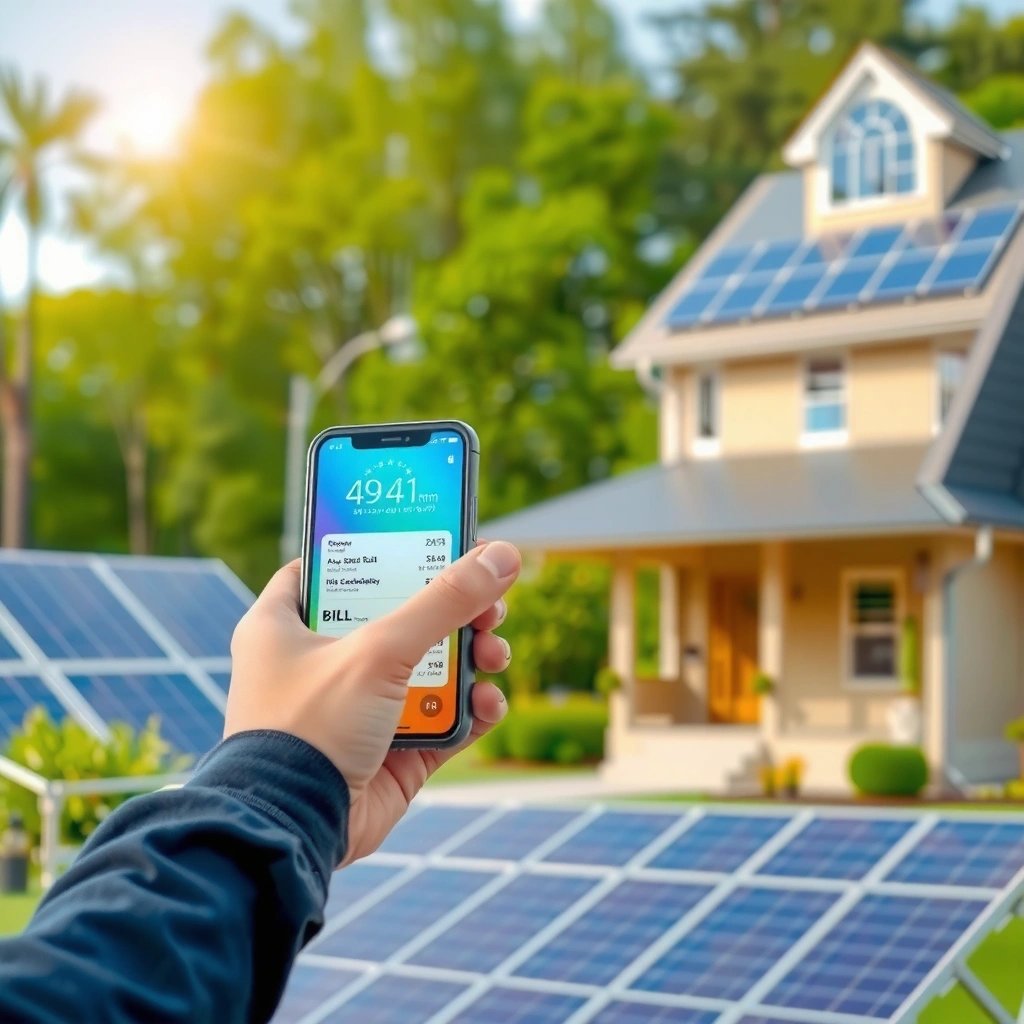
Tracking an Android from an iPhone is possible, but it’s not a universal “iOS can spy on Android” feature. What makes it work is the combination of (1) the Android phone’s permissions (especially Background Location / precise location), and (2) an app or service that supports cross-platform device discovery and location viewing. This guide breaks down the most common, legitimate ways people set up cross-platform tracking—along with the limitations you should expect around accuracy, battery, and legality.

What “Tracking” Means for Android Devices
“Tracking” can mean several different things, and the method you choose depends on which definition you’re using:
- Tracking can refer to location sharing, device discovery, or real-time GPS monitoring
- Location sharing: You see a moving dot on a map (usually near real-time).
- Device discovery: You find a device’s last known location (“it was here 2 hours ago”).
- Real-time GPS monitoring: You receive frequent location updates while the device moves.
- The most reliable options require consent and proper app installation
- Most reputable location-sharing setups rely on the Android owner accepting an invite, signing into an account, and allowing location permissions.
- Some methods only show approximate location, depending on permissions
- If only approximate location is available (or if location is turned off), the “tracking” result can degrade to broader geofences or last-known points.
Practical takeaway: Before choosing a method, confirm you want live tracking (continuous) or check-ins (occasional updates), and ensure the Android user understands and agrees to what’s being shared.
Option 1: Location Sharing Apps
The most straightforward cross-platform approach is to use a location-sharing app that supports both Android and iOS and allows device pairing through an invite link or shared account.
Here’s how it typically works:
- Install the same tracking/location-sharing app on the Android phone and the iPhone
- Example categories include family locator apps, shared GPS trackers, and “location sharing” utilities (availability varies by region).
- Ensure location permissions are enabled on the Android device
- Look specifically for Location services ON, App permission: Allow, and ideally permissions that enable background access if you need ongoing updates.
- Use a shared account or invite link to connect devices
- The Android user authorizes sharing, and the iPhone user can view the Android device through the app’s dashboard/map.
Actionable checklist (Android side)
- Turn on Location in Android settings.
- For the tracking app: set permissions to Allow while using and, if available/needed, Allow all the time (Background).
- Enable Precise location if you need street-level accuracy.
- Keep battery optimization from aggressively restricting the app (many apps provide instructions).
Why this option is often best
- It’s designed for cross-platform use.
- It usually provides clear controls for what’s shared (live location vs. last seen) and when.
Cross-Platform Tracking Setup Snapshot (Example Use Cases)
Typical Cross-Platform Location Sharing Outcomes (Accuracy & Update Cadence)
| # | Tracking Mode | Typical Update Interval | Common Accuracy Result (With Permissions) | Setup Complexity |
|---|---|---|---|---|
| 1 | Invite + Live Map View | Every 30–120 seconds | ~10–50 meters (urban GPS) | ★ ★ ★ ★ ★ |
| 2 | Shared Account “Check-In” | Every 5–15 minutes | ~25–150 meters (mixed signal) | ★ ★ ★ ★ ★ |
| 3 | Geofencing Alerts | On entry/exit (seconds–minutes) | ~50–300 meters (zone-based) | ★ ★ ★ ★ ☆ |
| 4 | Last Known Location Only | Updates depend on activity | ~50–1000 meters (network/LBS) | ★ ★ ★ ☆ ☆ |
| 5 | Background Tracking (All-time) | Every 1–5 minutes | ~10–75 meters (when GPS is available) | ★ ★ ★ ★ ★ |
| 6 | Approximate Location Mode | Every 5–30 minutes | ~0.5–5 km (coarse) | ★ ★ ★ ☆ ☆ |
| 7 | Offline/GPS-Buffer + Sync | Real-time when online; else batch sync | Depends on cache; often ~20–300 meters after sync | ★ ★ ★ ★ ☆ |
Option 2: Find My Device (and Similar Services)
Some people assume Apple’s “Find My” or Android’s “Find My Device” can automatically cross-track the other platform. In reality, cross-device compatibility depends on the specific service and what it allows across operating systems.
- Some ecosystems may support cross-device location viewing with setup
- Some third-party services can integrate with Apple/Google identity or provide a unified map view, but this is not the same as a native, unrestricted “iPhone tracks Android” feature.
- Check whether the tracking service supports viewing from iOS
- Even if an Android phone offers a location feature, the ability to view it on iOS may require an app, web portal, or specific account linking.
- You may need specific permissions and correct configuration
- For Apple-side viewing, you may need:
- the right app installed (or a companion web access),
- correct sign-in,
- location permissions on Android,
- sometimes background permission or device policy settings.
Actionable guidance
- If you’re using a “find my device” style approach, test the workflow with a real scenario:
- confirm that location updates appear on iPhone quickly,
- check whether updates stop when the Android screen is off,
- verify what happens when the Android device loses internet connectivity.
Option 3: Third-Party Tracking Tools
When built-in options don’t provide the cross-platform experience you want, third-party tools may. Many of these focus on family safety, workforce field tracking, or asset monitoring—often with features like alerts, zones, and reporting.
- Many apps allow cross-platform device tracking (Android to iPhone)
- The key is that the tool supports iOS viewing and can receive location updates from Android.
- Look for reputable tools and confirm they support iOS viewing
- Before paying, verify:
- whether the iPhone app actually displays the Android device’s live location,
- whether there are limitations (e.g., “live view requires subscription,” “history available only on web”).
- Be aware of subscription requirements and permission settings
- Common gating factors include:
- premium plans for real-time history,
- restrictions for background tracking,
- different accuracy modes.
Business-use note: If you’re tracking employees’ phones or devices for operational reasons, make sure you have a documented policy, consent where required, and a data retention approach that matches your compliance obligations.
Important Requirements and Limitations
Even when cross-platform tracking is technically feasible, it comes with important constraints.
- Without access to the Android phone or consent, tracking is not feasible
- In most legitimate setups, you must:
- install or authorize the app on Android,
- grant location permission(s),
- accept an invite/link or connect via account login.
- Attempting to bypass permissions is both unethical and often illegal.
- Battery, GPS accuracy, and network conditions can affect results
- Accuracy can drop indoors or in “weak GPS” environments.
- Background tracking can be throttled by Android battery optimization settings.
- If cellular/Wi‑Fi connectivity is intermittent, you may see delayed updates or only last known locations.
- Legal and ethical limits apply—use only with permission
- Location data is sensitive personal information.
- Always align your tracking setup with applicable laws (which can vary by country/state) and obtain clear authorization, especially for consumer devices.
Conclusion
An iPhone can track an Android device only when the Android owner enables the necessary location permissions and connects through a cross-platform app or service that supports iOS viewing. For the most reliable results, use a trusted location-sharing method, validate Android permission settings (including background access when needed), and test accuracy under real-world conditions. If you prioritize consent, correct setup, and stable connectivity, you can achieve dependable cross-platform tracking for families, teams, or authorized device management.
Frequently Asked Questions
Can an iPhone track an Android phone without installing an app?
In most cases, an iPhone can’t directly “track” an Android phone using built-in Apple features alone because the iPhone ecosystem relies on Apple services and Android doesn’t expose location data to iOS apps by default. If you both agree to share location, you can use cross-platform location sharing apps (like Google Maps location sharing) or the Android phone’s Find My Device-style options. For one-way tracking without consent, that generally isn’t feasible or appropriate.
How can I track an Android phone using an iPhone with location sharing?
The most practical approach is to use a cross-platform service that supports real-time location sharing, such as Google Maps “Location sharing” or a shared-family location app. You’ll need the Android user to sign in and approve location permissions; without those permissions, the iPhone can’t receive accurate updates. Once enabled, your iPhone can view the shared Android location through the same account-based sharing workflow.
Why can’t iPhone services track an Android phone like they do other iPhones?
Apple’s tracking tools—such as Find My—are designed to work within the Apple ecosystem and require devices to be Apple/compatible and logged into Apple’s Find My network. Android phones use different systems and permission models, so an iPhone can’t use Apple’s Find My to pull an Android phone’s location on its own. Even third-party apps need the Android device to grant location access, otherwise tracking will be limited or impossible.
Which apps can iPhone users use to track an Android phone (legally and with permission)?
For legitimate tracking with consent, look for apps that support cross-platform “live location sharing,” such as Google Maps location sharing, Life360, or Family Locator-type services. These usually require both devices to install the app (or at least log into the same service), enable location permissions, and agree to sharing. Always confirm you’re using the feature with permission—this is critical for privacy and legal compliance.
What’s the best way to find a lost Android phone if the only device I have is an iPhone?
If the Android phone owner has Google enabled, you can use the iPhone to access Google’s Find My Device via a browser or another Google account method. This typically shows the last known location, lets you ring the device (if supported), and may allow locking or secure actions depending on settings. To get updates for future incidents, ensure Location Services and Google account protections are already enabled on the Android device.
References
- https://scholar.google.com/scholar?q=can+iphone+track+android Google Scholar
https://scholar.google.com/scholar?q=can+iphone+track+android - Google Scholar Google Scholar
https://scholar.google.com/scholar?q=location+sharing+cross-platform+iphone+android+tracking - Google Scholar Google Scholar
https://scholar.google.com/scholar?q=stalkerware+mobile+surveillance+ios+android - Find My
https://en.wikipedia.org/wiki/Find_My - Find Hub
https://en.wikipedia.org/wiki/Find_My_Device - If your iPhone or iPod touch won't charge - Apple Support
https://support.apple.com/en-us/HT203030 - https://pubmed.ncbi.nlm.nih.gov/?term=stalkerware+location
https://pubmed.ncbi.nlm.nih.gov/?term=stalkerware+location - https://www.justice.gov/ovw/stalking
https://www.justice.gov/ovw/stalking - Google Scholar Google Scholar
https://scholar.google.com/scholar?q=can+an+iphone+track+an+android - can an iphone track an android - Search results
https://en.wikipedia.org/wiki/Special:Search?search=can+an+iphone+track+an+android