
Yes—you can track an iPhone from an Android, but only if you’re using Apple’s official Find My network through the right setup. This guide answers how to locate an iPhone from your Android phone, step by step, using the methods that actually work. If you have access to the iCloud/Find My login, you’ll be able to check location, get directions, and trigger alerts.
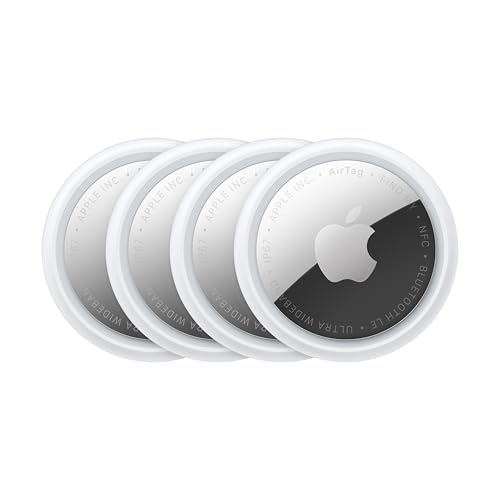


As an Amazon Associate I earn from qualifying purchases.
Yes—an Android user can track an iPhone, but only when the iPhone owner has granted authorization through Apple services like Find My or an iCloud/Family Sharing setup. This guide walks through what’s possible (and what isn’t), exactly what permissions you need, and the practical steps to check location status from Android.
Introduction

Tracking an iPhone from Android is possible because Apple’s location services are account- and permission-based—not device-based. If you have the correct access to the owner’s Apple ID (or shared access through Family Sharing), you can view the iPhone’s location and status using Find My via a web browser or Apple’s official Find My capabilities. If you *don’t* have authorization, there’s no legitimate way to “reverse-engineer” location from an Android phone number or bypass Apple security—attempts to do so can violate privacy laws and Apple’s terms.

What You Need to Track an iPhone
To track an iPhone legitimately from Android, you typically need three things: (1) authorized account access, (2) Find My enabled on the iPhone, and (3) a live internet connection for real-time location updates.
- You typically need access to the iPhone owner’s Apple ID or an invitation to their Family Sharing
This is the most common gating requirement. Without authorization, iPhone location data is not available to other Apple IDs, including other devices on the same carrier network.
- The iPhone must have “Find My” enabled and be signed into iCloud
On the iPhone, “Find My iPhone” (now part of Find My) must be active, and the device must be signed into iCloud with the Apple ID you have access to.
- You’ll need the iPhone to be turned on and able to connect to the internet (Wi‑Fi/cellular)
If the iPhone is powered off, it can’t provide updated location. If it’s offline, you may still see a last known location depending on what Apple’s system last captured.
To help you quickly understand what authorization looks like in real-world scenarios, here’s a concise checklist of common access paths and what they enable.
Authorized Access Paths to Track an iPhone (Typical Outcomes)
| # | Access Path (From Android) | What You Can See | Best For | Overall Value |
|---|---|---|---|---|
| 1 | Direct Apple ID access (authorized login) | Full location view + status | Accounts you manage for family | ★ ★ ★ ★ ★ |
| 2 | Family Sharing (Organizer grants sharing) | Location visibility (when enabled) | Parents tracking children’s devices | ★ ★ ★ ★ |
| 3 | Family Sharing (member grants location sharing) | Location view may be limited by settings | Shared accounts with consent controls | ★ ★ ★ ★ |
| 4 | Shared iCloud access via delegation (rare) | May allow limited Find My access | IT/admin scenarios | ★ ★ ★ |
| 5 | Authorized web-based Find My access (via iCloud) | Location + “offline”/last seen | Most common Android workflow | ★ ★ ★ ★ ★ |
| 6 | No account authorization (phone number-only) | No legitimate tracking access | — Not applicable | ★ |
| 7 | Owner-enabled Find My but device is offline | Last known location only | Recovering a device after power loss | ★ ★ ★ |
Using Apple’s Find My on Android
Apple’s Find My works across platforms; you don’t need an iPhone to view location. From an Android device, you typically use a web browser (recommended) or Find My interfaces where available.
- Use a web browser or Apple’s Find My features to view the device location
In practice, most Android users will go through iCloud web access (Find My) to confirm location and device status.
- Confirm the device shows as “offline” or “last known location” if it’s not currently connected
Apple displays different states. If your iPhone is offline, you may still see a timestamp and last location, which can be crucial for narrowing down areas (e.g., “last seen near Building B at 6:14 PM”).
- Understand location accuracy depends on signal and device settings
Location accuracy can vary based on:
- whether Location Services is enabled on the iPhone,
- cellular/Wi‑Fi availability,
- whether the device is indoors/outdoors,
- and whether the iPhone is actively able to report updates.
Actionable tip: If the iPhone is missing, encourage the authorized owner to keep Find My open and check periodically—when the phone reconnects to the internet, Apple may update the location status.
Using iCloud.com to Track Location
iCloud.com is one of the most reliable ways to track an iPhone using Android because it’s designed for browser access and account-based authorization.
- Sign in to iCloud.com with the authorized Apple ID
This must be the same Apple ID that owns the iPhone (or one with legitimate Family Sharing/permission-based access).
- Go to Find My to check the iPhone’s location and status
You’ll typically see:
- the map location,
- whether the device is online/offline,
- and a “last updated” indicator.
- Use actions like playing a sound (when available) if the device supports it
For a nearby device (like misplaced in an office), the “Play Sound” action can be highly effective—especially if the iPhone is powered on and within audible range.
Recovery workflow example (common in businesses and households):
- Authorized user signs into iCloud.com on Android.
- Checks Find My and records the last known location.
- Attempts “Play Sound” if the phone shows as online.
- If offline, uses the timestamp to prioritize likely areas and escalates to in-person search or reporting.
Family Sharing and Shared Access Options
Many people ask whether they can track a spouse’s child’s iPhone while using Android. The answer depends on whether Apple’s Family Sharing rules and location sharing settings are configured correctly.
- If you’re in Family Sharing, you may be able to track the iPhone from your Apple account
Being part of Family Sharing doesn’t automatically mean full Find My access for every device—Apple’s location visibility typically depends on consent and per-device settings.
- Check that location sharing is enabled for the iPhone
On the iPhone, the owner (or the organizer) must enable location sharing in Find My settings. If it’s off, you may only see limited information or none at all.
- Learn the limits of shared visibility compared to full Apple ID access
When access is shared, visibility can be narrower than direct Apple ID access, especially if location sharing is not enabled consistently across devices or if permissions are adjusted.
To make the “best approach” decision easier, here’s a comparison of tracking methods by practical criteria. (This table assumes you have authorized access; unauthorized access is not included.)
Find My Tracking Options From Android (Authorized Use)
| # | Criteria | iCloud.com (Find My) | Family Sharing View |
|---|---|---|---|
| 1 | Authorization required | Yes | Yes (Family consent) |
| 2 | Works on Android browser | Yes | Usually via same flow |
| 3 | Realtime updates when online | Often | Often (depends on sharing settings) |
| 4 | Offline “last known” visibility | Yes | Yes (may vary) |
| 5 | Play Sound availability | Yes (when supported) | Not always |
| 6 | Remote actions (when applicable) | More complete | Limited by sharing permissions |
| 7 | Setup complexity | Low (if access granted) | Medium (requires correct family/location settings) |
| 8 | Best for “single device owner” | Yes | Sometimes (shared households) |
| 9 | Potential for user confusion | Lower | Higher (permissions vary) |
| 10 | Troubleshooting when location is missing | Check Find My enabled + internet | Check family and device location sharing toggles |
| 11 | Best For | Authorized direct access | Family-wide device visibility |
What You Can’t Do (Without Permission)
It’s important to be clear: Apple’s ecosystem is built to prevent unauthorized tracking. If you’re thinking about “tracking by number” or using third-party tools, understand the hard limits.
- You generally can’t track an iPhone using only the phone number from Android
A phone number isn’t an authorization token for Find My. iPhone location is protected behind iCloud identity and device configuration.
- You can’t bypass security or track without the owner’s authorization
Any method that claims it can bypass Apple security is either misleading or illegal. Even if a tool appears to show location, it may be harvesting data, spoofing information, or putting you and the device owner at risk.
- If the iPhone isn’t set up with Find My, tracking options may be limited
Without Find My enabled, you won’t have the same location and status indicators. In that case, the best next steps are legitimate recovery routes: contact the owner, check carrier-based options, and file a report if the device is stolen.
Conclusion
You can track an iPhone from an Android only with authorized access—typically through Find My on iCloud.com or approved Family Sharing permissions, provided the iPhone has Find My enabled and can connect to the internet. Start by confirming the correct access path (full authorized Apple ID access is most straightforward), verify Find My settings on the iPhone, then use iCloud/Find My in your Android browser. If you don’t have permission, avoid attempts to bypass security and focus on safe, legitimate recovery steps with the device owner.
Frequently Asked Questions
Can I track an iPhone from an Android phone?
Yes, you can track an iPhone from Android in some situations, mainly if Apple’s location services are enabled and you’re using the right tools. If the iPhone owner has shared location with you through iCloud (Find My) or Family Sharing, you can view the location in a browser from your Android device. Without those permissions or settings, you generally can’t track an iPhone directly just by having the phone number or iPhone model.
How can I use Find My to track an iPhone from Android?
To track an iPhone from Android, the iPhone must be set up in Find My and location services must be turned on. On your Android, sign in to iCloud.com in a web browser and open Find My, then select the device to see its location on a map. This approach works for shared/authorized access and is the most reliable method for legitimate tracking.
What should I check if I can’t see the iPhone location on my Android?
First, confirm the iPhone has Find My enabled and “Share My Location” is active (and that Location Services are not disabled). You’ll also want to ensure the iPhone is connected to the internet (Wi‑Fi or cellular), since Find My location updates require connectivity. If the device is offline, you may only see the last known location, and it may update slowly.
Why can’t I track an iPhone on Android without the owner’s permission?
Apple is designed to protect iPhone users’ privacy, so tracking an iPhone without the owner enabling location sharing isn’t typically possible. Methods that claim “track iPhone from Android without access” are usually scams or rely on illegal spyware, which you should avoid. For legitimate tracking, you need proper access through iCloud/Find My with the iPhone owner’s permission.
Which is the best way to track an iPhone from Android for families or caregivers?
The best option is using Apple’s Family Sharing plus Find My, where the iPhone owner shares location with family members you approve. This lets you view the iPhone location on Android through a browser using your Apple ID credentials. If you need accuracy over time, keep location permissions enabled and ensure the iPhone has internet access for regular updates.
References
- https://en.wikipedia.org/wiki/Find_My_(Apple
https://en.wikipedia.org/wiki/Find_My_(Apple - https://en.wikipedia.org/wiki/Find_My_Network
https://en.wikipedia.org/wiki/Find_My_Network - iCloud
https://en.wikipedia.org/wiki/iCloud - macOS Catalina
https://en.wikipedia.org/wiki/Activation_Lock - Apple Account
https://en.wikipedia.org/wiki/Apple_ID - Location-based service
https://en.wikipedia.org/wiki/Location_service - GPS tracking unit
https://en.wikipedia.org/wiki/GPS_tracking - Google Scholar Google Scholar
https://scholar.google.com/scholar?q=track+iPhone+from+Android+Find+My - Google Scholar Google Scholar
https://scholar.google.com/scholar?q=interoperability+location+tracking+between+iOS+and+Android - Google Scholar Google Scholar
https://scholar.google.com/scholar?q=geolocation+privacy+Find+My+network+study