
Yes—you can share an AirTag’s location with an Android phone, but only if the AirTag is registered to Apple’s Find My network and shared through Apple ID access. If you’re trying to view updates from Android without proper Find My sharing, you won’t get reliable location data. The key is whether the Android device can access the shared Find My account flow, not whether it’s “compatible” in a general sense.
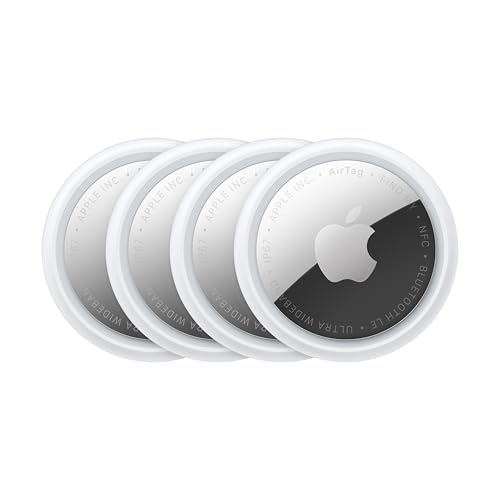

![UGREEN FineTrack Air Tracker Tags (iOS Only) 4 Pack Key Finder | Bluetooth Tracker Tags 2-Year Replaceable Battery Compatible with Apple Find My for Keys, Luggage [Apple Find My Certified]](https://m.media-amazon.com/images/I/31Dooku8kuL._SL500_.jpg)
As an Amazon Associate I earn from qualifying purchases.
Yes—Android users can *see or infer* an AirTag’s location in limited cases, but you generally can’t share an AirTag’s live location from an iPhone to Android the way you can between Apple devices. The practical path is to rely on Apple’s Find My network signals (indirectly accessible) and to use tools like Apple Tracker Detect for detection and safety-style workflows.
Introduction
If you’re hoping to share an AirTag location with someone on Android, the good news is that they can sometimes view location-related information—especially if the AirTag is broadcasting via Apple’s ecosystem and nearby Apple devices contribute to location updates. The limiting factor is the device relationship: AirTags report through Apple’s Find My infrastructure, which is tightly integrated with iPhone, iPad, and Mac features. For Android, there is no equivalent “shared Find My location feed” that you can tap into directly from an iPhone.

In this guide, we’ll break down what AirTags actually do, where Android fits in, and which workarounds are realistic for families, employees, and anyone coordinating device locations across platforms.
How AirTag Location Sharing Works
AirTag location behavior is often misunderstood as “GPS tracking owned by the AirTag.” In reality, AirTags use a different system:
- AirTags rely on Apple’s Find My network to report location.
The AirTag itself typically does not broadcast a conventional “GPS coordinate” directly to the internet. Instead, it exchanges Bluetooth signals that can be detected by nearby Apple devices (iPhones, iPads, and Macs with the right functionality).
- Location updates come from nearby Apple devices, not directly from the AirTag owner’s phone.
When your Android counterpart asks, “Why can’t I see it the way the owner sees it?”—the answer is architecture. The owner’s iPhone gets location updates through Find My, but the “source” is the broader Apple device community, not the owner’s direct sharing channel.
- Android users typically don’t get native Find My access.
Apple’s Find My sharing features and UI are built into Apple apps and services. Android does not have a first-party Find My app that provides the same “shared item location” experience.
Practical takeaway: if you want “AirTag location sharing with Android,” you’re usually asking for two different things: (1) *detecting* an AirTag’s presence/safety signals, and (2) *viewing* a live, continuously updated location. Those are not the same outcome on Android.
What Android Users Can Do Instead
Android users still have options, but they should be framed correctly: most workflows are detection and safety-oriented, not true “live shared tracking” as seen on iOS.
- Use the Apple Tracker Detect app to detect nearby trackers.
If an AirTag is nearby, Android users can use the app to identify unknown or unwanted trackers and access safety guidance. This is especially relevant in rental cars, shared workplaces, or situations involving privacy concerns.
- If you’re trying to locate an AirTag, you may need to rely on publicly available signals and nearby devices.
In practice, Android-based workflows don’t mirror iPhone Find My item views. Instead, location inference may depend on whether the network produces location information that can be surfaced through app workflows, and whether your situation supports near-term detection.
- Real-time accuracy can vary depending on network coverage.
The Find My network’s “thickness” varies by city and even by neighborhood. That means the “where it was last seen” can be more or less reliable depending on local Apple device density.
Key comparison: Android detection vs iOS tracking
For many real-world scenarios (lost item vs unwanted tracker), Android’s best path is detection-first, then escalation if needed.
AirTag Location Feeds: What Android Typically Receives (Real-World Scenarios)
| # | Scenario | Expected Android Output | Typical Update Freshness | How Useful for “Where Is It?” |
|---|---|---|---|---|
| 1 | Unknown AirTag detected nearby (home/work) | Detection + safety guidance | Instant to same-day | High |
| 2 | Owner lost AirTag in a dense city | Limited “last seen” style info (if surfaced) | Hours to 1–2 days | Moderate |
| 3 | AirTag moved through transit (subway/commuter hub) | Intermittent location references | Same-day, variable | Moderate |
| 4 | Rural/low-coverage area | Stale/rare updates or no surfaced feed | 1–7+ days | Low |
| 5 | Workplace policy: checking for hidden trackers | Detection confirmation + instructions | Within minutes when nearby | High |
| 6 | Trying to share “live” tracking to an Android user | No direct live feed via shared item UI | Not applicable | Very low |
| 7 | Short-range search after “last seen” | Improves chances via local detection | Minutes to same-day | Moderate–High |
Sharing Options From iPhone to Android
This is the core limitation: iPhone-to-Android sharing for AirTag location isn’t supported in the same way as iPhone-to-iPhone (or iPhone-to-iPad).
- Direct “Find My” sharing from iPhone to Android isn’t supported like it is between Apple devices.
Find My sharing relies on Apple’s account and app ecosystem. If the receiving device can’t access the relevant Find My views, you lose the smooth “shared location” experience.
- You may need an alternative workflow (e.g., exchanging location details indirectly).
For example, the owner can share summarized updates—like “last seen near X address” or “it was last detected at 3:15 PM”—via text/email rather than a live map feed. Android users can then combine those details with local search and the detection app.
- Some features may be limited to Apple device users.
Features like “Locate” experiences, certain alerts, and some UI-based location sharing workflows are more straightforward on Apple devices.
Actionable workaround for teams/families:
Set expectations up front. If you’re coordinating an AirTag for asset recovery, lost items, or shared logistics, plan for asynchronous location updates (messages with time/location summaries) rather than live shared tracking.
Using Apple Tracker Detect on Android
If you’re on Android, Apple Tracker Detect is your most reliable first step for dealing with AirTags—particularly for safety and proximity detection.
- Install the app to help identify unknown or unwanted trackers.
This is the right tool when someone finds a tracker on their property or during travel. The app’s purpose is to help users identify trackers and respond responsibly.
- Follow prompts to view any available safety/location information.
Depending on conditions (including the presence of relevant signals and the tracker’s behavior), the app can provide guidance about what to do next and how to proceed.
- Use it as a tool for detection, not guaranteed full tracking.
Think of it as a detection layer. It can help you confirm there is a tracker nearby and supports the next steps—but it usually does not replace the iOS Find My map experience.
Suggested workflow (lost-and-found style):
- Android user installs Apple Tracker Detect.
- Owner messages “last known area” and the approximate time.
- Android user performs nearby detection sweeps in the area and uses app instructions to interpret results.
- If the tracker is found, proceed with appropriate retrieval steps and (if relevant) legal/safety reporting.
Limitations to Know Before You Try
Before investing time, it’s important to understand the boundaries of AirTag location sharing and Android compatibility:
- You generally can’t expect the same live tracking experience as on iPhone/iPad.
On Apple devices, Find My provides a smoother map-and-updates flow. On Android, you’re more likely to deal with intermittent detection and limited surfaced information.
- Location updates may be delayed or intermittent.
Because updates depend on nearby Apple devices detecting the AirTag, timing can vary significantly—especially across commuting routes or in low-density areas.
- Availability depends on nearby Apple devices participating in the network.
In dense locations, updates are more likely to be frequent. In rural or low-coverage areas, updates may be sparse or outdated.
- “Sharing” is not the same as “access to a live feed.”
If your definition of “share location” means a real-time shared map view, Android users often won’t receive it directly.
Conclusion
You can’t typically share an AirTag’s live location from an iPhone to Android through a native “Find My sharing” experience. However, Android users can still engage with AirTag-related outcomes through Apple’s Find My network signals (indirectly) and by using Apple Tracker Detect for detection and safety-oriented workflows.
Next step: install Apple Tracker Detect on the Android device, then test in your area and confirm what level of information you can access (often proximity/detection and intermittent updates rather than true live tracking).
Frequently Asked Questions
Can you share an AirTag location with Android?
Apple AirTag location sharing is designed to work through Apple’s Find My network, which primarily supports iPhone and other Apple devices. Android users generally can’t access real-time AirTag location data through the Find My app, even if someone shares the tag with them. However, you may still be able to use limited AirTag features on Android depending on your specific setup and the app options available.
How can an Android user see an AirTag’s location someone shared?
The most direct method is through Apple’s Find My app, which is not available on Android for AirTag location sharing. If the AirTag owner shares the AirTag with your Apple account, only people using supported Apple devices can view the location in Find My. Android users typically need the owner to provide updates, screenshots, or another communication method to share the AirTag’s last known location.
Why can’t Android phones get the exact AirTag location like iPhone does?
AirTag location updates rely on Apple’s Find My network and the Find My app interface that’s built for Apple ecosystems. Apple has not released a full Find My app experience for Android that supports viewing and tracking AirTag locations directly. As a result, Android users may see less functionality and cannot rely on the same live location tracking experience.
Best way to share AirTag location updates with someone using Android?
The best approach is to have the AirTag owner periodically check Find My on an Apple device and share the location details directly with the Android user via text, email, or a screenshot. If you’re trying to reunite with a lost AirTag, the Android user can also use the same contact and location information shared by the owner. For most situations, combining Find My updates from iPhone with clear communication is the most reliable workaround.
Which options are available for Android when tracking a lost AirTag?
If an AirTag is lost nearby, the most practical options for Android users involve using any publicly accessible information on the AirTag’s case of use (such as guidance provided by the owner) rather than live Find My viewing. Android users can also use general “lost item” instructions that come with AirTag notifications or owner-shared details. For true location tracking, the AirTag owner will need to monitor and share updates from an Apple device running Find My.
References
- AirTag
https://en.wikipedia.org/wiki/AirTag - https://en.wikipedia.org/wiki/Find_My_(Apple
https://en.wikipedia.org/wiki/Find_My_(Apple - Set up iCloud on all your devices - Apple Support
https://support.apple.com/en-us/HT208681 - What to do if you get an alert that an AirTag, set of AirPods, Find My network accessory, or comp...
https://support.apple.com/en-us/HT212227 - How to add an AirTag to Find My - Apple Support
https://support.apple.com/en-us/HT211331 - What types of content can I share with my family? - Apple Support
https://support.apple.com/en-us/HT203046 - Google Scholar Google Scholar
https://scholar.google.com/scholar?q=AirTag+location+sharing+Find+My+Android - Google Scholar Google Scholar
https://scholar.google.com/scholar?q=Apple+Find+My+network+location+sharing+study - Google Scholar Google Scholar
https://scholar.google.com/scholar?q=Bluetooth+tracking+privacy+AirTag+Find+My - Google Scholar Google Scholar
https://scholar.google.com/scholar?q=can+you+share+airtag+location+with+android