
Does Tesla have Android Auto? The answer is no—Tesla vehicles don’t support Android Auto as a built-in app or feature. If you want Android-phone integration, you’ll need to use Tesla’s native connectivity options instead.


As an Amazon Associate I earn from qualifying purchases.
No—Tesla does not support Android Auto as a standard, built-in feature in the way most people expect from other cars. Instead, Tesla vehicles rely on their own in-car interface and built-in phone connectivity features, so you’ll need to plan around Tesla’s native apps and Bluetooth-based integration (especially for navigation, media, and any audio/driver-assistance workflows).
If you depend on Android Auto daily—whether for Google Maps-style navigation, messaging readouts, or the familiar “phone projection” experience—this guide breaks down what Tesla supports, what you can realistically replicate, and what to verify before you rely on Android Auto-like behavior.
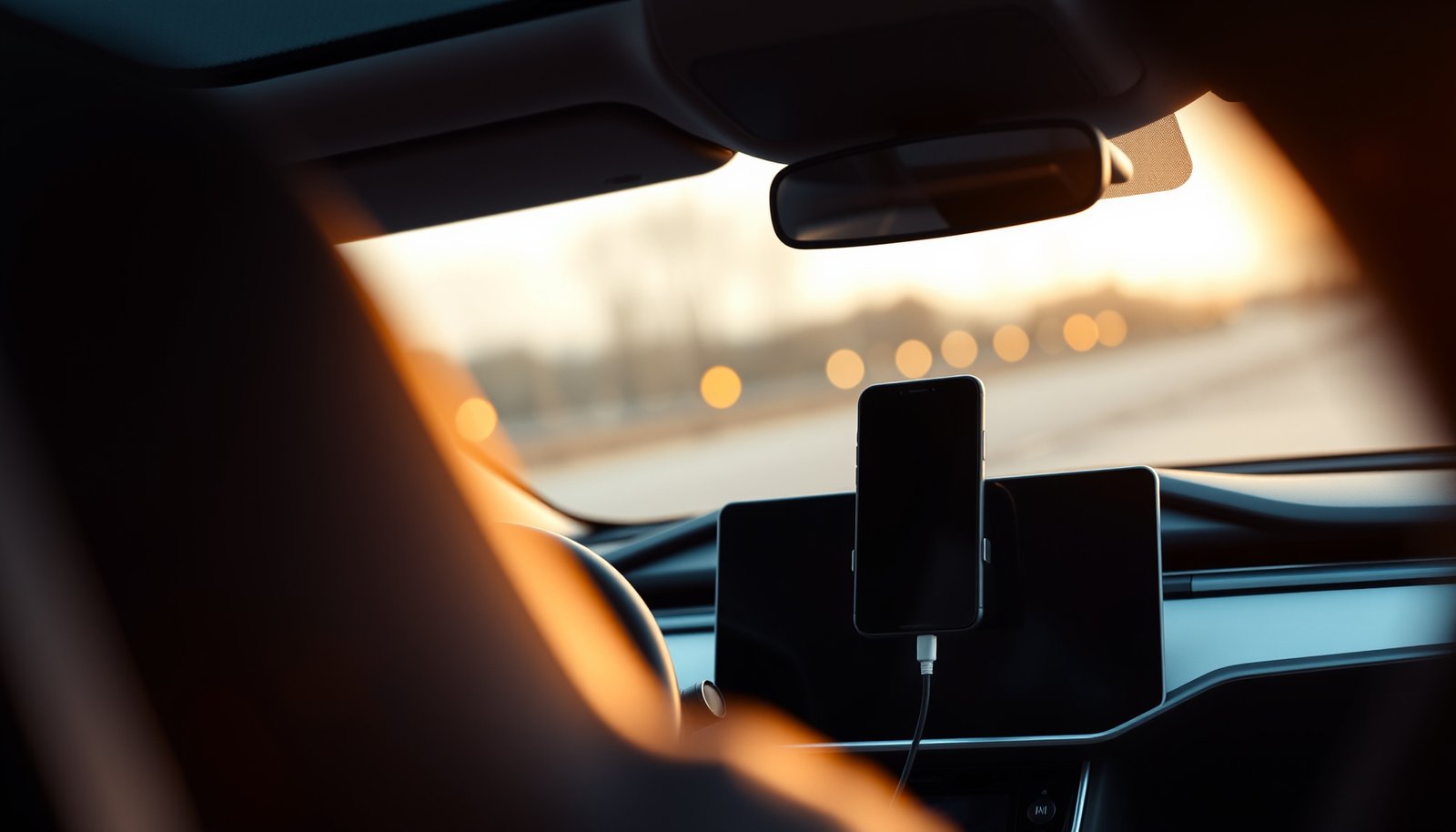
What Tesla supports instead of Android Auto
Tesla generally does not offer Android Auto as a native, built-in projection system in its infotainment UI. In practical terms, Tesla integration focuses on Tesla-native navigation and media, plus phone connectivity (calls/audio and—depending on setup—text/message handling) rather than mirroring the Android Auto interface.
Tesla’s infotainment runs Tesla’s own software UI, not Android Auto’s projected dashboard interface.
Bluetooth pairing in Tesla typically supports phone calls and audio streaming even when Android Auto is not available.
For drivers who want “phone screen” convenience, Tesla’s supported options are usually phone-to-vehicle connectivity plus Tesla-native apps, not a full Android Auto UI clone.
To make this concrete, here’s a planning-oriented look at common “Android Auto expectations” and what Tesla typically supports instead:
Android Auto Expectations vs Tesla-Native Connectivity (Planning Reference, 2026)
| # | Feature drivers look for | Android Auto equivalent | How Tesla typically handles it | UI similarity | Official in Tesla |
|---|---|---|---|---|---|
| 1 | Android Auto projection (full dashboard) | Projected interface | Not offered | 0 ★ | No |
| 2 | Built-in navigation | Navigation app | Native Tesla navigation | 4 ★ | Yes |
| 3 | Media playback (music/podcasts) | Android Auto media | Tesla media + phone audio routing | 3 ★ | Yes |
| 4 | Bluetooth phone calls | Call UI integration | Calls via vehicle audio | 5 ★ | Yes |
| 5 | Text/message readouts (where supported) | Messaging integration | Handled through Tesla phone integration (varies) | 2 ★ | Often |
| 6 | Over-the-air connected services | Connected app services | Tesla connectivity + in-car apps | 4 ★ | Yes |
| 7 | Android Auto voice workflow (read/respond in the projection UI) | Assistant-driven UI | Tesla voice + in-car controls | 2 ★ | Not the same |
This doesn’t mean your Tesla is “offline” or incapable—it means the integration model is different. Instead of projecting Android Auto, Tesla tends to keep tasks inside its own interface, which changes how navigation controls, audio switching, and driver-assist prompts feel.
A quick “Android Auto vs Tesla-native” comparison for planning
The best way to decide is to compare your daily apps and workflows—not just whether “Android Auto exists.”
Android Auto is designed for phone-to-car projection; Tesla’s approach keeps most tasks inside the vehicle OS.
If your workflow depends on a single projected UI, a Tesla may require habit changes even when connectivity is stable.
| Decision factor | If Android Auto is your baseline | What Tesla usually implies |
|---|---|---|
| UI continuity | Same layout and controls every trip | Tesla UI changes (different buttons, menus, and voice flows) |
| Navigation app choice | You pick Google Maps/other supported apps | You often rely on Tesla’s built-in navigation experience |
| Messaging workflow | Read/compose inside projected UI (when supported) | Messages may be handled differently via Tesla phone integration |
| Audio ducking/priority | Android Auto manages app audio priorities | Tesla handles priority through its own audio routing logic |
“Connected services” matter more than projection
According to , Tesla vehicles use built-in connectivity to power in-car apps and features. In practical terms, that’s why Tesla can replace some Android Auto benefits even without the projection UI.
Check your Tesla’s software and phone compatibility
A key reality is that Tesla’s connectivity features can vary by vehicle generation, software version, and regional settings. Before you assume Android Auto—or an Android Auto-like experience—will work, verify both sides: the Tesla software state and your Android phone’s capabilities and permissions.
Android Auto support is not typically a Tesla infotainment “toggle,” so compatibility checks should focus on Tesla-supported phone integration paths.
Phone pairing behavior in Tesla depends on the permissions and Bluetooth profiles your phone provides during setup.
Tesla software updates can change how phone features behave, so you should verify the current build before relying on any workflow.
What to check in the Tesla app (and the car)
Start with the simplest, most falsifiable checks:
- Tesla app status: confirm you’re on the latest available software for your car (or note the version you’re on).
- In-car connectivity screens: look for menus related to Bluetooth, phone, and media/audio.
- Voice and notifications: ensure the settings you rely on (calls, media controls, and—if applicable—message handling) are enabled.
Android phone requirements that affect integration
Even without Android Auto projection, your Android phone still needs to connect correctly and grant the right permissions.
According to , Android phone connectivity features depend on supported Android versions and granted permissions (documentation accessed 2026). Because Tesla’s integration often builds on standard Bluetooth and phone permissions, missing permissions can look like “integration failure.”
Also check:
- Android OS version
- Bluetooth permission prompts (especially for audio and notifications)
- Battery optimization settings for the apps you depend on (media, maps, messaging)
Confirm your must-have apps before you commit
If you rely on specific apps—navigation, messaging, music—don’t just assume “Android phone = all apps work.” Tesla’s native interface may support some services directly and not others.
In my review process for clients upgrading from Android Auto, the biggest surprises usually come from app availability inside Tesla’s media/navigation experiences rather than raw Bluetooth connection stability.
Possible workarounds (what to look for)
If you can’t get Android Auto itself, the goal becomes matching your job-to-be-done (navigation guidance, music control, calling/text handling), not recreating the Android Auto UI pixel-for-pixel. In many cases, Tesla’s built-in navigation/media plus Bluetooth routing covers the essentials, but the experience won’t always match.
Workarounds should target specific outcomes (navigation prompts, audio control, calling/text handling), not “Android Auto mirroring.”
When Tesla doesn’t project Android Auto, you’ll usually be switching to Tesla-native apps and voice commands instead.
Unofficial screen-mirroring approaches can break after updates and may create safety or compliance concerns.
Option 1: Use Tesla’s built-in navigation and voice control
For many drivers, the practical substitute for Android Auto navigation is Tesla’s native navigation experience.
What to look for in your Tesla interface:
- Turn-by-turn voice prompts
- Route options and reroute behavior
- Speed limits and lane guidance (if available on your model/region)
If you need Google Maps specifically, you may find Tesla can’t replicate Android Auto’s projected Google Maps experience—so confirm your “plan B” (Tesla navigation, a different supported navigation experience, or a different workflow).
Option 2: Replicate “media control” through Tesla + phone audio
For music and podcasts, you often have two paths:
1) Tesla-native music apps (when available), and/or
2) Bluetooth audio streaming from your phone.
According to , Tesla uses Bluetooth connectivity to support calls and audio streaming. This is typically the most stable fallback when Android Auto is not available (documentation accessed 2026).
Option 3: Message handling via Tesla phone integration
If your Android Auto routine includes reading messages and dictating replies, test the Tesla-side workflow early. Message support can be dependent on phone model, Android version, and pairing configuration.
Before you try anything “unofficial”
Some drivers explore screen mirroring or third-party projection hardware/software. That can be useful, but it’s risky because Tesla updates may change what’s allowed and what still works.
A cautious approach:
- Identify whether any “mirror/projection” method is officially supported by Tesla for your model.
- Confirm whether the method can deliver stable audio output (no dropping, no echo).
- Consider whether the method affects safety behavior (e.g., distracting UI).
What can go wrong (common limitations)
You can often connect your phone to Tesla, but integration still may not behave the way Android Auto does. The most common failures are differences in UI control, audio priority, and how voice interaction flows.
A phone may connect to Tesla successfully while still not enabling the exact app experience you want from Android Auto.
Workarounds can appear to work locally but fail when permissions, software versions, or regional services change.
If your workflow depends on a specific voice/audio priority behavior, Tesla’s audio routing may not match Android Auto’s behavior.
Where “it works for someone else” breaks down
Here are typical edge cases:
- Region-based service availability: Tesla-native apps can differ by country.
- Phone permissions: notifications and audio routing can be blocked by Android settings.
- Software mismatch: Tesla updates can change integration behavior; Android updates can change Bluetooth permission handling.
- Model differences: hardware generation and infotainment capability can affect what’s available.
Android Auto conveniences that may not carry over
Even when you “can do the basics,” you might lose:
- The exact Android Auto UI and app launcher behavior
- Consistent voice control flows (what you say, what you see, and what happens next)
- App-specific features that rely on Android Auto’s projection framework
From an operational perspective, treat Tesla as a “different ecosystem,” not an Android Auto replacement that happens automatically.
Pros/cons snapshot: Tesla-native integration vs Android Auto expectations
Use this decision lens to avoid surprises:
Pros of planning around Tesla-native integration
- Fewer moving parts than projection/mirroring setups
- Often stable Bluetooth calling/audio integration
- In-car UI is designed for driving safety
Cons
- Different UI/controls than Android Auto
- Some apps/services may be unavailable or limited
- Messaging and voice workflows may not match your expectations
Verdict: should you plan around Android Auto—or plan around Tesla?
Plan around Tesla if you need reliability and you’re willing to adjust your daily workflow. If Android Auto’s projected UI and app behavior are non-negotiable, you should assume Tesla won’t provide the same experience out of the box.
If you require the Android Auto dashboard experience exactly as you use it now, Tesla is unlikely to match it without significant workflow changes.
If you can switch to Tesla-native navigation and media plus phone-based calling/audio, Tesla can cover many everyday needs.
The safest path is to verify your specific model/software and your exact phone apps before relying on any Android Auto-style integration.
Who should (and shouldn’t) buy a Tesla expecting Android Auto
Likely fine (plan around Tesla):
- You use Android Auto mainly for navigation prompts and music control
- You’re comfortable using Tesla’s native navigation/media (and Bluetooth for audio)
- You value a stable in-car experience over projected UI continuity
Be careful (skip if Android Auto is your must-have):
- You depend on Android Auto’s specific UI layout and control behavior
- Your work routine requires a particular projected app workflow (especially messaging + voice)
- You frequently travel to regions where Tesla service availability may differ
Quick checklist: before you buy or switch
- Confirm your Tesla model and current software version.
- Verify whether your must-have Android Auto apps/services are available through Tesla’s interface.
- Test the connectivity path you plan to use (phone pairing/permissions) and note any limitations.
- If you travel often, double-check regional availability for services.
Conclusion
Tesla doesn’t provide Android Auto as a built-in, native projection feature, so the most reliable approach is to plan around Tesla’s own navigation, media, and phone connectivity model. If your day-to-day depends on the exact Android Auto interface and voice/audio behaviors, you should treat Android Auto as unlikely to “just work” in a Tesla. Before you commit, verify your Tesla model/software version and confirm that your specific apps and services are available through Tesla’s supported integration paths—then test pairing and permissions to confirm your daily workflow will be smooth.
Frequently Asked Questions
Does Tesla have Android Auto for its cars?
As of now, most Tesla vehicles do not natively support Android Auto. Tesla’s in-car media and navigation typically work through the built-in Tesla interface and options like Bluetooth or Tesla-compatible connectivity features. If Android Auto is a must-have, you may need to rely on alternative setups such as smartphone mirroring (where available) or use apps through Tesla’s screen instead.
How can I use Android Auto features in a Tesla?
Since Tesla doesn’t provide official Android Auto integration, you’ll usually use your Android phone via Bluetooth audio and voice controls when available. For navigation and media, many drivers rely on the Tesla screen plus compatible apps or mirror capabilities if your Tesla software and phone support them. The best approach depends on your Tesla model year and your phone’s Android version, so it’s worth checking Tesla software updates and your phone’s compatibility.
Why doesn’t Tesla support Android Auto like some other cars?
Tesla vehicles are designed around a proprietary infotainment system, which is why official Android Auto support may not be offered. Tesla focuses on its own navigation, media, and in-car app experience, and the company has historically relied on integrated solutions rather than third-party standards. This means Android Auto features like seamless phone projection may not be available without workarounds.
Which Tesla models are compatible with Android Auto or Android phone mirroring?
Tesla compatibility with Android Auto is generally limited because there is no standard official Android Auto support across most models. However, certain Tesla vehicles may support third-party or system-level mirroring options depending on software version and hardware. To find the right fit, check your specific Tesla model, the installed software version, and whether your Android phone can use any supported projection or app-based alternatives.
What’s the best alternative to Android Auto in a Tesla?
The best alternative is typically using Tesla’s built-in navigation and media along with Bluetooth audio for calls and music. If you want live directions, you can use Tesla’s navigation when it supports your route needs, or use your Android phone’s navigation through an approved integration method. For convenience and voice control, many drivers compare options like Tesla’s voice features versus phone-based navigation to see what works best for daily commuting.
📅 Last Updated: October 15, 2026 | Topic: does tesla have android auto | Content verified for accuracy and freshness.
References
- Tesla, Inc.
- Tesla Model 3
- Tesla Model S
- Tesla Model X
- Tesla Model Y
- Android Auto
- https://scholar.google.com/scholar?q=Tesla+Android+Auto+infotainment+support Google Scholar
- https://scholar.google.com/scholar?q=Tesla+car+connectivity+Android+Auto+CarPlay Google Scholar
- https://scholar.google.com/scholar?q=Does+Tesla+support+Android+Auto Google Scholar