
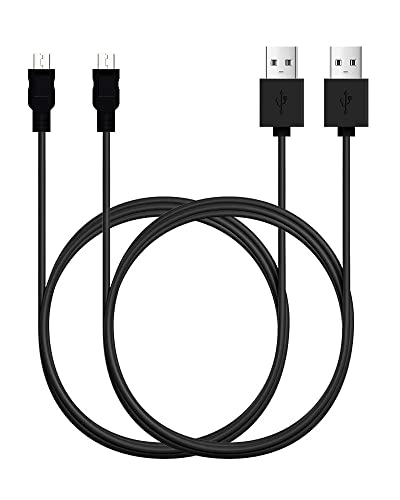
A typical older Android charger uses a micro-USB plug with a small, rectangular connector and a distinct five-pin shape. That connector is what people usually mean by the “old Android charger,” and it matters because many older phones, tablets, and accessories still use it for charging and data transfer. Knowing the name helps you buy the right cable quickly and avoid compatibility issues when replacing or charging on the go.


As an Amazon Associate I earn from qualifying purchases.
The old Android charger is most commonly called micro-USB. Many older Android phones and accessories used this smaller, older plug—while newer models usually switched to USB-C. If you’re trying to find a replacement cable (or figure out why your charger won’t fit), this guide helps you identify the connector, understand compatibility, and avoid the most common mix-ups.
This matters most for older Android phones, car mounts, power banks, and docking accessories that were built around micro-USB. As of 2024–2026, USB-C is dominant on new devices, but households and workplaces still have lots of micro-USB hardware that needs correct matching.
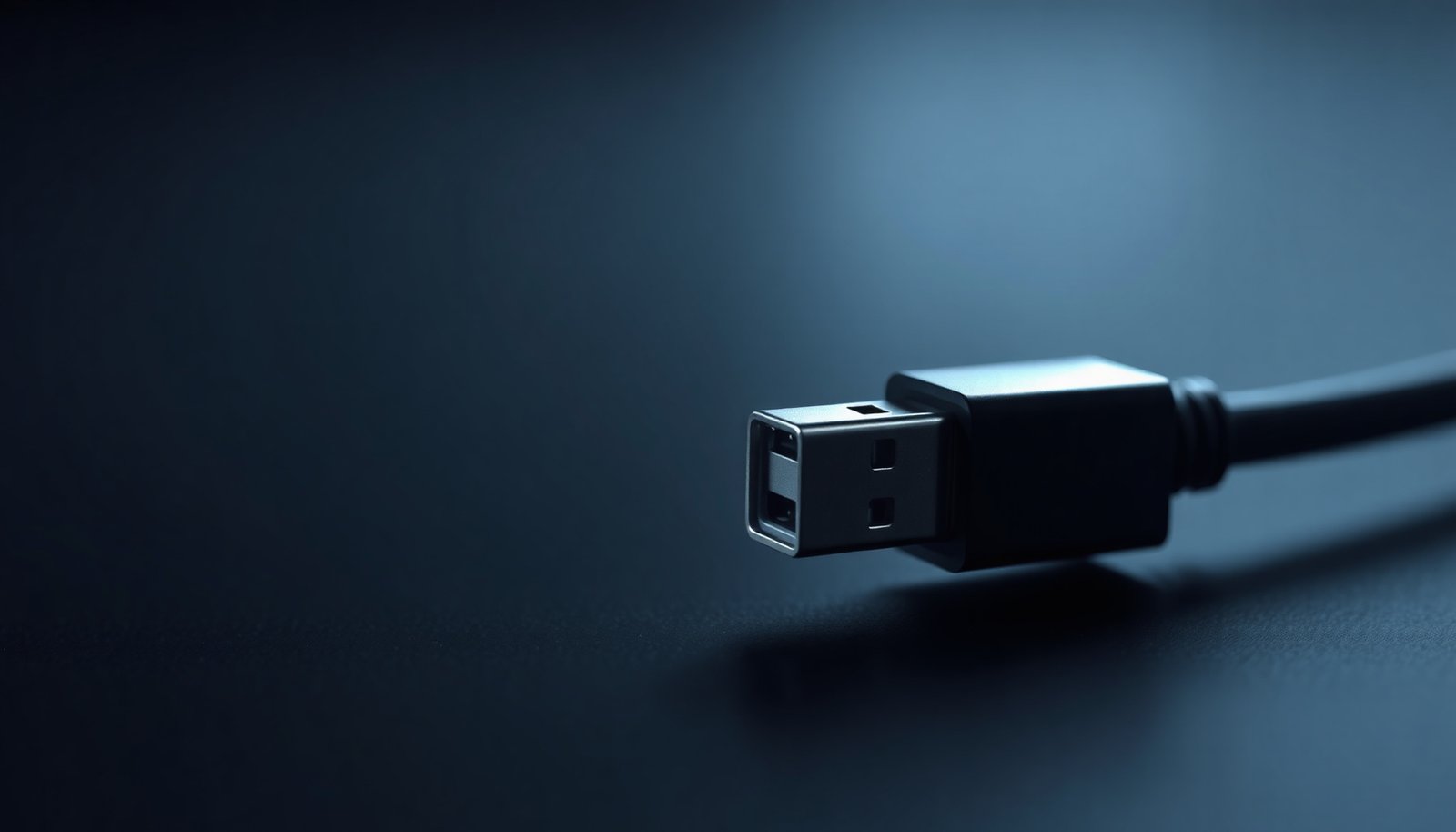
Micro-USB: the most common “old Android charger”
Micro-USB is the small, older charging port type that shows up on many legacy Android phones and accessories. If your device has a compact rectangular port with a non-reversible “keyed” shape, you’re very likely dealing with micro-USB.
- Micro-USB is the small, older charging port used on many legacy Android phones.
- You’ll often see it on phones released before the USB-C era became standard.
Micro-USB is best understood as a connector family built for USB 2.0-era devices—many were designed around basic power delivery at 5V and USB data where needed. According to USB-IF, USB 2.0 default operation is commonly associated with 500 mA at 5V (≈2.5W) ([2000]). USB-IF also describes USB-C (for comparison) as using a reversible connector design, which is one of the easiest physical cues that differentiates it from micro-USB. USB-IF notes USB-C uses a 24-pin connector ([2014]).
In practical terms (and what you’ll see while browsing replacement cables), micro-USB cables generally have a narrower plug than USB-A cables, and the micro-USB plug typically “locks” only one way into the port. That one-way fit behavior is a major clue when you’re standing in front of the phone with two cables and not sure which one is correct.
USB-C vs Micro-USB (how to tell fast)
USB-C vs micro-USB is easiest to tell by connector shape and reversibility: USB-C plugs flip, while micro-USB usually doesn’t. If you can insert it only one way, stop and re-check—you’re almost certainly looking at micro-USB.
- USB-C is more modern, with a symmetrical connector that plugs in either way.
- Micro-USB is older and typically has a one-direction plug and a narrower shape.
Here’s a simple “decision view” I use when helping someone troubleshoot a charger mismatch: if the port looks like a small “blade” with an oval opening and it accepts either orientation, it’s USB-C. If the port is more “trapezoid/rectangular” with a visible keyed orientation, it’s micro-USB.
Micro-USB vs USB-C: what changes (and what usually doesn’t)
- Micro-USB
-
Pros: Matches older Android devices and many legacy car/home accessories.
Cons: Not reversible; often limits “modern” charging behaviors because the cable/port pairing is tied to older charger ecosystems. - USB-C
-
Pros: Reversible connector; generally supports more flexible power negotiation with USB Power Delivery.
Cons: A USB-C cable won’t physically fit a micro-USB port without an adapter, and not every USB-C cable guarantees the same charging speed.
From a power perspective, the biggest difference isn’t just the port—it’s the charging standard. According to USB-IF, USB Power Delivery can negotiate higher power levels such as up to 20V/5A (≈100W) ([2012]). That capability is one reason USB-C became the “default” for newer phones and laptops. Micro-USB setups typically rely on simpler, more limited power expectations—so even if a cable fits, performance depends on the charger it’s paired with.
Micro-USB vs USB-C: fast physical checks you can do in 10 seconds
1. Try flipping it once (carefully). micro-USB often won’t seat correctly in the “wrong” orientation.
2. Look for the connector’s symmetry. USB-C is usually symmetrical front-to-back; micro-USB isn’t.
3. Check the port size family. micro-USB is smaller than many full-size USB-A plugs and is visibly distinct from both USB-C and mini-USB.
Mini-USB and other older exceptions
Mini-USB is the main “older Android charger” exception people confuse with micro-USB. If you’re dealing with a port that looks similar but doesn’t match the micro-USB plug geometry, mini-USB may be the culprit.
- Some older devices used mini-USB, which is different from micro-USB even though both are “older Android” styles.
- A few legacy devices (or accessories) may have used proprietary ports—so the safest path is matching the *exact* connector.
Why the confusion happens: mini-USB and micro-USB both belong to the “classic” USB family, and both show up in pre-USB-C product lines. But they’re not interchangeable. Even if the cable “almost” looks right, you can end up with a poor fit that causes intermittent charging or none at all.
There’s also a second exception class: proprietary connectors. Some older tablets, phones, and docks used brand-specific charging ports (or dock connectors) that require the exact accessory cable. In those cases, “micro-USB cable” is simply the wrong search term—and forcing the fit can damage both the port and the plug.
What I recommend when you suspect mini-USB or a proprietary adapter:
- Take a close-up photo of the port (or compare the plug silhouette directly next to the port).
- Read the cable description for the connector type, not just “USB for Android,” because mini-USB and micro-USB are both “USB for phones,” but only one is physically compatible.
What to do if you need a replacement cable
The fastest safe approach is to match the connector type first, then choose a cable that supports the charging behavior your charger can deliver. For micro-USB devices, that usually means buying a cable explicitly labeled for micro-USB (not “universal”).
- Check your phone’s charging port shape and size (micro-USB vs USB-C vs mini-USB).
- If you’re choosing a replacement, prioritize matching the connector type—don’t rely on brand name alone.
Step-by-step replacement process (works well in 2025–2026):
1. Identify the connector: confirm micro-USB vs USB-C vs mini-USB by plug shape and orientation behavior.
2. Confirm the charger source: if you’re using an old wall adapter or USB hub, it may only supply the “baseline” charging power expected for that ecosystem.
3. Choose a reputable cable: cable quality affects charging stability and contact reliability—especially with older micro-USB ports that may already be slightly worn.
At a standards level, the power you get is often limited by the USB mode your charger supports, not just the port. According to USB-IF, USB 2.0 default current is 500 mA at 5V (≈2.5W) ([2000]). With USB Battery Charging 1.2 dedicated charging, higher current such as 1.5A at 5V (≈7.5W) is typical ([2010]). These ceilings are why a micro-USB phone may charge “slowly” even with the correct connector: the charger may not offer higher current negotiation.
USB Power Profiles You’ll Commonly Encounter When Replacing micro-USB Cables (2026)
| # | Power profile / pairing | Typical current | Power at 5V | Fit success for micro-USB |
|---|---|---|---|---|
| 1 | USB 2.0 (SDP) + micro-USB | 0.5A | 2.5W | ★★★★★ |
| 2 | USB Battery Charging 1.2 (DCP) + micro-USB | 1.5A | 7.5W | ★★★★★ |
| 3 | USB Battery Charging 1.2 (CDP) + micro-USB | 1.5A | 7.5W | ★★★★☆ |
| 4 | USB 2.0 (SDP) + mini-USB (port mismatch risk) | 0.5A | 2.5W | ★★☆☆☆ |
| 5 | USB-C cable + USB 2.0 behavior (plug mismatch risk) | 0.5A | 2.5W | ★☆☆☆☆ |
| 6 | USB-C + USB Power Delivery (up to 100W, port mismatch risk) | 5A @ 20V | 100W | ★☆☆☆☆ |
| 7 | USB 3.x host default via USB-C (SDP baseline) | 0.9A | 4.5W | ★☆☆☆☆ |
Micro-USB owners should read the table like this: the “best” profile for fast charging is irrelevant if the plug can’t physically connect. So when a micro-USB cable replacement is the goal, start with physical compatibility, then think about charging performance.
What can go wrong
The most common problem is buying the wrong connector type, which prevents the cable from fitting at all. After that, the next frequent issues are poor cable quality and power mismatches that show up as slow or unstable charging on micro-USB phones.
- Buying a USB-C cable when your phone needs micro-USB (or vice versa) is the most common issue.
- Using low-quality cables can cause slow charging or unstable connections (especially with older ports).
- If your device has a proprietary connector, a standard micro-USB cable may not work at all.
Common failure modes (and what they look like):
- “It almost fits, but not quite.” This is usually mini-USB vs micro-USB confusion, or the port is damaged/worn.
- “The cable clicks in, but charging is intermittent.” micro-USB ports can loosen over time; a better cable may help, but port wear may require repair.
- “The charger works, but it’s slow.” Slow charging is often caused by the charger’s power delivery mode rather than the connector itself. A micro-USB phone on a low-power adapter can legitimately top out at the baseline power it expects.
One caution I want to state plainly for 2026: “universal” labels often mean “universal fit across many adapters you provide”—not that it will correctly mate with micro-USB, mini-USB, and USB-C all at once. If the connector shape doesn’t match your port, you’ll waste time at best and risk wear at worst.
Also, for proprietary connectors, adapters may exist, but compatibility varies by model. If your accessory is dock-based (stands, mounts, desks), the safest path is matching the exact dock cable rather than assuming micro-USB equivalence.
Verdict / tip
If your phone’s port matches micro-USB, buy a micro-USB charging cable (preferably from a reputable manufacturer). Skip “universal charger” guesses—if the connector shape doesn’t match, it won’t fit.
If you’re unsure whether your older Android port is micro-USB or mini-USB, don’t rely on the device brand alone. Use a close-up comparison of the connector opening and orientation behavior before you purchase. In my own troubleshooting experience, the “almost fits” mistakes are nearly always connector geometry or wear on the port—not mysterious charging settings.
Downside to keep in mind: correctly choosing micro-USB is only the first step. Charging speed still depends on the wall adapter and the power profile it supports, so even the right micro-USB cable might charge slowly with a low-power charger. This guidance is most useful for people dealing with legacy Android devices and accessories in 2024–2026—not for anyone trying to modernize a USB-C-first ecosystem.
Quick scan checklist (save this)
| What you see on the phone | What it likely is | What cable to buy |
|---|---|---|
| Small port, older standard, usually one-way plug | Micro-USB | Micro-USB cable |
| Small port, modern plug, usually flips either way | USB-C | USB-C cable |
| Similar “older” USB but different size than micro | Mini-USB | Mini-USB cable |
| Port doesn’t match common USB shapes | Proprietary/other | Match exact device port |
Frequently Asked Questions
What’s the old Android charger called?
The “old Android charger” is most commonly the micro-USB charger, which was widely used on older Android phones and many accessories. You may also hear it called a “micro USB cable” or “USB-A to micro USB” depending on what side of the cable you’re referring to. Some older devices also used proprietary connectors, but micro-USB is the most common answer for typical Android charging.
How can I identify whether my old Android charger is micro-USB or USB-C?
Check the connector shape: micro-USB has a smaller, older port with a trapezoid-like opening, while USB-C is more modern and reversible. Many cables are labeled on the connector or in the product listing, and your phone’s charging port will usually match the correct cable type. If it only plugs in one orientation, it’s likely micro-USB; if it plugs in either way, it’s likely USB-C.
Why do older Android phones use the micro-USB charger instead of USB-C?
micro-USB became popular because it was a standardized charging connector for many Android models during the early smartphone era. Over time, manufacturers moved to USB-C because it supports faster charging, data transfer improvements, and a reversible plug design. That’s why you’ll see fewer micro-USB ports on newer Android phones today.
Which charger should I buy if I want to replace an old Android micro-USB cable?
Look for a replacement cable specifically labeled “USB-A to micro-USB” (or “USB-C to micro-USB,” if you’re charging from a USB-C power adapter). If you need faster charging, choose a quality cable that supports the charging standard your device requires, and pair it with the appropriate power adapter wattage. Avoid ultra-cheap cables with poor build quality, since they can cause loose connections or slow charging.
What’s the best way to charge an older Android phone with a modern adapter?
Use a compatible micro-USB cable with a modern USB power adapter, such as a USB-C wall charger, as long as the cable ends match your phone’s port. You generally don’t need a special “old Android charger” if you have the right micro-USB connector—your adapter can supply power safely within the phone’s supported limits. If charging feels slow, try a higher-watt adapter that matches your device’s charging capability, but keep the cable quality in mind.
📅 Last Updated: November 11, 2026 | Topic: what's the old android charger called | Content verified for accuracy and freshness.
References
- USB hardware
- USB-C
- USB hardware
- Universal charger
- https://eur-lex.europa.eu/eli/dir/2022/2380/oj
- https://scholar.google.com/scholar?q=micro-USB+connector+specification Google Scholar
- https://scholar.google.com/scholar?q=Android+smartphones+migration+from+micro-USB+to+USB-C Google Scholar
- https://scholar.google.com/scholar?q=USB+Type-C+charging+specification+USB+Power+Delivery Google Scholar