
Deleted SMS on Android isn’t just frustrating—it’s time-sensitive data you can only recover safely with the right protocol. This step-by-step guide shows the exact recovery workflow to help you restore deleted SMS without wiping the evidence, covering what to do first, what to avoid, and how to verify results. It’s built for anyone who needs lost messages back quickly while protecting privacy and minimizing the risk of permanent loss.


As an Amazon Associate I earn from qualifying purchases.
What This Guide Covers (And What It Doesn't)

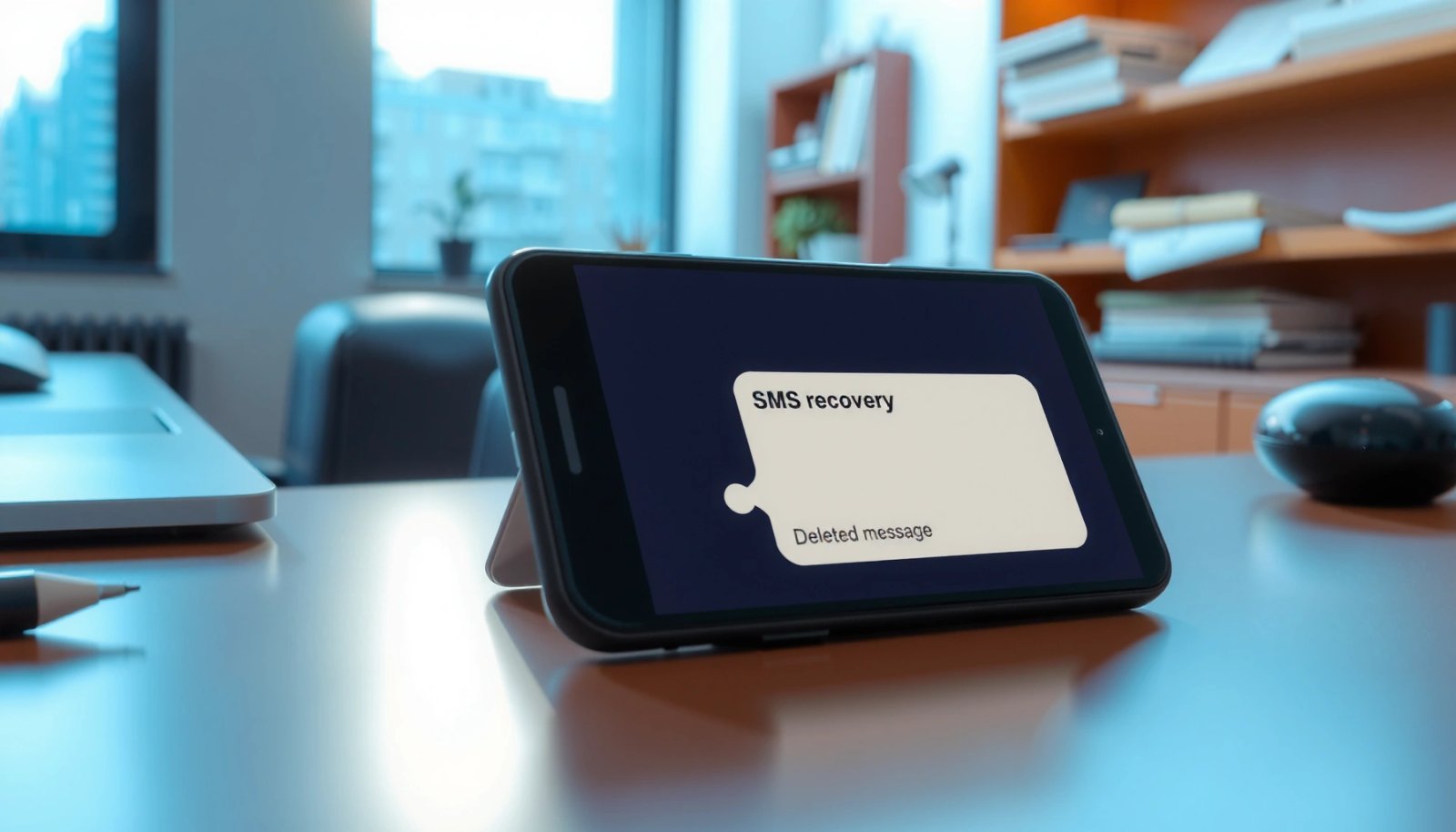
Recovering deleted SMS on Android is time-sensitive, but that doesn’t mean you have to gamble. This guide walks you through safer, low-risk steps designed to reduce overwriting and preserve a clean window for extraction. Practically, that means acting early, limiting new writes, confirming when the deletion happened, and then extracting SMS-related data from realistic storage or backup sources.
It’s specifically about cases where messages were deleted from your own phone—rather than messages that were never delivered. You’ll see two recovery paths that actually show up in the field:
1) restoring from Android/Google backups (when the backup truly includes SMS/Messages data), and
2) attempting recovery from device storage using evidence-preserving workflows that extract from SMS databases and related artifacts.
This guide does not cover breaking into someone else’s phone, bypassing carrier systems, or pursuing outcomes via court-request processes. It also doesn’t promise guaranteed recovery—SMS recovery becomes probabilistic once deletion enters the overwrite window.
Finally, this isn’t a substitute for legal or ethical requirements. If the messages involve sensitive situations—work disputes, minors, investigations—confirm you have lawful authority to recover and handle the data.
Who Should Read This

This guide is for Android users who can unlock their own device (or have legitimate access) and want to recover SMS they personally sent or received, ideally within the first 1–72 hours after deletion. If you’re within days, you often still have a chance—especially by keeping the device from writing anything new.
It’s also aimed at mobile data recovery professionals and advanced users who understand the core differences that drive outcomes: overwrite risk, backups versus on-device artifacts, and the distinction between read-only scanning and actions that can write. Even with experience, sequencing matters. This isn’t a “try everything and hope” checklist.
If you don’t control the device—say it’s a borrowed phone—or you can’t stop new writes (for example, forced background sync that won’t pause), treat results as lower-confidence and jump to the “Special Cases” sections instead.
The Step-by-Step Protocol
- Immediately reduce overwrite risk (first 5 minutes):
- Put the phone in Airplane Mode immediately.
- Turn Wi‑Fi off as well, so the device can’t reconnect and sync.
- Disable “extra write” behaviors you can control quickly: turn off Wi‑Fi calling, Bluetooth scanning, and temporarily pause background data if your Android build allows it.
- Do not send new messages, do not clear app data, and do not install or uninstall apps.
- If you already connected the phone to a computer and it triggered any auto-sync or “backup” prompts, stop and disconnect until you can proceed intentionally.
- Confirm what “deleted SMS” means on your device:
Android SMS recovery depends on where the content actually exists. Before you try to recover anything, determine whether you deleted:
- messages inside the default Messages app (or an OEM Messages app),
- messages inside a third-party SMS/messaging app (which may use a separate database),
- an entire thread or only specific messages in a conversation, or
- content via an archive feature (archiving isn’t always the same as deletion at the storage level).
This matters because Android’s “SMS Provider” database won’t contain WhatsApp/Telegram content, and some OEM chat features may store different record types.
- Check for restoration paths before deeper recovery:
Before you spend time on device-level recovery, confirm whether restoration is possible for your specific device model and Android version.
- In Settings, inspect Backup options. On Google-backed devices, check whether Google One / Android backup supports SMS restoration. Many builds restore SMS/MMS only under specific conditions, and OEMs often diverge.
- For Samsung Cloud / One UI data backup, open the backup history and verify whether Messages content is included for your model.
- Confirm whether the deletion happened after the last successful backup. If it did, even if SMS restoration is enabled, the deleted content may not be present.
- Run a recovery attempt using a read-focused workflow:
- Connect the phone to a computer via USB once you’ve minimized writes.
- Choose a workflow that can export SMS-related databases and artifacts into decrypted, human-readable output when possible—not just raw blocks.
- Preserve evidence: save scan/extraction logs, and if the workflow allows it, create an image or copy of the relevant partitions or database files rather than repeatedly re-scanning a live device.
- Compare timestamps from the export to your deletion time using a consistent time base (local device time is a strong starting point, then verify time zone alignment).
- Use a time-based decision rule to choose backup-first vs on-device-first:
Treat deletion timing as your main decision lever:
- If deletion happened within 24 hours, prioritize on-device artifact recovery first, since relevant records may still sit in database pages not yet reclaimed.
- If deletion happened 24 hours to 72 hours, run a controlled attempt at both: verify restore first (lower risk), then proceed with careful device extraction.
- If deletion happened more than 72 hours (especially weeks), assume overwriting is likely and prioritize backups. On-device recovery may produce incomplete or fragmented results.
- Validate recovery quality with strict matching checks:
After any restore or recovery, don’t accept “close enough.” Validate using all of these:
- Sender/receiver numbers match exactly (including country code formatting).
- Message bodies include fragments you recognize (order matters if you’re identifying specific text).
- Timestamps land within your known deletion window.
- Conversation threading is consistent (SMS ordering often matters, especially for business/legal disputes).
If recovered messages don’t align with your deletion window, treat them as artifacts from another period or another messaging layer.
- Perform one controlled attempt at a time:
- If you start with a backup restore, stop and verify results before making additional device-level changes.
- If you start device recovery, avoid repeated heavy scanning cycles that repeatedly initialize system services.
- Do not factory reset as a default move. On most Android devices, wiping triggers broad filesystem reformatting and destroys the slack space where partial records may still exist.
SMS Recovery Likelihood vs. Time Since Deletion (Android)
| # | Deletion Window | Main Strategy | Typical Result Quality | Confidence | Risk of Overwrite |
|---|---|---|---|---|---|
| 1 | 0–6 hours | On-device first | Full or near-full threads | ★★★★☆ | Low |
| 2 | 6–24 hours | On-device + backup check | Most messages recoverable | ★★★☆ | Moderate |
| 3 | 24–72 hours | Verify backups first, then extraction | Partial threads likely | ★★☆ | High |
| 4 | 3–7 days | Backup-focused | Recovered items fragmentary | ★☆ | Very high |
| 5 | 1–4 weeks | Backup-only if available | On-device success unlikely | ☆☆ | Extreme |
| 6 | >4 weeks | Assume overwritten | Expect empty/partial databases | ☆☆ | Extreme |
| 7 | Any window + heavy new SMS | Backup verification + lab escalation | High truncation risk | ★☆ | Very high |
Warning Signs: When Not to Follow This
Skip this protocol if you’ve already increased write activity after deletion—like:
- sending/receiving new texts frequently for several hours,
- installing/uninstalling multiple apps in the first 24 hours,
- allowing aggressive media downloads or “storage optimizer” cleanup, or
- enabling frequent sync that can write to system databases continuously.
Also stop if you can’t keep the device stable and low-write. If the phone keeps reconnecting to networks, triggers reboots, or you’re forced to keep it active for work, the recovery window shrinks fast—and you risk modifying database pages before extraction.
Don’t run “factory reset + recovery” as a default plan. A factory reset usually triggers extensive filesystem reformatting and makes meaningful SMS recovery far less likely.
Finally, be cautious after major encryption or lock-state changes unless you can preserve the decryption context. Changing lock credentials, switching security modes, or altering device encryption can make it harder to interpret extracted SMS databases correctly.
The Most Common Mistakes (And Their Consequences)
- Continuing to use the phone normally after deletion: you accelerate overwrite of SMS database pages. Consequence: recovered SMS may be missing, truncated, or out of order—often unacceptable in business/legal review.
- Trying multiple restoration methods repeatedly: toggling backup settings, reinstalling Messages app, or repeatedly restoring from backups can rewrite the SMS provider data layout. Consequence: timestamps become harder to validate, and older records can get reorganized.
- Confusing SMS with other messaging systems: users often expect WhatsApp/Telegram/RCS data from an SMS workflow. Consequence: exports return empty for SMS or include unrelated artifacts, creating false confidence.
- Not saving scan exports and evidence logs: some tools generate results you can’t reproduce later. Consequence: you lose the ability to compare recovered timestamps against the deletion time window.
Special Cases That Need a Different Approach
Not every “deleted SMS” case behaves the same way. If any of the following applies, you’ll need to adjust your workflow before you judge results:
- If SMS were deleted on one SIM but you moved SIMs: document the SIM and carrier/subscription history. Android may store SMS tied to subscription IDs. Your recovery workflow must target the correct subscription context and exported database scope before you evaluate what you recovered.
- If you use a third-party messaging app: recover based on that app’s storage and backup mechanisms—not Android SMS expectations. Many apps maintain their own SQLite databases and media folders. If your protocol assumes Android SMS provider records, you may miss the real content during the critical time window.
- If the phone was automatically “cleaned” (SD cleanup, storage optimizer, cleaner apps): prioritize backups and use a conservative, evidence-preserving scan plan. Cleanup can reclaim space aggressively and increase overwrite risk even within the same day.
- If you recently updated Android/OEM software: first verify backup/restore behavior and check whether your device migrated or reindexed SMS databases. Then attempt on-device recovery only if you can keep the current state stable. Updates can change database formats and affect parsing.
When You Need a Professional
DIY recovery is reasonable when you act quickly and can keep writes to a minimum. But there are clear moments to hand things off—especially when the data is high-stakes.
Involve a certified mobile data recovery lab when you have high evidentiary value and you already made write-heavy changes after deletion—such as new SMS arriving after deletion, frequent app installs, or multiple failed restores.
Escalate to a forensic-capable provider when decryption or access is unstable. If you see repeated “cannot read database” errors, inconsistent timestamps between attempts, or the device can’t maintain a stable unlocked state for extraction, professionals can use controlled acquisition methods instead of relying on standard consumer workflows.
Seek expert assistance when the recovered data must stand up to legal or official scrutiny. Ask for written documentation of acquisition steps, exact timestamps, and integrity verification (hash values) tied to the extracted SMS database files.
Stop DIY efforts immediately if the device is physically failing—random shutdowns, corrupted storage indicators, or overheating during reads. Continued operation can degrade the exact storage areas where remnants of deleted SMS may still exist.
Sources and Further Reading
- Android backup documentation for Auto Backup / Google backup behavior, including what categories may restore to a new device and under what conditions. Verify with your specific Android version and OEM because SMS inclusion is not consistent across builds.
- OEM backup documentation (for example, Samsung Cloud / One UI) describing whether Messages content is backed up and restorable.
- Digital forensics principles from NIST guidance on digital evidence soundness, with emphasis on controlled acquisition, documentation, and chain-of-custody practices. If your use case is business-critical or legal, align procedures with the expectations of your jurisdiction and counsel.
Professional escalation thresholds (concrete):
- Contact a mobile data recovery lab if deletion was more than 72 hours ago *and* you already allowed any new SMS traffic after deletion.
- Escalate if you cannot keep the device in a low-write state for at least 30 minutes during extraction or if you must perform more than one major recovery attempt due to tool errors.
- Escalate for evidentiary use if you need complete thread integrity (every message and timestamp) rather than “some recovered lines,” especially when deletion happened within 24–72 hours.
- Stop DIY and seek professional acquisition if you see repeated extraction failures tied to database decryption/access (for example, consistent “unable to decrypt” or “provider database inaccessible” messages across controlled attempts).
Frequently Asked Questions
How can I recover deleted SMS messages on Android after I emptied the trash or deleted the thread?
If the messages are still in your device’s storage and haven’t been overwritten, recovery may be possible using an Android data recovery tool or from a recent backup. First, stop using your phone to avoid overwriting deleted SMS data, then check whether you have SMS backups via Google Drive or your carrier app. If you don’t have a backup, try a reputable Android SMS recovery software that can scan internal storage for deleted SMS content.
What’s the best way to recover deleted SMS on Android using Google Messages or backups?
Start by checking Google Messages backup settings and your Google Drive backup history, because some Android SMS recovery workflows rely on Restore from backup. Open your Messages app, look for backup/restore options, and then sign into the same Google account used when the backup was created. If a backup exists, restoring it can bring back deleted SMS conversations, but only if the backup includes the messages you lost.
Why don’t deleted SMS recover automatically on Android, even if the messages were just removed?
Android doesn’t always offer an “undo” feature for deleted SMS, so once you remove messages, the SMS data may be flagged for deletion rather than immediately erased. Over time, new data can overwrite the freed space, making Android SMS recovery harder or impossible. That’s why acting quickly—reducing phone use and restoring from backup when available—is critical for recovering deleted texts.
Which Android SMS recovery method is safest: using backup, carrier recovery, or third-party recovery software?
The safest option is restoring from an existing backup (Google Drive, Samsung Cloud, or a messaging app backup), because it doesn’t require low-level scanning of device storage. Carrier recovery may work in limited cases depending on your provider and account settings, but it’s not guaranteed for personal SMS content. Third-party Android data recovery software can be effective when no backup exists, but choose reputable tools and back up your device first to reduce the risk of further overwriting.
How do I recover deleted SMS without a backup on Android?
Without a backup, your best chance is to use Android SMS recovery software that scans the device for recoverable deleted SMS records. Immediately stop using the phone, disable new downloads/updates, and consider placing the device in airplane mode to prevent writes. If recovery tools detect the SMS data, you can export or restore it, but results vary depending on how long ago you deleted the messages and your device’s storage state.
References
- Google Scholar Google Scholar
https://scholar.google.com/scholar?q=recover+deleted+sms+android - Google Scholar Google Scholar
https://scholar.google.com/scholar?q=undelete+text+messages+android+forensics - Google Scholar Google Scholar
https://scholar.google.com/scholar?q=android+sms+recovery+google+backup+restore - SMS
https://en.wikipedia.org/wiki/SMS - Data recovery
https://en.wikipedia.org/wiki/Data_recovery - https://developer.android.com/guide/topics/data/autobackup
https://developer.android.com/guide/topics/data/autobackup - Forensic science | NIST
https://www.nist.gov/forensics - https://www.nist.gov/publications/guidelines-media-sanitization
https://www.nist.gov/publications/guidelines-media-sanitization - https://pubmed.ncbi.nlm.nih.gov/?term=android+sms+recovery
https://pubmed.ncbi.nlm.nih.gov/?term=android+sms+recovery - Google Scholar Google Scholar
https://scholar.google.com/scholar?q=how+to+recover+deleted+sms+in+android