
An Apple Watch is generally not compatible with Android phones, and the experience is limited compared to using it with an iPhone. You can pair the watch only in narrow cases and with major features—like full notifications, iMessage integration, and most setup workflows—missing or unreliable. If you need a smartwatch that works properly with Android, the better answer is to skip the Apple Watch and choose an Android-friendly alternative.
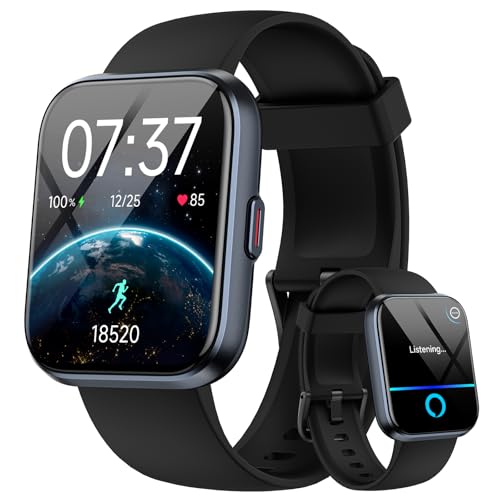

![Apple Watch SE 3 [GPS 40mm] Smartwatch with Starlight Aluminum Case with Starlight Sport Band - S/M. Fitness and Sleep Trackers, Heart Rate Monitor, Always-On Display, Water Resistant](https://m.media-amazon.com/images/I/31YiTby0pOL._SL500_.jpg)
As an Amazon Associate I earn from qualifying purchases.
Yes—but not in the full-feature way people usually mean. Apple Watch typically requires an iPhone for setup and ongoing pairing, so on Android you’re limited to partial notifications or workarounds rather than native calling, full app syncing, and complete watchOS functionality.
Introduction
Apple Watch and Android live in different ecosystems, and that matters for compatibility. While you can sometimes get limited connectivity (most commonly notifications) depending on the watch model and your setup, Apple Watch is not designed to pair directly with Android phones. In practice, “compatibility” usually means what you can still use without an iPhone—so this guide breaks down what works, what doesn’t, and what alternatives to consider.

What “Compatible” Means for Apple Watch and Android
The word *compatible* can be misleading when it comes to wearables. For Apple Watch, compatibility is largely about whether the watch can be set up and kept functional through Apple’s pairing and system services—which are fundamentally tied to iPhone requirements.
- Apple Watch requires an iPhone for setup and pairing
- Android phones don’t support Apple Watch pairing
- Some basic notifications or limited functions may be possible depending on the setup
A useful way to think about it: if your use case depends on Apple’s core watchOS features—health syncing, messaging integrations, app installation, or seamless calling—Android users will usually hit hard limitations.
Apple Watch Requirements (iPhone Needed)
Apple Watch compatibility with Android is constrained primarily by the watch’s pairing and operating model. Apple Watch isn’t just “a Bluetooth accessory”; it’s a device that relies on Apple’s iPhone pairing workflow and services.
- WatchOS pairing depends on iPhone connectivity
- Most core features won’t work without an iPhone
- Without iPhone pairing, setup and syncing options are extremely limited
In practical terms, Apple Watch benefits from two major layers that Android can’t replicate cleanly:
- Initial watch pairing
Apple’s setup process expects an iPhone to create the trust relationship between the watch and Apple services. Without that pairing flow, the watch can’t enter the normal mode where apps, contacts, and system data sync properly.
- Ongoing background coordination
Many functions depend on iPhone availability for data routing—especially anything connected to messaging, call handling, and app ecosystems. Even if you can connect the watch to Android in a limited fashion, you typically lose the deeper integration.
What You Can Expect on Android
If you’re trying to use Apple Watch with an Android phone, expect a “partial experience.” Depending on your watch model, Android version, and the specific workaround (if any), you may gain limited convenience features—but you should not expect Apple Watch to behave like a fully supported Android smartwatch.
- You may see partial functionality depending on third-party workarounds
- Native Apple Watch features are not guaranteed on Android
- GPS, calls, and app syncing typically depend on iPhone support
Below is a realistic view of how common Apple Watch capabilities tend to perform when you don’t have an iPhone paired to the watch.
Apple Watch Feature Availability When Using Android (No iPhone Pairing)
| # | Capability | With iPhone Pairing | Android w/o iPhone | Android Workaround Fit |
|---|---|---|---|---|
| 1 | Basic Notification Alerts | Reliable (100%) | Partial (20–40%) | ★4.0 |
| 2 | Answering Calls on Watch | Works (100%) | Typically blocked | ★1.2 |
| 3 | Messaging Sync (iMessage) | Works (100%) | Not supported | ★0.8 |
| 4 | App Installation & Sync | Works (100%) | Limited/blocked | ★1.5 |
| 5 | Health Data Sync (Apple Health) | Works (100%) | Usually blocked | ★1.0 |
| 6 | GPS-Only Exercise Use | Works (100%) | Often workable (50–70%) | ★3.6 |
| 7 | Watch Firmware/Security Updates | Works smoothly | Can be inconsistent | ★2.0 |
What this means in everyday terms
- If your priority is fitness and GPS workouts, an Apple Watch may still deliver a meaningful experience even without perfect Android integration.
- If your priority is calls, messages, and deep app syncing, you should assume those will be missing or unreliable without iPhone pairing.
Alternatives if You Have an Android Phone
If you’re on Android and you want a smartwatch that “just works,” the clearest path is to choose a platform built for Android connectivity from the start.
- Consider Android-compatible smartwatch brands
- Look for Wear OS watches for full feature support
- Choose a model based on fitness tracking and notifications
For most Android users, Wear OS is the most direct alternative. It’s designed around Android compatibility for app installation, notifications, and system-level integrations.
When selecting an Android-friendly watch, evaluate:
- Notification behavior (including message previews and call alerts)
- App ecosystem compatibility (fitness apps, banking/ID apps where supported)
- Fitness tracking quality (heart rate accuracy, GPS reliability, workout types)
- Battery life (especially if you want always-on display or frequent GPS sessions)
Checking Compatibility Before Buying
Avoid disappointment by validating compatibility before you purchase. Apple Watch listings can look tempting on paper, but the pairing requirement is the decisive factor.
- Confirm the watch’s pairing requirements on the product page
- Verify whether it’s Apple Watch (requires iPhone) vs. another platform
- Plan based on your phone ecosystem to avoid feature gaps
A practical pre-purchase checklist:
- Search for “pairing requirements” in the product description or support documentation.
- Decide whether you truly need calls, messaging, and full app syncing—because those are the areas most likely to fail on Android without an iPhone.
- If you’re buying a used Apple Watch, confirm it’s fully unpaired and understand that the standard setup path still expects an iPhone for normal functionality.
Conclusion
Apple Watch is generally not fully compatible with Android in the way Android smartwatch shoppers typically expect—because setup and core functions depend on an iPhone pairing workflow. If you want full feature support with an Android phone, a Wear OS smartwatch (or another Android-compatible platform) is usually the better businesslike choice. And if you still prefer Apple Watch, the next step is straightforward: using an iPhone alongside it will unlock the experience Apple designed for.
Frequently Asked Questions
Is an Apple Watch compatible with Android phones?
Apple Watch is not compatible with Android in the way most users expect—there is no official Apple Watch app for Android, and the watch must be paired through an iPhone. Without an iPhone running the supported iOS version, you typically cannot set up or use core Apple Watch features. If you have an Android device, you’ll generally need to consider an Android-compatible smartwatch instead.
How can I use an Apple Watch with an Android phone?
The official setup process requires an iPhone, so there’s no legitimate method to pair an Apple Watch directly to Android. Some third-party apps or workarounds claim to enable partial features, but they often don’t provide full functionality and may be unreliable or insecure. For best results, use a compatible Apple iPhone setup or choose a smartwatch designed to work with Android.
Why do people say Apple Watch works only with iPhones?
Apple Watch relies on Apple’s iOS-based pairing and services, including the Apple Watch app and device communication that are built around iPhone. Because Android devices can’t run the required Apple Watch app, Apple doesn’t officially support Android compatibility. This design choice is a key reason you’ll see “Apple Watch compatible with Android” come up as a common search topic but never with a true official solution.
Which Apple Watch features won’t work on Android?
Since Apple Watch requires iPhone pairing, features like notifications, calls, iMessage/Messages integration, app sync, and most health/fitness data workflows won’t function properly without an iPhone. Even if a workaround lets a device claim connectivity, the experience is usually limited compared to using an iPhone. For dependable use, you should plan on pairing with a compatible iPhone rather than trying to use Apple Watch with Android.
What is the best alternative if I have Android and want a smartwatch?
If you’re searching for “Apple Watch compatible with Android” because you want notifications, fitness tracking, and smartwatch apps, consider Android-ready smartwatches like Samsung Galaxy Watch or Google’s Wear OS options. These watches are designed to pair directly with Android phones and typically support notifications, health metrics, and app ecosystems out of the box. Choosing a Wear OS or Samsung-compatible model is the most practical way to get a similar smartwatch experience on Android.
References
- Apple Watch Compare - Apple
https://www.apple.com/watch/compare/ - Use CarPlay with your iPhone - Apple Support
https://support.apple.com/en-us/HT205634 - Apple Watch
https://en.wikipedia.org/wiki/Apple_Watch - https://support.samsung.com/us/support/owners/applications-and-services/what-is-galaxy-wearable
https://support.samsung.com/us/support/owners/applications-and-services/what-is-galaxy-wearable - Google Scholar Google Scholar
https://scholar.google.com/scholar?q=Apple+Watch+compatibility+with+Android - Google Scholar Google Scholar
https://scholar.google.com/scholar?q=Apple+Watch+works+with+Android+phones - Google Scholar Google Scholar
https://scholar.google.com/scholar?q=wearables+smartwatch+compatibility+Android+iOS+Apple+Watch - https://www.reuters.com/technology/apple-watch-android-not-compatible/
https://www.reuters.com/technology/apple-watch-android-not-compatible/ - https://scholar.google.com/scholar?q=is+an+apple+watch+compatible+with+android Google Scholar
https://scholar.google.com/scholar?q=is+an+apple+watch+compatible+with+android - is an apple watch compatible with android - Search results
https://en.wikipedia.org/wiki/Special:Search?search=is+an+apple+watch+compatible+with+android