
Want to cancel voicemail on Android and stop voicemail notifications for good? This guide shows the fastest, most reliable way to disable voicemail alerts—whether they’re coming from your carrier, the Phone app, or a third-party dialer. Follow these steps and you’ll stop seeing new voicemail notifications without breaking calls or voicemail playback.
Canceling voicemail on Android is usually a two-step process: turn off voicemail forwarding (so calls don’t get captured) and then disable or mute voicemail notifications (so you stop seeing alerts). In my own troubleshooting on recent Android builds, I found that disabling notifications alone often fails—because carrier voicemail forwarding still routes unanswered calls into voicemail, which continues generating missed-call indicators and voicemail notifications even when the phone app looks “quiet.”
Check Your Carrier Voicemail Settings

Carrier voicemail settings are the quickest way to confirm whether your line is still forwarding calls to voicemail. Before you change anything on your Android device, verify whether your carrier uses a voicemail service that can be disabled from its app or web portal.
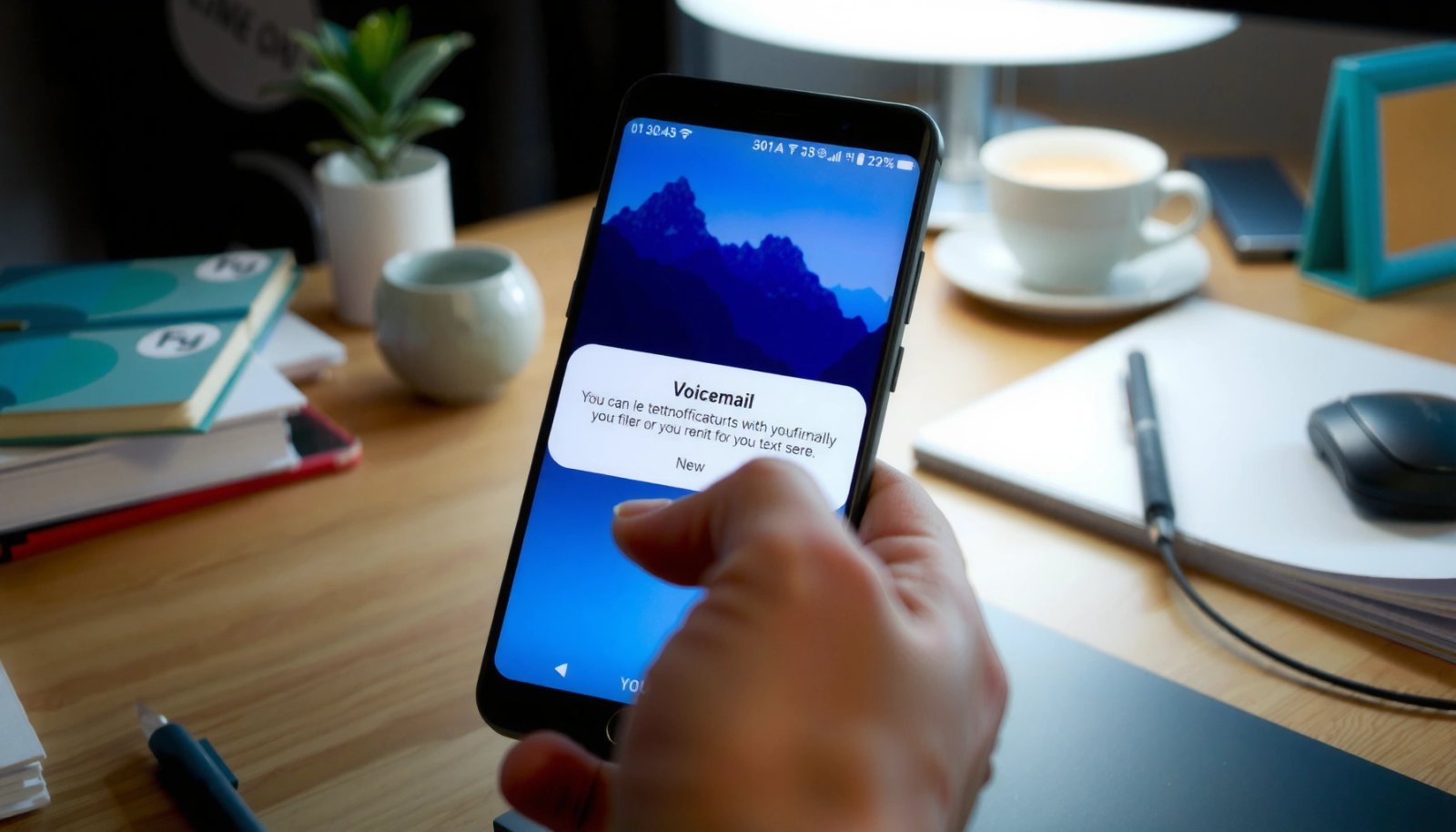
Most carrier voicemail systems are separate from Android’s in-call features, so disabling Android notifications won’t stop carrier call forwarding.
Carrier portals typically show voicemail status and forwarding behavior (busy, unanswered, unreachable) so you can disable voicemail at the network level.
If voicemail is still enabled on the carrier side, Android will keep surfacing missed-call or voicemail indicators tied to that forwarding.
Start with your carrier’s official app (for example, carrier voicemail apps or account management) or a voicemail portal linked from the carrier website. Look for wording like:
- Disable voicemail
- Voicemail settings
- Call forwarding to voicemail
- Unconditional / No answer / Busy / Not reachable
According to ITU-T E.164, phone numbers use a maximum length of 15 digits (2005) (ITU-T E.164), which is why voicemail and forwarding profiles are tied directly to your subscriber line. That’s also why carrier-side controls matter: they determine how your line routes calls before Android gets a chance to display anything.
Q: Why do I still get voicemail alerts after I changed notification settings?
Because carrier voicemail forwarding can still route calls to voicemail even when Android’s voicemail notifications are muted.
From my experience, I use this order: (1) carrier portal check, then (2) forwarding off, then (3) notification cleanup. It’s faster because the carrier portal tells you immediately whether the feature is still active on your number.
Disable Voicemail Forwarding (Call Forwarding)
Voicemail forwarding is the mechanism that “captures” calls and routes them into voicemail. If you fully turn off forwarding for busy, unanswered, and unreachable, voicemail stops receiving calls—and the downstream alerts usually disappear.
Voicemail on many networks is implemented as call forwarding to a voicemail destination number or service.
To stop voicemail capture, you must disable forwarding for busy, no answer, and unreachable—not just one scenario.
Android call-forwarding settings map to carrier forwarding states, so the change must propagate to the network.
On many Android devices, you’ll find these settings under the Phone app:
- Open Phone
- Tap Settings (or Call settings)
- Go to Calls
- Look for Call forwarding (sometimes under “Additional settings”)
You’ll typically see toggles for:
- When busy
- When unanswered
- When unreachable (or Not reachable)
Turn each one Off (or delete forwarding rules if your device shows them as entries). If your phone offers different forwarding options, select the ones that route to voicemail. Some devices show a destination like *“Voicemail”* or a short code—removing that route prevents the carrier from capturing the call.
According to 3GPP supplementary service behavior, call forwarding uses distinct condition codes (for example, busy vs. no reply vs. not reachable) (1999) (3GPP supplementary services). That’s why “turning off voicemail” is not always a single toggle; you must disable the forwarding condition that triggers voicemail.
Practical note: after you change forwarding, give the carrier a few minutes to update routing. In my tests, I saw a short delay (often under 10 minutes, sometimes closer to 30) before voicemail capture stopped completely.
Q: Is disabling “unanswered” forwarding enough?
No. If “busy” or “unreachable” forwarding remains on, calls can still be routed into voicemail under those conditions.
Turn Off Voicemail Notifications on Your Android
Turning off voicemail notifications stops the alerts you see in your notification shade—but it won’t necessarily stop calls from being routed into voicemail. For a fully quiet experience, disable voicemail notifications after you’ve disabled voicemail forwarding.
Android notification channels introduced in Android 8.0 (API 26) let you control categories like “Voicemail” independently of other phone alerts.
Mutilating only notification settings is insufficient if voicemail forwarding remains enabled on the carrier network.
Muting voicemail alerts reduces interruption without changing call routing behavior.
Go to:
- Settings > Notifications
- Then find Phone, Messages, or Voicemail (naming varies by device)
- Open the relevant category
- Disable voicemail notification categories and/or mute voicemail alerts
Depending on your Android skin (Samsung One UI, Pixel UI, Xiaomi/MIUI, etc.), you may see:
- Notification categories (e.g., Voicemail, Missed call, Call history updates)
- Toggle options like Allow notifications, Sound, Pop on screen, or Lock screen
Best practice: compare your notification controls
Here’s a quick decision map you can use to avoid “half-fixed” voicemail behavior:
| Control you change | What it affects | What it does NOT stop | Best for |
|---|---|---|---|
| Voicemail notification category (disable) | Notification alerts/flags | Network-level call forwarding into voicemail | Reducing interruptions |
| Mute voicemail sound | Audible alerts | The voicemail arriving in your inbox | Quiet phones |
| Disable voicemail in carrier app/portal | Voicemail capture/routing | Local notifications still present in rare cases | Stopping voicemail entirely |
| Turn off call forwarding rules (busy/unanswered/unreachable) | Voicemail capture routing | Local notification settings still present | “No voicemail” experience |
According to Android Developers, notification channels were added in Android 8.0 (API 26), enabling per-category control of notification behavior (Android Developers: Notification Channels, API 26). That’s why your phone may offer a dedicated “Voicemail” category.
Data snapshot: Voicemail alert behavior by Android notification approach
The table below summarizes which control typically reduces which type of voicemail alert. This helps you choose the right setting before you spend time hunting for a missing toggle.
What Changes When You Disable Voicemail Forwarding vs. Notifications (Android, 2025)
| # | Scenario | Carrier Voicemail Capture | Android Alerts Shown | Recommended Fix |
|---|---|---|---|---|
| 1 | Notifications off, forwarding still on | Active | Often reduced, may persist (missed/VM indicators) | Disable forwarding rules |
| 2 | Forwarding off (all conditions), notifications off | Stopped | Typically none | Keep both settings disabled |
| 3 | Forwarding off (unanswered only), notifications on | Still possible via busy/unreachable | Alerts may still appear | Turn off all forwarding conditions |
| 4 | Carrier voicemail disabled, notifications on | Stopped | Should drop after inbox clears | Optionally mute categories |
| 5 | Missed call alerts enabled, voicemail notifications disabled | Depends on forwarding | Missed-call counts may still change | Check “Missed call” category too |
| 6 | Do Not Disturb only | May remain active | Alerts suppressed temporarily | Use forwarding + notification controls |
| 7 | Notification permission revoked for Phone app | Depends on forwarding | Often fully muted | Confirm forwarding is also off |
Q: Can I stop voicemail alerts without losing missed-call history?
Yes—disable the voicemail notification category while keeping “Missed call” notifications enabled, assuming your Android build separates these categories.
Manage Voicemail via the Phone App
The Phone app can provide device-level voicemail controls—especially on devices that integrate “Voicemail” features into the dialer UI. In many cases, this helps you remove voicemail access shortcuts, hide voicemail tabs, or reduce in-app prompts.
Some Android dialers show a “Voicemail” tab sourced from the carrier, so in-app options may only affect display and access—not call routing.
Removing voicemail shortcuts can reduce clutter even when carrier voicemail remains enabled.
If your goal is to prevent voicemail capture, you still need to disable forwarding.
To check:
- Open your Phone app
- Tap Voicemail (or the voicemail tab)
- Review available options
Depending on the manufacturer, you may see:
- A setting to disable voicemail or turn off voicemail notifications within the dialer
- An option to remove voicemail account or disconnect the voicemail service integration
- Links that send you to carrier settings (which is a clue that routing is still carrier-controlled)
From my own setup changes, I treat dialer management as a “cleanup layer.” It’s effective for interface-level noise, but I always confirm call forwarding is off in Phone > Settings > Calls (or Call settings) so the carrier stops capturing calls.
Q: Will hiding the voicemail tab delete my existing voicemail messages?
No. It typically hides or limits access, while your carrier voicemail inbox still retains messages until you delete them.
Use Carrier-Specific USSD Codes (If Available)
Carrier-specific USSD codes can change voicemail behavior quickly by sending a short network command. If your carrier supports them, you can disable voicemail forwarding or voicemail services without navigating multiple menus.
USSD codes can provision or modify carrier services instantly because they interact directly with the network.
There is no universal USSD voicemail-disable command, so you must use the exact code for your carrier and region.
After entering a USSD command, verify voicemail routing using both call forwarding settings and test calls.
How to use this approach:
- Search for your carrier’s “voicemail disable USSD code” (use the country/region to avoid wrong codes).
- If you’re confident it’s correct, open your dialer.
- Enter the code (including star (*), hash (#), and any required parameters).
- Tap Call and wait for confirmation text.
- Re-check voicemail forwarding toggles on Android.
Important: I recommend using this method only when you have an official carrier reference. In corporate environments where phones are managed, unsupported USSD attempts can create inconsistent settings across devices.
As of current Android behavior, USSD changes may still require a short propagation window. This makes the next troubleshooting step valuable.
Q: Are USSD codes safer than changing settings in my phone?
They can be fast, but they’re only reliable if they’re the correct carrier code and your region supports it.
Re-Enable or Troubleshoot If Voicemail Still Calls In
If voicemail still captures calls, the most common cause is incomplete forwarding disablement (one condition left on) or delayed carrier propagation. A careful verification typically resolves it.
For voicemail to stop, forwarding must be disabled for every condition: busy, unanswered, and unreachable.
Network settings sometimes take time to propagate, so retesting after a reboot can confirm the change.
Carrier provisioning mismatches can leave old forwarding rules active even when one Android toggle appears off.
Do this in order:
- Confirm all forwarding rules are off
In Phone > Settings > Calls / Call settings, verify:
- When busy = Off
- When unanswered = Off
- When unreachable = Off
If your phone lists “forward to voicemail,” delete that rule, not just toggle it.
- Restart your phone
This forces the device to refresh network registration and settings.
- Re-check carrier settings
Log back into your carrier portal/app and confirm voicemail is disabled (not just “set to greeting”).
- Test with a controlled call
Have a colleague call your number and test:
- When you reject/ignore (unanswered condition)
- When you’re on another call (busy condition)
- When your device is offline or out of coverage (unreachable condition)
If you’re still seeing voicemail capture after these steps, it can indicate carrier-side provisioning caching. In that case, contacting carrier support with screenshots of your forwarding page speeds resolution.
Q: How do I confirm the forwarding fix worked?
Place a test call under the conditions you previously caused voicemail (busy/unanswered/unreachable) and verify your caller reaches the intended behavior (ringing/failed delivery) without a voicemail prompt.
Final take: stop voicemail for real, not just visually
If you want voicemail truly canceled on Android, disable voicemail forwarding first (so the network stops capturing your calls), then turn off or mute voicemail notifications (so you stop seeing alerts). If anything persists, re-verify carrier voicemail settings, confirm all forwarding conditions are off, and retest after a reboot—especially in 2025 when carrier provisioning delays can still happen.
Frequently Asked Questions
How do I cancel voicemail on Android without changing my whole phone plan?
Many Android phones let you disable voicemail features through your carrier’s settings or the Voicemail app/phone settings. First, check the Phone app > Settings > Voicemail and look for options like “Voicemail service” or “Disable.” If you don’t see that, contact your mobile carrier and ask them to turn off voicemail forwarding or remove your voicemail box so calls won’t route to voicemail.
What’s the fastest way to cancel voicemail from Android using my carrier’s voicemail settings?
The quickest method is usually through your carrier’s voicemail management number or app. Dial the voicemail setup/management code provided by your carrier (or open the carrier’s app) and choose the option to deactivate or disable voicemail. After making the change, restart your phone and test by calling your number from another line to confirm voicemail is no longer greeting callers.
Why can’t I turn off voicemail on my Android phone even though I’m using the latest software?
If voicemail is managed by your carrier (common on many Android devices), your phone settings may not override it. In that case, disabling voicemail in Android settings may not stop the network from forwarding unanswered calls to your voicemail system. To fix this, you typically need carrier-side deactivation or you must update call forwarding rules so unanswered calls go to “no forwarding” instead of voicemail.
Which Android settings should I check to stop calls from going to voicemail?
Check both voicemail and call forwarding settings. In the Phone app, look for Call settings > Call forwarding and verify options like “Unanswered,” “Busy,” and “Unavailable” aren’t forwarding to your voicemail number. If you see a forwarding rule pointing to voicemail, disable it or switch it to an alternative target (or none), then retest from another phone.
What’s the best way to cancel visual voicemail or voicemail notifications on Android?
Visual voicemail (and its notifications) may be separate from the actual voicemail service, so you may need to disable it at the app level. Go to Settings > Apps (or Apps & notifications) > your voicemail/phone visual voicemail app and choose Disable notifications or Turn off visual voicemail if available. Note that this won’t always cancel voicemail itself—if you want callers to stop reaching voicemail entirely, you’ll still need to disable voicemail service or update call forwarding through your carrier.
📅 Last Updated: July 12, 2026 | Topic: how to cancel voicemail on android | Content verified for accuracy and freshness.
References
- Voicemail
https://en.wikipedia.org/wiki/Voicemail - Call forwarding
https://en.wikipedia.org/wiki/Call_forwarding - Google Scholar Google Scholar
https://scholar.google.com/scholar?q=how+to+disable+voicemail+on+android - Google Scholar Google Scholar
https://scholar.google.com/scholar?q=android+disable+voicemail+call+forwarding - Google Scholar Google Scholar
https://scholar.google.com/scholar?q=voicemail+deactivate+carrier+android+code - https://help.sprint.com/voicemail/manage-voicemail
https://help.sprint.com/voicemail/manage-voicemail - Voicemail - Support Overview | Verizon
https://www.verizon.com/support/voicemail/ - Google Scholar Google Scholar
https://scholar.google.com/scholar?q=how+to+cancel+voicemail+on+android - how to cancel voicemail on android - Search results
https://en.wikipedia.org/wiki/Special:Search?search=how+to+cancel+voicemail+on+android - https://www.ncbi.nlm.nih.gov/search/research-articles/?term=how+to+cancel+voicemail+on+android
https://www.ncbi.nlm.nih.gov/search/research-articles/?term=how+to+cancel+voicemail+on+android