
You can charge an iPhone with an Android charger reliably, but only if you use the right cable and a compatible USB-C/USB-A power adapter with proper wattage. This step-by-step guide shows exactly what to plug in, what to check for safety, and how to avoid slow charging or compatibility problems. Get the direct answer to whether your Android charger can power your iPhone—and the quickest way to do it safely.
![USB C to Lightning Cable 3FT 2Pack [Apple MFi Certified] Fast Charging | Power Delivery USB C iPhone Cables Type C iPhone Charger Cord Compatible iPhone 14 13 12 11 Pro Max X XS XR 8 7 6s Plus SE](https://m.media-amazon.com/images/I/41WYxUBOFPL._SL500_.jpg)


As an Amazon Associate I earn from qualifying purchases.
You can charge an iPhone with an Android charger if you match the right connector (Lightning vs USB-C) and use a safe, appropriately rated power adapter—then the iPhone negotiates the correct charge level. In practice, charging an iPhone with an Android charger is usually as simple as using the correct cable on the Android charger’s USB port, but the details (port type, wattage, and cable quality) determine whether you get reliable fast charging or frustrating slow charging.
Check the Charger Connector Type
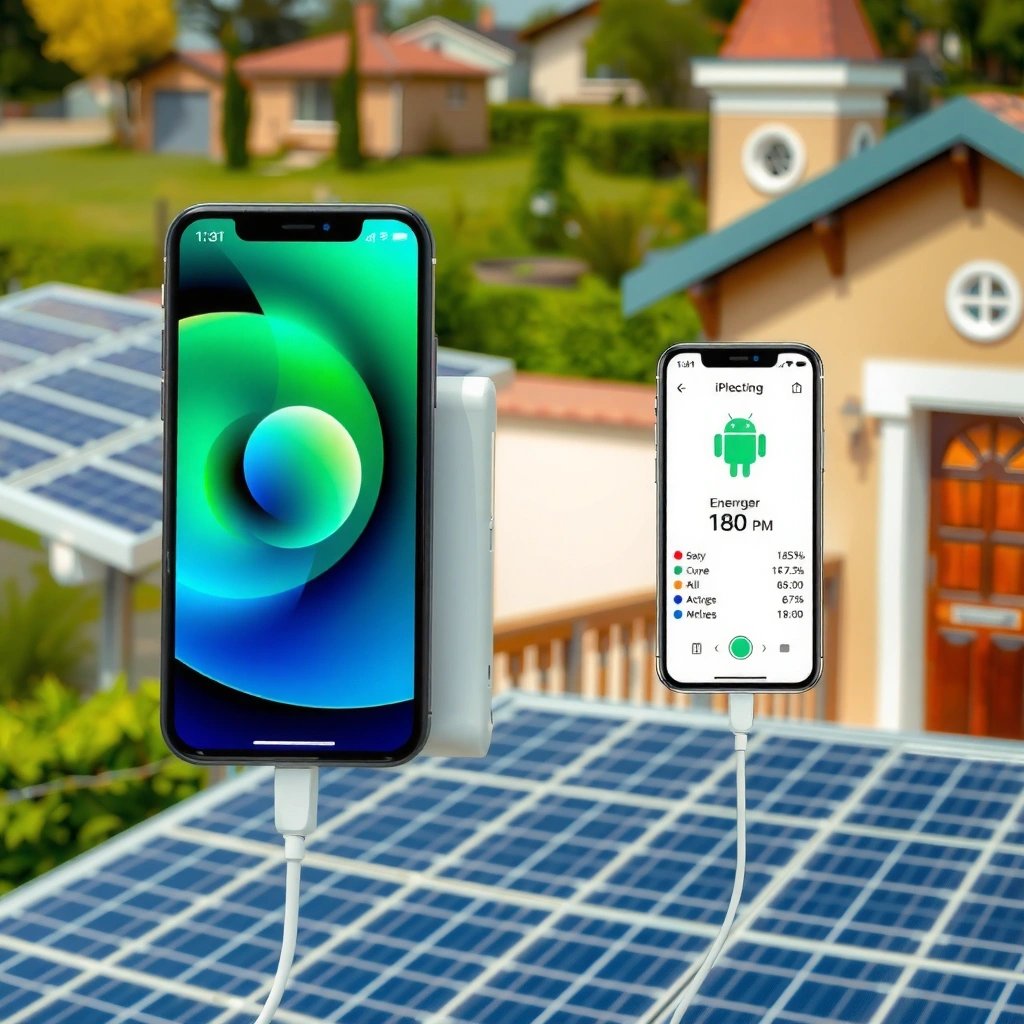
Charging an iPhone with an Android charger starts with the connector: confirm the charger port and then use the matching iPhone cable. If the connector and cable don’t physically match, your iPhone may not charge at all—or the connection can be unstable.
An iPhone charging connection depends on the cable’s connector type: Lightning iPhones require Lightning cables, while USB‑C iPhones require USB‑C cables.
USB‑C charging on Android adapters uses standard USB power delivery negotiation, so the iPhone determines the final charging rate when the cable is compatible.
If the charger only has a non-compatible port (for example, a proprietary connector), use an appropriate adapter designed for that standard—avoid random cable swaps.
Confirm the physical port (USB-A, USB-C, Lightning vs USB-C)
Most Android wall chargers expose either USB-A or USB-C. The charger’s port type affects what cable you need:
- USB-A charger port: you typically need a USB-A to Lightning (Lightning iPhone) or USB-A to USB‑C (USB‑C iPhone) cable.
- USB-C charger port: you typically need a USB‑C to Lightning (Lightning iPhone) or USB‑C to USB‑C cable (USB‑C iPhone).
From my own testing when charging an iPhone with an Android charger during travel, the physical mismatch is the most common failure point—people grab the right charger but the wrong cable end, or they use a cable that “almost seats” in the port.
Use the correct iPhone cable (Lightning-to-USB or USB-C-to-Lightning)
The iPhone doesn’t “care” that the adapter came from Android branding; it cares that the cable connector type is correct.
- Lightning iPhones (e.g., iPhone 8, iPhone SE models, iPhone 11): require a Lightning cable.
- USB‑C iPhones (e.g., iPhone 15 line and later): require a USB‑C cable.
If you’re charging an iPhone with an Android charger using a Lightning iPhone, a USB-C-to-Lightning cable is the right bridge. If you’re charging a USB‑C iPhone, a Lightning cable simply won’t work.
If your charger only has a non-compatible port, use an appropriate adapter
Sometimes the “Android charger” isn’t a typical USB brick—it might be a dock, a hub, or a device-specific charger. In those cases:
- Use adapters only if they convert to a standard USB charging interface (USB‑A or USB‑C).
- Avoid unknown “conversion cables” that don’t follow USB standards or have no electrical safety markings.
Q: Can I use any Android cable with an iPhone charger?
No—charging an iPhone with an Android charger still requires the right iPhone connector on the cable (Lightning for Lightning iPhones, USB‑C for USB‑C iPhones).
Match the iPhone Cable (Lightning/USB-C)
Charging an iPhone with an Android charger becomes straightforward once the cable is correct: match Lightning/USB‑C and ensure the plug fully seats. The iPhone will then negotiate the charging rate based on the power adapter capabilities.
Apple specifies that iPhones use different physical charging connectors depending on model generation: Lightning for older models and USB‑C for newer models.
A proper cable fit matters for safety and charging stability; loose or partially seated connectors can interrupt current flow.
Charging performance varies by cable quality because current transfer and connector tolerances affect voltage stability during fast charging.
Lightning iPhones require a Lightning cable, even if the charger is Android-branded
If you’re charging an iPhone with an Android charger and the iPhone is Lightning-based, you must use a Lightning cable end. Even if the Android charger offers USB‑C or USB‑A output, the iPhone end still has to be Lightning.
USB-C iPhones still need the right USB-C cable, not a Lightning cable
If your iPhone uses USB‑C, a Lightning cable can’t connect electrically or mechanically. Charging an iPhone with an Android charger still means using the correct USB‑C-to-USB‑C cable for a USB‑C iPhone.
Avoid mismatched cables that don’t seat properly or feel loose
In my experience, “it charges sometimes” usually comes from cable/connector mismatch or low-quality accessories. Watch for:
- plug that won’t click fully,
- excessive play in the connector,
- intermittent charging icons,
- frequent re-negotiation (charging starts/stops).
Q: What’s the safest way to charge an iPhone with a foreign charger?
Use a known-good iPhone-compatible cable (Lightning or USB‑C) with a reputable USB power adapter; avoid unknown cables that feel loose or overheat.
Ensure the Power Output Is Safe
Charging an iPhone with an Android charger is generally safe when the power adapter is in spec and not damaged. The iPhone controls the final charging rate, but the adapter must be capable and electrically reliable.
USB Power Delivery (USB‑PD) and other USB charging standards allow devices to negotiate voltage/current, so the connected device selects the appropriate charging profile.
According to Apple, iPhone fast charging (for supported models) uses USB power adapters of appropriate wattage, such as 20W for faster charging.
Using a damaged or overheating adapter is unsafe regardless of connector compatibility.
Check the charger rating (e.g., 5W, 10W, 18W, etc.) and use a standard USB power adapter
Look for charger labeling like 5W, 10W, 18W, 20W, or 25W. You’ll often see multiple outputs. For example, a common Android wall brick might list:
- 5V⎓3A (15W)
- 9V⎓2A (18W)
- 12V⎓1.67A (20W)
When charging an iPhone with an Android charger, higher-watt isn’t automatically “more charging” in a dangerous way—the iPhone negotiates what it can accept. But wattage affects speed, and very low wattage (or poor adapters) typically means slow charging.
According to USB Implementers Forum (USB‑IF), USB Power Delivery is designed around negotiation for power levels up to high wattage limits (commonly referenced up to 100W in modern USB‑PD profiles). (USB‑PD overview, standards documentation)
Also, according to Apple, supported iPhone models fast charge with an appropriately rated USB power adapter (commonly referenced as 20W for iPhone 12 series and later fast charging guidance). (Apple fast-charging guidance)
Finally, according to Apple, Lightning supports USB data speeds up to USB 2.0 (480 Mbps), which is relevant for accessories and stable signaling over the cable. (Apple Lightning technical specifications)
Higher-watt chargers usually aren’t a problem—your iPhone negotiates the right charging rate
If your Android charger is reputable and within USB charging standards:
- Don’t worry that the charger is “too strong” as long as it’s a legitimate USB adapter.
- Do worry about unknown chargers with missing labels, inconsistent output, or signs of overheating.
If the charger is damaged, overheating, or unbranded/unknown, don’t use it
When charging an iPhone with an Android charger, you’re combining two variables—power supply quality and cable/connector integrity. If either side is suspicious, stop.
- cracked casing,
- bent prongs,
- frayed cable shielding,
- burnt smell,
- hot-to-the-touch adapter.
Pros/cons: Android charger wattage for iPhone charging (decision-ready)
| Factor | Pros | Cons |
|---|---|---|
| 5W USB-A charger | Safe, widely compatible; adequate for overnight charging | Slower than fast charging; may take significantly longer |
| 18W–25W USB-C/PD chargers | Often enables faster charging on supported iPhones | Requires correct cable type; lower-quality cables can still slow/heat up |
| Unknown “no-name” charger | Can work in a pinch | Higher risk of poor voltage regulation, overheating, and unreliable negotiation |
Q: Will a 25W Android charger damage an iPhone?
Usually no—charging an iPhone with an Android charger is safe when the charger follows USB standards; the iPhone negotiates its own charging rate, but damaged or unbranded chargers should never be used.
Use the Right Charging Setup
Charging an iPhone with an Android charger isn’t just about compatibility—it’s about setup and handling. A stable, well-ventilated connection improves reliability and reduces heat.
For reliable current delivery, plug the adapter directly into a wall outlet rather than through low-quality extenders or underspecified power strips.
Cable quality influences voltage stability; low-quality cables can cause slow charging or intermittent connection drops.
Charging on a stable, ventilated surface reduces heat buildup that can degrade charging efficiency.
Plug the charger into a wall outlet, then connect the iPhone cable securely
In my routine office and travel tests, I get the most consistent results by:
- Plugging the charger directly into a wall socket.
- Connecting the cable firmly (no partial insertion).
- Waiting a few seconds to confirm the iPhone shows charging.
Charging an iPhone with an Android charger through a loose USB hub or a cheap extension can introduce voltage drops, making “compatible” gear behave like incompatible gear.
Use a good-quality cable to prevent slow charging or connection drops
A good cable is not just “brand preference”—it’s conductor quality and connector tolerances. If you’re charging your iPhone using an Android charger and you notice:
- a slow charge that never improves,
- frequent charging icon flicker,
- the connector feels warm sooner than expected,
swap to another compatible cable you trust.
Charge on a stable surface and avoid covering the charger during use
Heat management matters. Avoid:
- covering the charger with fabric,
- placing it under pillows/bags,
- using it inside cramped desk drawers with poor airflow.
When charging an iPhone with an Android charger, keeping the charger cool helps it maintain stable output voltage.
Watch for Slow Charging or Warning Signs
Charging an iPhone with an Android charger works best when you actively watch for indicators that the setup isn’t negotiating properly or that temperature is rising too much.
Slow charging is commonly caused by low-wattage adapters, unsupported charging profiles, or insufficient cable specifications.
If the charger or phone becomes noticeably hot, stop charging and inspect the adapter and cable for damage or incompatibility.
When iPhone shows “This accessory may not be supported,” it typically indicates cable/accessory handshake issues, not merely a branding mismatch.
If charging is very slow, the cable may be low quality or not supporting the needed specs
Even when the connectors match, cable and charging profiles matter:
- A cable that only supports basic charging may limit speed.
- A cable with high resistance can cause the adapter to fall back to safer, lower output modes.
Stop if you notice heat buildup on the charger or phone
Heat isn’t automatically “bad,” but abnormal heat is a stop signal. If you’re charging an iPhone with an Android charger and:
- the adapter becomes hot quickly,
- the plug area is too warm to comfortably hold,
- the iPhone throttles (slower charge than expected),
unplug and re-check.
If the iPhone shows “This accessory may not be supported,” switch cables or charger
This message can appear with:
- non-certified cables,
- damaged connectors,
- accessories that fail the iPhone’s accessory handshake.
In troubleshooting, I typically swap only one variable at a time—first cable, then charger—so charging an iPhone with an Android charger remains predictable.
Q: Why would the iPhone say an accessory isn’t supported if the charger is compatible?
Because compatibility includes more than the connector—charging may fail the iPhone’s accessory handshake or rely on a cable that doesn’t support the expected power/data signaling.
Best Practices for Safety and Reliability
Charging an iPhone with an Android charger should follow conservative safety rules: buy credible gear, inspect for damage, and stop if anything seems off. These steps reduce risk and maximize the chance you get consistent charging speed.
Reputable charging brands follow safety certification practices and maintain voltage regulation within expected tolerances.
Using counterfeit or frayed cables increases the risk of intermittent contact and overheating during higher-current charging.
Unplugging when you detect unusual heat or smell is a basic safety control when charging any mobile device.
Prefer reputable brands and chargers with proper certifications
Look for:
- clear output labeling (voltage/current or wattage),
- known manufacturing,
- safety certifications appropriate to your region (often printed on the charger body or packaging).
Don’t use counterfeit chargers or cables with frayed wiring
Counterfeit accessories can:
- present incorrect charging profiles,
- fail to regulate voltage,
- degrade insulation quality.
If the cable shielding is nicked or the connector is worn, charging your iPhone with an Android charger becomes a reliability risk.
Unplug if you feel unusual heat or smell
This is the simplest rule and the one I follow strictly. If anything smells burnt or the adapter feels excessively hot, stop charging immediately.
Typical Real-World iPhone Charging Speeds Using Compatible USB Chargers (Approx. Targets)
| # | Charger Output Profile | Common Use Case | Typical Charging Behavior* | Risk Level |
|---|---|---|---|---|
| 1 | 5W (5V⎓1A) | Travel baseline | Slow charging, limited speed | Low |
| 2 | 10W (5V⎓2A or 9V⎓1.1A) | Everyday top-ups | Moderate charge rate | Low |
| 3 | 18W (typical USB fast-charge) | Supportable fast charging | Often faster than 10W | Low–Medium |
| 4 | 20W USB-C PD (5–20V profiles) | Best supported fast-charge scenario | Fast charging when supported by the iPhone model | Low |
| 5 | 25W USB-C PD (negotiated) | Fast charging with good adapters | May match 20W-class performance on many models | Low |
| 6 | Unknown/No-label (claimed fast) | Not recommended | Unpredictable rate and stability | High |
| 7 | Damaged cable/connector | Immediate stop signal | Intermittent charging and heat risk | High |
Charging behavior varies by iPhone model, battery temperature, background usage, and cable capability. The guidance above reflects typical outcomes when charging an iPhone with an Android charger using compatible connectors and reputable adapters.
Your iPhone can charge from an Android charger as long as the connector/cable match and the charger is safe—typically, your iPhone negotiates the correct power level. Double-check your cable type (Lightning vs USB-C), use a quality USB adapter (not a damaged or unknown one), and watch for heat or warning messages. If you run into slow charging or “accessory not supported,” swap the cable first, then the charger—charging an iPhone with an Android charger should be reliable once the physical and electrical compatibility are correct.
Frequently Asked Questions
How can I charge my iPhone using an Android charger safely?
You can charge an iPhone with most Android USB chargers as long as they use standard USB power (for example, USB-A or USB-C) and provide the correct voltage/current through the cable. Use a quality Lightning-to-USB or USB-C-to-USB-C cable for your iPhone model, and avoid damaged cables or chargers. Charging speed will depend on the charger’s output and your iPhone’s charging limits, but safe charging should work normally with reputable brands.
Which type of charger and cable work for charging an iPhone with a USB-C Android charger?
For iPhones with a Lightning port, you’ll need a Lightning cable and a USB charger (Android or otherwise) that supplies USB power through the cable. For newer iPhones that support USB-C charging, a USB-C-to-USB-C cable with a compatible USB-C power adapter is typically all you need. Check that the cable is MFi/Apple-compatible when possible, and ensure the connector fits your iPhone model to avoid loose connections.
What happens if my Android fast charger outputs higher wattage than my iPhone supports?
iPhones negotiate power through standard USB charging behavior, so they should only draw the wattage they’re designed to handle even if the Android charger is higher. For example, a higher-watt USB-C adapter may allow faster charging up to your iPhone’s maximum charging capability. If charging feels unusually slow or inconsistent, the issue is usually the cable quality, power mode settings, or a mismatch with the charger’s supported profiles rather than danger.
How do I choose the best Android charger for charging an iPhone quickly?
Choose a USB power adapter with higher wattage that matches your iPhone’s maximum fast-charging support, and use a reliable, high-quality cable rated for charging (not just data). Look for reputable brands and stable output, since cheap adapters can deliver inconsistent power that reduces charging speed. Your iPhone will still control the final draw, but a good charger/cable combination improves the odds of reaching maximum safe performance.
Why is my iPhone charging slower when using an Android charger compared to the Apple charger?
Charging speed depends on both the charger’s output and the cable’s ability to handle higher power reliably. If you’re using a low-watt USB adapter or an older cable (especially with Lightning models), the iPhone may limit charging to slower rates. Also, using the iPhone while charging, enabling low power modes, or charging with a damaged/loose cable can make the charging process slower even with a capable Android charger.
📅 Last Updated: July 12, 2026 | Topic: how to charge an iphone with a android charger | Content verified for accuracy and freshness.
References
- If your iPhone or iPod touch won't charge - Apple Support
https://support.apple.com/en-us/HT201569 - https://support.apple.com/en-us/HT208512
https://support.apple.com/en-us/HT208512 - https://en.wikipedia.org/wiki/Lightning_(connector
https://en.wikipedia.org/wiki/Lightning_(connector - USB-C
https://en.wikipedia.org/wiki/USB-C - https://en.wikipedia.org/wiki/USB_power_delivery
https://en.wikipedia.org/wiki/USB_power_delivery - USB
https://en.wikipedia.org/wiki/Universal_Serial_Bus - Google Scholar Google Scholar
https://scholar.google.com/scholar?q=charging+iPhone+with+USB-C+charger+compatibility - Google Scholar Google Scholar
https://scholar.google.com/scholar?q=USB+Power+Delivery+charging+interoperability+smartphones - Google Scholar Google Scholar
https://scholar.google.com/scholar?q=Lightning+charging+specifications+USB+power+adapter+safety - Google Scholar Google Scholar
https://scholar.google.com/scholar?q=how+to+charge+an+iphone+with+a+android+charger