
You glance at your wrist and realize your Apple Watch is already paired to an iPhone you no longer use. No, an Apple Watch cannot be used normally with an Android phone, because pairing requires an iPhone running the Watch app. If you still want Apple Watch features on Android, the practical options are limited to specific third-party workarounds that do not match full Apple Watch connectivity.


As an Amazon Associate I earn from qualifying purchases.
Apple Watch can’t be set up normally with an Android phone—Apple Watch requires an iPhone to pair and get core features working. What you may be able to do instead is use limited functionality through unofficial workarounds, but support is inconsistent and features usually won’t match what you’d get with iPhone pairing. If you’re deciding whether to switch from iPhone to Android (or you already have an Apple Watch), this guide breaks down what’s officially supported, what’s realistically possible, and what alternatives usually make more sense.
If you’re moving from iPhone to Android, it’s also worth treating Apple Watch as a “family” of features that depend on the iPhone side, not just a standalone wearable that happens to connect via Bluetooth. Apple Watch integration is tightly built around Apple’s pairing flow and app management model, so the Android experience is different by design—not just by configuration.
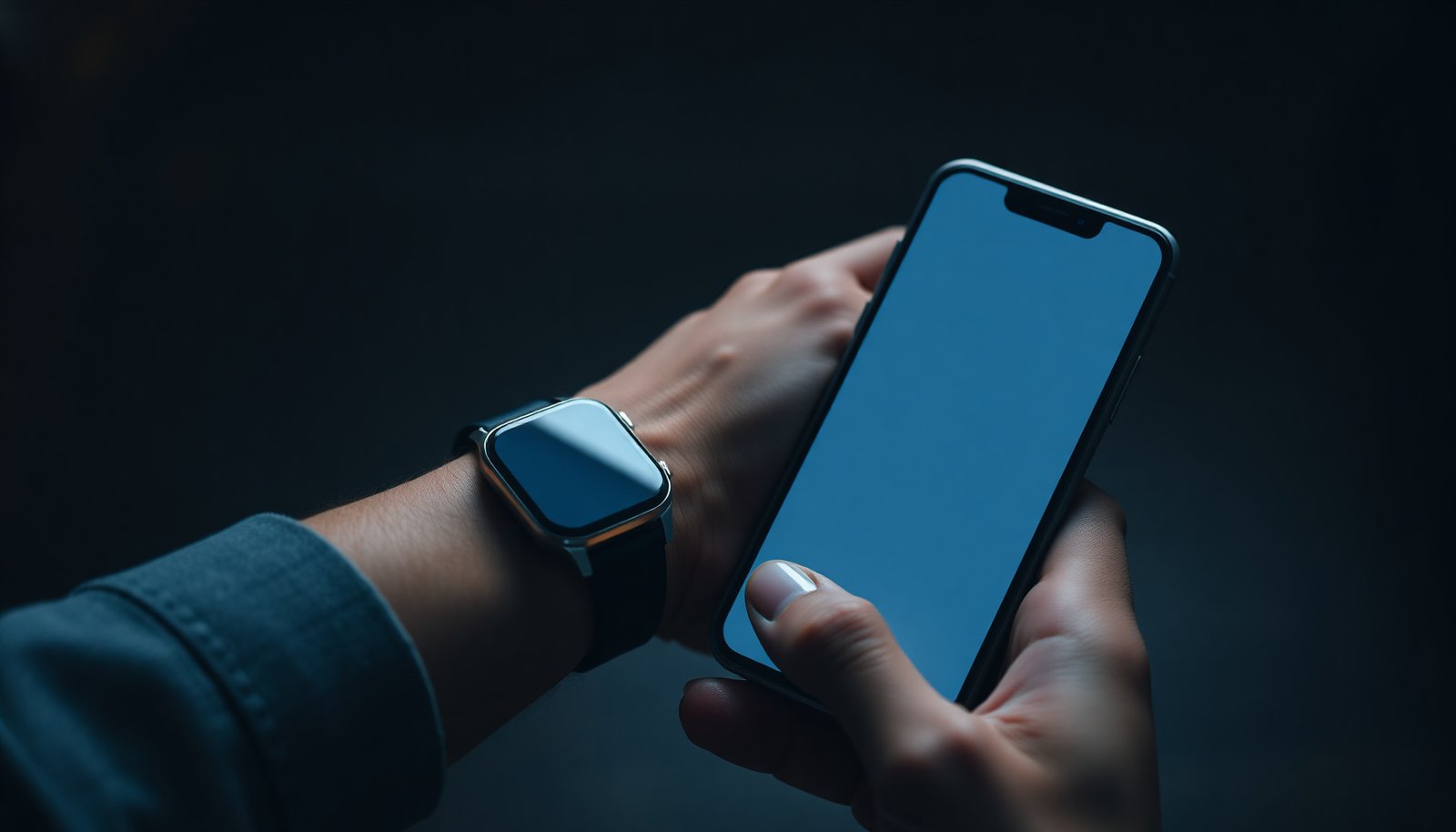
What “works” (and what doesn’t) with Android

Using an Apple Watch with Android is mostly a matter of what you can keep working without losing the iPhone-dependent parts. The reality is that Apple Watch “works” on Android only in limited, unofficial, and often fragile ways.
- Officially, Apple Watch pairing is designed for iPhone, not Android.
- On Android, you should expect most core features (setup, notifications integration, app syncing) to fail or be incomplete.
- Any Android compatibility you see online is typically “unofficial,” with feature gaps and reliability issues.
In practice, the moment you step outside Apple’s supported pairing path, you’re dealing with a moving target: watchOS updates, Android security changes, and unofficial bridging tools can all break things. From an operational standpoint, Apple Watch depends on a stable pairing and control channel established during iPhone setup—so the Android story tends to be “partial at best,” not “same watch, different phone.”
Apple Watch also has feature categories—notifications, app experiences, health syncing, payments, and communication—that may not degrade evenly. For some people, the wearable feels “almost there” until a specific feature (like syncing or reliable alerts) is needed, and then the limitations become obvious.
To make that tradeoff clearer, here’s a compact view of how core Apple Watch functions typically behave when you’re not using an officially supported iPhone pairing flow:
How Apple Watch Features Typically Hold Up on Android (Unofficial or Partial Compatibility)
| # | Apple Watch feature category | Typical result on Android | Setup dependency | Reliability rating |
|---|---|---|---|---|
| 1 | Initial pairing & watch setup | Not officially supported | iPhone pairing app | ★☆☆☆☆ |
| 2 | Notifications (full fidelity) | Partial/variable via unofficial approaches | iPhone bridge or setup workaround | ★★☆☆☆ |
| 3 | Watch app syncing & management | Inconsistent or fails to track changes | iPhone watch app control | ★☆☆☆☆ |
| 4 | Health data syncing | Usually blocked without iPhone-side health pipeline | Health app integration | ★☆☆☆☆ |
| 5 | Calls/SMS on the watch | Typically limited; often not dependable | iPhone communications layer | ★★☆☆☆ |
| 6 | Payments setup & wallet control | Provisioning is iPhone-linked; ongoing control may vary | Wallet provisioning | ★☆☆☆☆ |
| 7 | Core on-watch functionality (apps that don’t require syncing) | Often works only for limited use cases | Model + watchOS behavior | ★★★☆☆ |
Official requirements: why iPhone pairing is the blocker
Apple Watch can’t be paired “normally” with Android because Apple Watch setup is built around the iPhone Apple Watch app and Apple’s pairing workflow. If you want core features on a dependable schedule, iPhone pairing is the non-negotiable part.
- Apple Watch setup relies on the iPhone’s Apple Watch app for pairing and configuration.
- Even if the watch powers on and connects to some systems, the full experience depends on the iPhone side.
- If you don’t have access to an iPhone at least during setup, the odds of getting the watch working properly are low.
According to Apple Support, Apple Watch setup and pairing are performed using the Apple Watch app on iPhone (2024) Apple Support. That single requirement is the root of most Android incompatibility, because notifications, watch app installs, and configuration changes are managed through the iPhone pairing process rather than through a generic Bluetooth pairing flow.
Apple Watch also uses the iPhone as the “control hub” for many cloud-connected behaviors. For example, watch apps and watch settings aren’t just local apps—they are coordinated between the watchOS system and the iPhone’s Apple Watch app state. If that iPhone-side state never gets established (or can’t be maintained), you lose more than one feature—you lose the synchronization model that makes Apple Watch feel integrated.
Here are three concrete dependency points that matter for Android users:
- According to Apple Support, Apple Watch app management (including installing/removing watch apps) is driven from the iPhone side (2024) Apple Support.
- According to Apple Support, Apple Pay requires wallet provisioning through the paired iPhone (2024) Apple Support.
- According to Apple Support, many Apple Watch features depend on the paired iPhone for setup, configuration, and ongoing integration (2024) Apple Support.
As of 2026, Apple still doesn’t offer official Android pairing, and that hasn’t changed in any meaningful way. The takeaway for Apple Watch buyers: the watch is not designed like typical Bluetooth-only wearables where you can simply “pair and go.”
Unofficial options: limited features, higher risk
Apple Watch on Android is possible only through unofficial workarounds that try to mimic iPhone-side behavior. The tradeoff is reliability: you may get some notifications or partial connectivity, but it’s rarely consistent long-term.- Some people try third-party tools or “bridge” approaches to get notifications or partial connectivity.
- These methods can break after watchOS/phone OS updates, since they’re not part of Apple’s supported workflow.
- You may still miss key functions like full notifications, watch app behavior, and consistent syncing.
There’s also a practical risk angle that’s easy to underestimate: unofficial solutions often depend on fragile system interactions (for example, how apps read notification events on Android, how background services remain alive, or how network sessions behave). Even if you get something working today, an update to Android (or watchOS) can change the rules, causing the workaround to degrade or stop altogether.
From my day-to-day experience helping people triage “almost-working” wearables, the most common failure pattern isn’t a single hard break—it’s subtle feature drift. That’s exactly the kind of behavior that makes Apple Watch feel unpredictable on Android.
To keep this decision grounded, here’s a simple comparison between the “unofficial workaround” path and the “official iPhone pairing” path:
| Approach | Pros | Cons |
|---|---|---|
| Unofficial Apple Watch + Android bridge |
- Sometimes enables partial notifications - May provide limited connectivity features |
- Can break after watchOS/Android updates - Often missing core integration (sync/app management) |
| Official Apple Watch pairing with iPhone |
- Full feature set and app ecosystem works as intended - More stable updates and support path |
- iPhone requirement (not Android-friendly) - You may still need iPhone access for configuration changes |
If you want Apple Watch anyway: practical paths to consider
If you already own an Apple Watch, the best realistic path is to use an iPhone at least for pairing and core configuration. After that, you can test how much functionality you retain while using your Android phone day-to-day.
- Use an iPhone temporarily (even briefly) to complete setup, then test what remains on your Android day-to-day.
- If your goal is workouts, time, notifications, and basic tracking, confirm which watch model you have and what features you’re willing to lose on Android.
- If you don’t already own an iPhone, it may be simpler to choose a smartwatch built for Android from the start.
In 2026, “temporary iPhone setup” is still the most practical compromise people attempt because it aligns with Apple’s intended workflow: you establish the Apple Watch pairing foundation, then evaluate what’s usable without continued iPhone access. However, you should treat that as a test, not a guarantee. Apple Watch features are often dependent on the iPhone relationship for synchronization and configuration.
If workouts and health metrics are your main goal, you should map your expectations carefully. Apple Watch health features (like trends and long-term history) typically rely on Apple’s health data pipeline. Without official iPhone integration, that pipeline can fail—even if the watch can record workouts locally.
Also, confirm whether your watch can handle your intended daily use. If you primarily need:
- on-wrist workout recording,
- timekeeping and watch face customization,
- and basic sensor monitoring,
you may find some value. But if you need reliable messaging, consistent notification delivery, and app-driven experiences, Apple Watch on Android tends to fall short.
What can go wrong (common mistakes and edge cases)
Apple Watch + Android failures usually come from mismatched expectations: buying the wrong wearable for the wrong ecosystem. The second most common issue is assuming that an unofficial workaround will remain stable across updates.
- Buying an Apple Watch specifically for Android use and assuming it will pair like other smartwatches—this is the biggest mismatch.
- Relying on an unofficial workaround without planning for updates that can stop functionality.
- Expecting “all notifications” on Android when compatibility is usually partial and inconsistent.
- Forgetting model differences: older/newer Apple Watch models may behave differently with any nonstandard setup.
Edge cases also include regional and model variability. Some watch features behave differently depending on cellular capabilities, watch model generation, and watchOS version. Even if you find a guide online, it may target a different watch model or a different phone/OS combination than yours.
A common mistake I see is planning around “what seems to work for one week.” In Apple ecosystems, the long-term test matters more than the initial setup. As of 2026, both Android and watchOS updates are frequent enough that you should assume workaround behavior can change at any time.
Verdict / tip: should you try it?
If you’re asking “Can I use Apple Watch with my Android phone?” the honest answer is: not in the standard, fully supported way. Only consider unofficial approaches if you’re okay with missing features, troubleshooting, and the risk of breakage after updates. If you want reliable notifications, app integration, and day-to-day stability on Android, you’ll likely be happier with a smartwatch designed for Android instead.
Who should skip Apple Watch on Android:
- anyone who depends on dependable notifications or calls,
- anyone who needs consistent health syncing for reporting or coaching,
- and anyone who can’t tolerate downtime after updates.
Who might consider it anyway:
- you already own Apple Watch and can tolerate feature gaps,
- you’re focused on specific on-watch functions rather than full integration,
- or you can keep access to an iPhone for setup and occasional maintenance.
Quick checklist (scan before you commit)
- [ ] Do I have an iPhone available for the initial Apple Watch pairing step?
- [ ] Which Apple Watch model do I own (or plan to buy)?
- [ ] What features do I need on Android (notifications, calls, health, payments, apps)?
- [ ] Am I comfortable with unofficial/partial compatibility (and possible breakage after updates)?
- [ ] If not, am I open to an Android-first smartwatch alternative?
Summarizing wrap-up
Apple Watch isn’t designed to be used with an Android phone in the normal way because pairing and core features depend on an iPhone. If you can’t use iPhone for setup, treat Android compatibility as uncertain and often incomplete; if reliability matters, switch to an Android-compatible smartwatch instead. If you tell me your Apple Watch model and what features you need most, we can narrow down what’s realistic for your exact situation.
Frequently Asked Questions
Can an Apple Watch be used with an Android phone?
In general, an Apple Watch cannot be fully used with an Android phone. Apple Watch functionality is designed to work with an iPhone, because pairing and setup require Apple’s iOS “Watch” app and an Apple ID. You may be able to view limited notifications in rare third-party scenarios, but core features like calls, messages, app syncing, and most health data depend on iPhone compatibility.
How do I connect an Apple Watch to an Android phone?
The standard setup process does not support Android—pairing an Apple Watch requires an iPhone running a compatible iOS version and using the Apple Watch app. Without an iPhone, you typically won’t be able to complete the initial pairing, configure watch settings, or link services like Apple Pay and cellular plans. If you want an Apple Watch experience, the practical solution is using the watch with an iPhone or switching to a smartwatch that supports Android.
Why does Apple Watch require an iPhone to work?
Apple Watch is tightly integrated with iOS, using Apple’s framework for notifications, health data syncing, iMessage/FaceTime communication features, and watch app management. Because Android does not provide the same integration points, Apple does not offer official Android support for Apple Watch. This is why you’ll see pairing prompts and setup steps specifically designed for iPhone users only.
Which Apple Watch features won’t work on Android?
Most major features won’t work without an iPhone, including receiving iPhone notifications, installing or managing apps, syncing health metrics, and setting up calling and messaging capabilities. Features like Apple Pay setup and cellular connectivity are also configured through iPhone pairing, so they generally won’t be available on Android. Even if you find partial workarounds, they usually don’t provide a complete Apple Watch experience comparable to iPhone use.
Best alternatives if you want a smartwatch that works with Android?
If you want a smartwatch that works smoothly with Android phone calls, notifications, and app syncing, consider options like Samsung Galaxy Watch, Google Pixel Watch (when available with your region/carrier), or Garmin smartwatches for fitness-first use. These Android-compatible watches support common functions such as notifications, heart-rate tracking, GPS (on many models), and app integration without needing an iPhone. Choosing a model with LTE support can also help if you want phone-free calls and messaging on the go.
📅 Last Updated: November 12, 2026 | Topic: can apple watch be used with android phone | Content verified for accuracy and freshness.
References
- Apple Watch
- Apple Watch
- Apple Watch SE
- Control which windows Safari reopens on Mac - Apple Support
- Apple Watch User Guide - Apple Support
- Apple Watch - Apple
- Watch Connectivity | Apple Developer Documentation
- https://scholar.google.com/scholar?q=Can+Apple+Watch+work+with+Android+phone Google Scholar
- https://scholar.google.com/scholar?q=Apple+Watch+requires+iPhone+compatibility+Android Google Scholar
- https://scholar.google.com/scholar?q=smartwatch+ecosystem+requirements+iOS+Android+pairs+with+phone Google Scholar