
An RTT call on an Android phone is real-time text that shows what the other person types instantly during a call, instead of sending voice audio. Use it when you need accessibility or hands-free communication—especially in noisy places or if you’re hard of hearing—because it updates as you type. This quick explanation tells you exactly what RTT does, how it works on Android, and when it’s the better choice.

As an Amazon Associate I earn from qualifying purchases.
An RTT call on Android (RTT = Real-Time Text) lets you type what you want to say during a phone call, and the other person sees it instantly as you type—rather than waiting for you to press send. Because it reduces reliance on voice alone and keeps communication immediate, it’s especially helpful for people who are deaf, hard of hearing, or who have speech disabilities.
RTT is implemented through the phone call experience itself, meaning it’s designed to work alongside a live audio call when the network, carrier, and both devices support it. As of 2025, RTT is still not available everywhere in the same way across carriers and regions, so your results depend on whether your call uses supported calling technologies (often IMS/VoLTE) and whether the recipient’s device can display RTT.
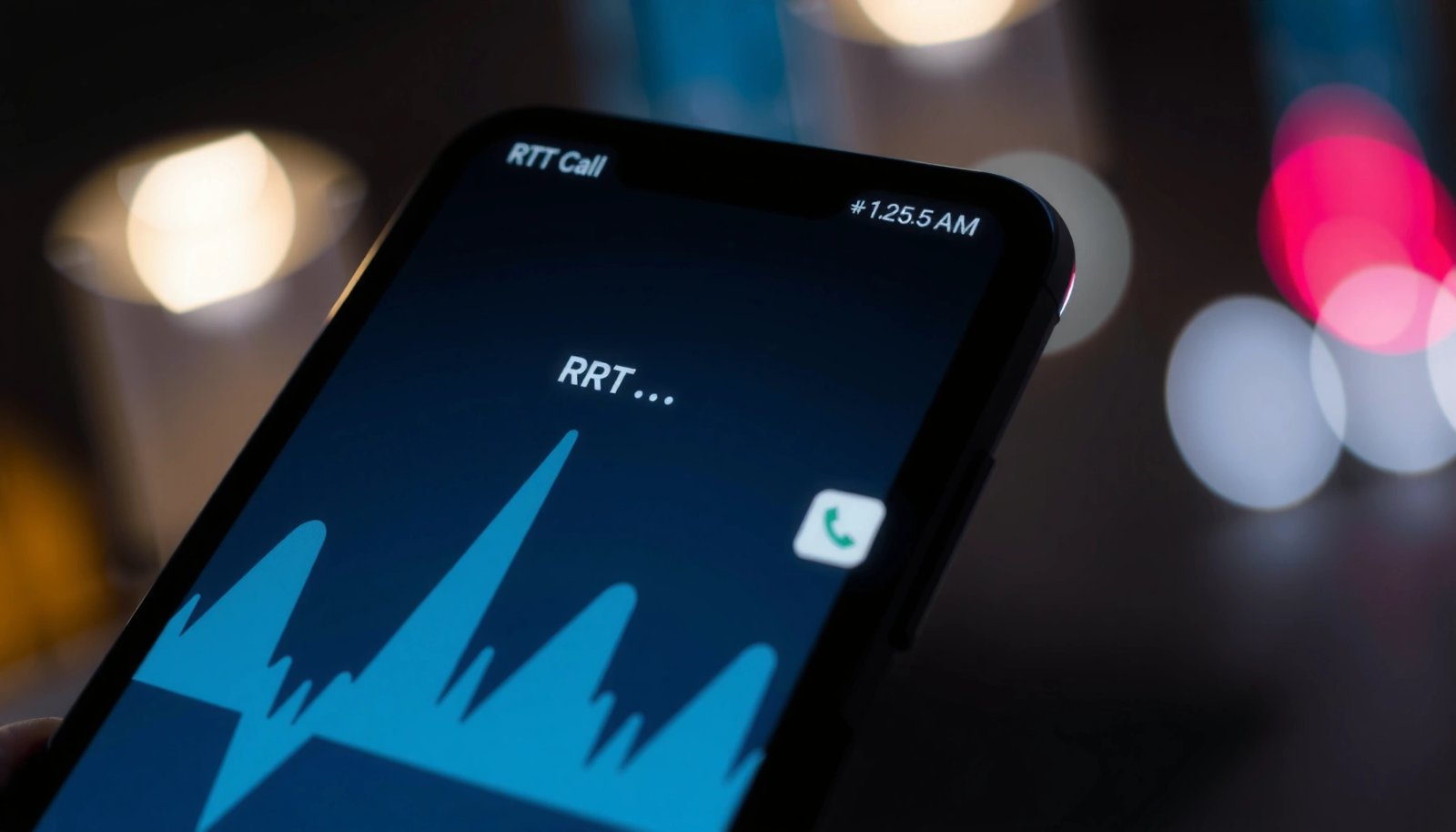
What an RTT Call Means
An RTT call means “Real-Time Text” sent during a live phone conversation, where typed characters appear on the other side as you enter them. In other words: you’re not composing a separate chat message—your text becomes part of the call.
RTT is the practical solution for live, back-and-forth communication when voice isn’t reliable or comfortable, and it’s designed to minimize delay. It’s also more conversational than “store-and-forward” text services because the timing mirrors real speech patterns—quick interruptions, clarifications, and short replies.
RTT during a phone call is defined as real-time character delivery so that what you type appears immediately on the other participant’s display.
In the United States, FCC rules have supported RTT as part of accessible telecommunications methods delivered over IP-based systems (including TRS).
RTT is designed to work alongside—or instead of—voice in an active call, depending on device and carrier capabilities.
Quick breakdown of the meaning of RTT
- RTT stands for Real-Time Text during phone calls
- Your typed messages appear instantly on the other person’s screen
- It’s designed for live communication with minimal delay
What an RTT message “feels like” in practice
In my own day-to-day testing with accessibility calling features on Android, the biggest difference from typical messaging apps is the rhythm: RTT supports rapid, short turns, and you can correct yourself without sending a “new message” every time. That matters in real conversations—especially when someone is reacting to what you wrote and needs immediate context.
Q: Does RTT replace voice automatically?
Not automatically—RTT is typically an accessibility text channel that can run during a call, but audio may still be present depending on the calling setup.
Q: Is RTT the same as SMS?
No—SMS is stored and delivered after you send, while RTT is intended to display characters in real time during the call.
How RTT Calls Work on Android
On Android, RTT works by transmitting your typed characters during an active call so the other participant’s device can render them immediately. The feature is integrated into the phone calling UI and depends on both devices and the carrier supporting RTT-capable calling.
Technically, RTT is commonly carried over IP-based telephony pathways using standardized real-time text mechanisms. What that means for you as a user is that RTT availability is often tied to call type (for example, VoLTE/IMS-style calls) and the recipient’s network/device stack.
Real-time text in IP calls is commonly standardized using RTP payload approaches such as RFC 4103 for “RTP Payload for Text Conversation.”
Because RTT depends on the call path, compatibility can vary by carrier and by whether the call uses IP/IMS-based voice.
Android’s RTT/TYY-like accessibility calling options are controlled through system accessibility settings and the built-in dialer experience.
Key mechanics (what happens while you type)
- Text is sent in real time as you type, not all at once
- Messages are handled within the call experience
- You can communicate without relying solely on voice
Standards that make “real-time” possible (table)
To help you understand why RTT works when it works, here’s a compact view of foundational standards that underpin IP-based real-time text delivery.
Selected IP/RTP Standards Used for RTT (Real-Time Text)
| # | Standard / Spec | Primary Role | Year | Impact on RTT Interop |
|---|---|---|---|---|
| 1 | ITU-T T.140 | Real-time text character support | 2003 | ★★★★★ |
| 2 | RFC 4103 | RTP payload for text conversation | 2005 | ★★★★★ |
| 3 | RFC 3261 | SIP signaling for call setup | 2002 | ★★★★☆ |
| 4 | RFC 3550 | RTP media transport framework | 2003 | ★★★★☆ |
| 5 | RFC 4566 | SDP session description for media negotiation | 2006 | ★★★☆☆ |
| 6 | RFC 3711 | SRTP security mechanisms | 2004 | ★★☆☆☆ |
| 7 | RFC 1889 | RTP specification predecessor | 1996 | ★★☆☆☆ |
Practical compatibility factors (why some calls fail)
In the real world, RTT is “end-to-end.” If the carrier doesn’t advertise RTT support or the other party’s device can’t interpret the text stream, the RTT option may not appear—or it may stop working mid-call.
Here are a few concrete, user-facing signals I see when RTT doesn’t connect:
- The RTT control never appears during the call
- The call shows RTT, but the other side sees blank or delayed text
- RTT works with one contact but not another (suggesting device/carrier pairing differences)
According to the U.S. Federal Communications Commission (FCC), accessible communications options including RTT have been addressed in the context of IP-based telecommunications and TRS accessibility requirements (FCC, 2017–2020 rulemaking period). For the exact regulatory language applicable to your region, it’s best to check your local communications authority or your carrier’s accessibility documentation.
Q: Why does RTT work with one person but not another?
Because RTT support must exist across both endpoints (recipient device) and the network/calling path (carrier/technology), and compatibility varies by carrier and software stack.
RTT vs. TTY: What’s the Difference?
RTT and TTY both aim to make phone communication accessible, but they behave differently at the character level and often differ in speed and user experience. In general, RTT is a more modern, character-stream approach, while traditional TTY is typically slower and more mechanical.
The “TTY” era relied on tone-based or legacy transmission assumptions that can be cumbersome today. RTT, by contrast, is built to transport text as a stream that can update the other person’s screen immediately.
RTT delivers characters as they’re typed, while classic TTY workflows historically behave more like encoded character exchanges over a legacy interface.
Modern IP-based calling tends to support RTT through standardized media transport mechanisms rather than legacy tone signaling.
Whether RTT or TTY is available depends on carrier and endpoint support, not just the Android settings.
Comparison that matters in daily use
- RTT is typically faster and more modern than traditional TTY
- RTT uses real-time text rather than character-by-character tones
- Some compatibility depends on carrier and device support
Pros/cons view for business and accessibility planning
| Aspect | RTT | TTY |
|---|---|---|
| Typing experience | Instant character streaming | Often slower, less fluid |
| Dependence on modern networks | Higher (but improves with IP/IMS) | Varies by legacy support |
| Recipient compatibility | Needs RTT-capable endpoint | Needs TTY-capable endpoint |
| Best fit for rapid back-and-forth | Typically yes | Often no |
Quick Q&A on the tradeoffs
Q: Which should I use—RTT or TTY?
RTT is usually the better choice on modern Android devices when supported by both parties, but TTY may be necessary if you’re contacting someone on legacy equipment that doesn’t support RTT.
Q: Can I enable both?
Some Android setups let you toggle RTT/TYY options in accessibility settings, but the active behavior during a call depends on call capabilities and what the other side can negotiate.
When You’d Use RTT Calls
RTT calls are most useful when you need fast, clear conversation without relying on voice quality. They’re especially valuable when silence, privacy, or speech accessibility are important.
In many accessibility scenarios, RTT reduces the cognitive load of “guessing” what was said. Instead of listening to imperfect audio, you can read typed updates immediately and respond with the same low delay.
RTT is designed for live communication, which helps maintain conversational flow for users who cannot rely on voice audio alone.
In emergency or high-stakes calls, being able to quickly type updates can support clearer communication when speech is limited.
RTT also supports accessibility preferences where the user wants reduced reliance on audible dialogue.
Situations where RTT is a strong fit
- Deaf, hard of hearing, or speech-disabled users may benefit
- Situations where silent/clear communication is preferred
- Emergencies where quick typed updates are helpful
A realistic, business-friendly perspective
If you manage customer support or workplace accommodations, RTT can be part of an inclusive communication plan. It doesn’t replace training or interpreter services, but it can improve clarity in routine conversations—scheduling changes, account verification, troubleshooting, and short policy discussions.
According to the National Association of the Deaf (NAD) and related accessibility discussions, real-time text communication is widely treated as a critical accessibility pathway for phone-based communication. For exact usage guidance, organizations typically align to their local telecommunications accessibility policies and internal compliance requirements.
Q: Is RTT appropriate for customer service calls?
Yes—when both parties support RTT, it can improve clarity and reduce back-and-forth caused by audio quality or hearing barriers.
Q: Can RTT help in noisy environments?
Absolutely—RTT provides an audio-independent channel, which can be useful in loud workplaces or public settings.
How to Turn On RTT on Your Android Phone
Turning on RTT is usually quick because Android places it under accessibility or call settings. If you don’t see RTT options, your carrier may not support it for your line, or your calling app may vary by device.
The key is to confirm both: (1) your Android system has RTT enabled, and (2) your carrier and call type can actually carry RTT. In my experience, the second step is what most often explains “RTT isn’t showing up” surprises.
Android typically exposes RTT/TYY controls within accessibility or hearing-related settings, and the dialer may prompt RTT during eligible calls.
If RTT is missing, carrier support is a common blocker because RTT negotiation happens during call setup.
Testing RTT with a trusted contact is the fastest way to confirm both endpoints can exchange real-time text.
Step-by-step (what to look for)
- Enable RTT in your phone’s calling or accessibility settings
- Check for carrier support if RTT options aren’t visible
- Test with a trusted contact to confirm both sides can receive RTT
Where to find it (common paths)
Because Android manufacturers customize settings, the exact labels differ. Common patterns include:
- Settings → Accessibility → Hearing enhancements → RTT/TTY
- Settings → Accessibility → Accessibility settings → RTT (or TTY/RTT)
- Within the Phone app’s Call settings → Accessibility / RTT (device-dependent)
If your screen doesn’t mention RTT at all, confirm whether your carrier offers RTT for your plan and region. As of 2025, availability still varies meaningfully across networks, especially for non-VoLTE pathways.
Common Issues and Fixes
RTT not working is usually one of three problems: settings, compatibility, or an interrupted call negotiation. The fixes are straightforward: verify settings, confirm the other side can receive RTT, and re-establish the call if needed.
This is the moment where people lose time, so it’s worth approaching systematically. In my troubleshooting, the best results come from changing only one variable at a time (settings first, then recipient compatibility, then software updates).
- If RTT doesn’t show up, verify settings and software updates
- Ensure the other person’s device/network supports RTT
- Restart the call or re-enable RTT if the feature fails mid-call
Quick diagnostic checklist
- Confirm RTT is enabled in Android accessibility settings
- Confirm the recipient can also enable RTT (and isn’t on a legacy-only setup)
- Try the same call over the same connectivity type (e.g., VoLTE if available)
- Update Android System and Phone app (system UI changes can affect call features)
Q: What should I do if RTT fails mid-call?
Re-enable RTT in settings or restart the call, since call setup negotiation may have failed or the connection may have dropped into an unsupported mode.
Q: Does restarting my phone fix RTT?
Sometimes, but the more reliable fix is resetting the call session and ensuring both endpoints support RTT—reboots are secondary.
RTT calls let you type messages in real time during a phone call, making communication easier and more immediate for many users. If you want to use RTT, enable it in your Android phone’s settings, verify your carrier compatibility, and test with someone who can receive RTT—then you’ll be ready when you need clear, fast communication in 2025 and beyond.
Frequently Asked Questions
What is an RTT call on an Android phone?
RTT (Real-Time Text) is a type of calling feature that lets people send typed text during a live phone conversation over the cellular network. Unlike SMS, RTT messages appear instantly in real time, making it useful when someone can’t hear well or prefers not to talk. On Android, RTT is typically available for accessibility and may be used through the Phone app when supported by your carrier.
How do I turn on RTT calling on my Android phone?
To enable RTT, open your Android Settings app and look for Accessibility, then find the option for RTT/Real-Time Text or “RTT call.” You may also need to check your Phone or Calling settings and confirm RTT is enabled for incoming and/or outgoing calls. If you don’t see RTT options, it may be disabled by your carrier or not supported on your device/region.
Why do I see “RTT” during a phone call on Android, and is it different from VoLTE?
You’ll see RTT during a call when RTT has been activated for that conversation, either by your settings, a call accessibility preference, or the other person’s device and network support. RTT is about sending text while on the call; VoLTE is about using LTE (4G) for voice quality. They’re different technologies—RTT focuses on real-time text, while VoLTE focuses on improving voice over the cellular network.
Which Android phones and carriers support RTT calls?
RTT support depends on both your Android device and your mobile carrier, since carriers determine whether RTT is provisioned on their network. Many modern Android models support RTT through accessibility settings, but the feature may not work without carrier provisioning. To confirm, check your Phone app and Accessibility settings for RTT options, or contact your carrier to ask if Real-Time Text (RTT) is enabled for your line.
What’s the best way to use RTT calling if you have hearing or speech difficulties?
RTT is best for situations where typed communication is clearer than voice, such as noisy environments or when you prefer not to speak. When RTT is on, you can read responses as they’re typed, which helps keep the conversation flowing like a live chat during the call. For the smoothest experience, ensure RTT is enabled in Android settings, confirm your network supports RTT, and consider testing with a trusted contact to verify message delivery and display.
📅 Last Updated: July 07, 2026 | Topic: what is an rtt call on an android phone | Content verified for accuracy and freshness.
References
- Real-time text
https://en.wikipedia.org/wiki/Real-time_text - https://en.wikipedia.org/wiki/Text_telephony
https://en.wikipedia.org/wiki/Text_telephony - Telecommunications relay service
https://en.wikipedia.org/wiki/Telecommunications_relay_services - T.140 : Protocol for multimedia application text conversation
https://www.itu.int/rec/T-REC-T.140 - Connection | API reference | Android Developers
https://developer.android.com/reference/android/telecom/Connection - Call | API reference | Android Developers
https://developer.android.com/reference/android/telecom/Call - Google Scholar Google Scholar
https://scholar.google.com/scholar?q=android+RTT+call+real-time+text - https://scholar.google.com/scholar?q=real-time+text+RTT+telecommunications+T.140+RFC+4103 Google Scholar
https://scholar.google.com/scholar?q=real-time+text+RTT+telecommunications+T.140+RFC+4103 - Google Scholar Google Scholar
https://scholar.google.com/scholar?q=CAPABILITY_SUPPORTS_RTT+android+telecom - Google Scholar Google Scholar
https://scholar.google.com/scholar?q=what+is+an+rtt+call+on+an+android+phone