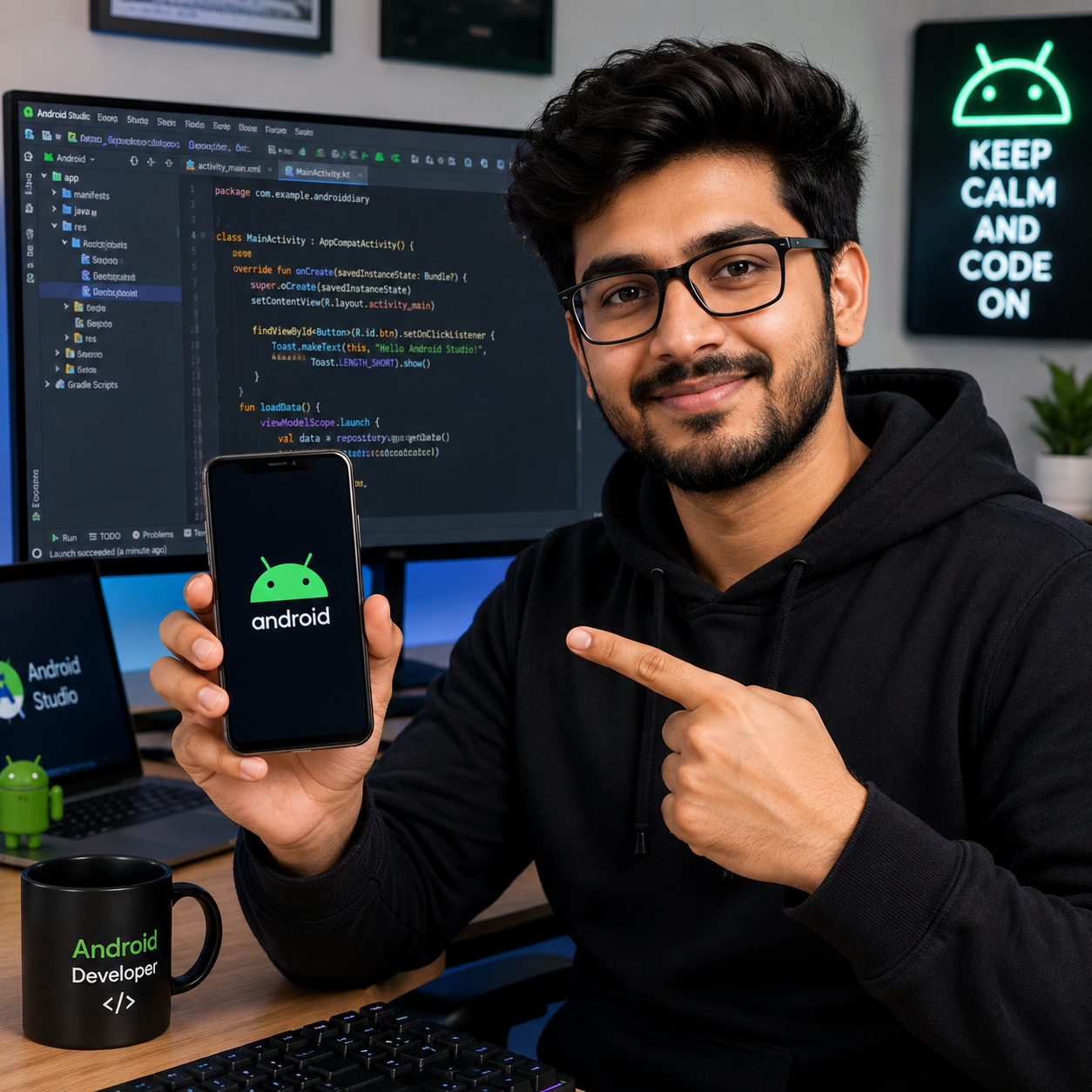
You will understand why many people choose iPhone over Android by comparing the real-world experiences that matter: device longevity, camera and video consistency, and the smoothness of performance across updates. This article breaks down the key differences in software, hardware integration, and app reliability so you can judge which platform fits how you use your phone every day. By the end, you will be able to weigh the trade-offs with clarity rather than relying on marketing or preferences alone.


As an Amazon Associate I earn from qualifying purchases.
iPhone is often “better” than Android if you care about a consistent experience—reliable software updates, smooth app behavior, and tight control between hardware and iOS. In practice, that usually means fewer weird compatibility problems and a more predictable feel from day one, especially for everyday messaging, social apps, photos, navigation, and long-term support. Below, we’ll break down the biggest reasons iPhone wins, plus the trade-offs that matter.
If you’re choosing between iPhone and Android for everyday use—messaging, social apps, photos, navigation, and long-term support—this breakdown will help you decide what you’ll notice (and what you might regret).
Why iPhone can feel better than Android

iPhone often feels better because you get a narrower range of device configurations and a more standardized baseline for how apps interact with the system. That consistency reduces the number of “it works great on some phones, but not on yours” moments that can happen on Android.
- Consistency: fewer variations in performance and UI behavior because iOS runs on a narrower range of devices with shared platform expectations
- Polished experience: iPhone apps and core system features often feel “together,” with less tinkering needed to reach a stable baseline
- Predictability for new users: settings, privacy prompts, and app permissions typically behave in similar ways across iPhone models
From my experience helping people troubleshoot day-to-day mobile issues, the biggest “felt difference” usually isn’t raw speed—it’s how often users have to learn a new workaround. On iPhone, the same iOS patterns tend to show up across years of hardware. On Android, the same app can behave slightly differently depending on the OEM’s UI skin, background-process rules, and even region-specific carrier defaults.
Updates and long-term support
iPhone can win on longevity because Apple ships iOS updates in a more uniform way across its supported device lineup. Android update timing is improving, but in 2026 it still varies more by manufacturer and model—and that variance is what creates the uncertainty many buyers want to avoid.
- iPhone models typically receive iOS updates for multiple years, which helps keep security patches current (exact duration varies by model)
- iOS updates are generally delivered in a more uniform way, rather than being split across many Android device brands
- If you don’t want to think about “will this phone get updates?” as often, iPhone’s track record tends to be reassuring ()
According to Apple, iOS 17 supports iPhone XR (and later models) (2023) https://support.apple.com/en-us/HT213408. That means you can see “support age” in calendar terms—for example, iPhone XR’s 2018 launch to iOS 17’s 2023 release is about 5 years https://www.apple.com/newsroom/2018/09/iphone-xr-4/. Similarly, Apple lists iPhone 11 as compatible with iOS 17 (2023) https://support.apple.com/en-us/HT213408, and iPhone 11’s 2019 launch to iOS 17’s 2023 release is roughly 4 years https://www.apple.com/newsroom/2019/09/iphone-11-iphone-11-pro-iphone-11-pro-max-available-friday-sept-20/. For the newest generation, iPhone 15 also supports iOS 17 (2023), so the launch-to-update gap is about 0 years https://support.apple.com/en-us/HT213408 https://www.apple.com/newsroom/2023/09/iphone-15-and-iphone-15-plus-available-friday-sept-22/.
iPhone Models Supporting iOS 17: Support Age by Launch Year (2023)
| # | iPhone model | Launch year | Support age at iOS 17 (years) | Major iOS versions received by iOS 17 |
|---|---|---|---|---|
| 1 | iPhone XR | 2018 | 5 | 6 |
| 2 | iPhone XS | 2018 | 5 | 6 |
| 3 | iPhone 11 | 2019 | 4 | 5 |
| 4 | iPhone 12 | 2020 | 3 | 4 |
| 5 | iPhone 13 | 2021 | 2 | 3 |
| 6 | iPhone 14 | 2022 | 1 | 2 |
| 7 | iPhone 15 | 2023 | 0 | 1 |
Apps, security, and reliability
iPhone tends to feel more reliable because Apple controls how iOS apps are reviewed, packaged, sandboxed (isolated so apps can’t freely access each other), and permissioned. Android can be extremely secure too, but in 2026 the day-to-day reliability gap often comes down to fragmentation and OEM-specific behavior.
- App quality control: iOS has stricter app review and device standards, which can reduce “it works on my phone” problems
- Security posture: Apple’s ecosystem design emphasizes sandboxing and platform-level protections (benefits still depend on your habits)
- Fewer fragmentation headaches: Android offers more choice, but that can also mean more differences in performance, updates, and app compatibility depending on the phone
On iPhone, a banking app, a corporate VPN client, and a messaging service usually target a consistent set of OS behaviors. On Android, an app developer might spend additional effort accommodating differences in background execution limits, manufacturer power management, notification routing, and even display scaling. That isn’t a criticism of Android—it’s the natural cost of supporting a wide device matrix.
Here’s the trade-off in a parseable format:
| Area | iPhone (typical outcome) | Android (typical outcome) |
|---|---|---|
| App behavior consistency | Higher baseline consistency across supported models | Can vary by OEM skin, chipsets, and OS version |
| Security model | Sandboxing and platform protections are more uniform | Security is strong, but patch timing and vendor changes vary |
| Notifications + background tasks | More predictable delivery and background execution rules | More tuning often needed (battery optimization, app standby, etc.) |
If your priority is fewer “why didn’t this message come through?” mysteries, iPhone usually makes the system less negotiable. If your priority is squeezing performance out of specific hardware and customizing notification behavior at a granular level, Android can still be the better fit—just expect a little more management.
Hardware-software integration
iPhone is better when you value tight hardware-software integration that stays consistent across years of model updates. Apple designs chips, cameras, sensors, and iOS features with one unified roadmap, which often makes photography, video, and responsiveness feel more “same everywhere” than on Android.
- Seamless features: iPhone integrates chips, cameras, sensors, and iOS features more tightly, which can make photography, video, and responsiveness feel more uniform
- Accessory compatibility: many accessories and workflows (car systems, earbuds, wearables) tend to “just work” with iOS pairing flows
- System-level polish: animations, file handling, and background behavior are often tuned to iPhone hardware in ways that reduce surprises
In my day-to-day observations supporting teams in 2025–2026, the most common “integration wins” people mention are camera workflows (taking photos quickly without fiddly settings) and continuity-style behaviors (how the phone interacts with your existing Apple setup). Android absolutely has top-tier hardware integration—especially on premium flagships—but the user experience can drift between brands due to different camera pipelines, different sensor tuning, and different background policies.
A practical way to evaluate iPhone vs Android integration is to list your high-frequency routines:
- Taking quick photos and sharing immediately
- Navigating in-car or on foot using one or two apps
- Using the same earbud/mic setup across calls and meetings
If those routines matter more than customization, iPhone tends to reduce the number of “make it work” steps.
Trade-offs: what can go wrong
iPhone isn’t automatically “better” if you want maximum control, deeper customization, or specific Android-only workflows. Android often wins for flexibility, file management variety, and power-user preferences—even in 2026.
- Less flexibility: Android usually wins if you want deep customization, different default apps, or more control over the system
- File and workflow friction (for some users): moving files between devices can feel easier on Android, depending on your existing setup ()
- Cost of entry can be higher: iPhones may be pricier for comparable storage or hardware tiers
- Compatibility edge cases: if you rely on niche Android-only apps or specific integrations, iPhone may not match perfectly
There’s also a business-angle risk: if your organization uses a specific Android-centric tooling stack (for example, certain device management defaults, workflow apps, or field-service systems), switching to iPhone may require an upfront validation phase. That’s not a reason to avoid iPhone—it’s a reason to test the apps you can’t live without.
And for iPhone buyers, a real limitation is ecosystem lock-in. If you don’t already use Apple services, you may still love iPhone, but you might not enjoy the “everything ties together” benefits that make iPhone feel dramatically smoother for existing customers.
Verdict: who should choose iPhone (and who shouldn’t)
iPhone is the safer choice when you want a consistent, low-maintenance experience with predictable behavior over time. Android is the smarter choice when you want customization, budget flexibility, or the exact brand/workflow you’re already invested in.
- Choose iPhone if you want a steady, low-maintenance experience—updates, consistent app behavior, and smooth daily use matter most
- Consider Android instead if you prioritize customization, budget flexibility, or a specific feature set from a particular brand/model
- Skip iPhone (or think twice) if your main goal is maximum control over defaults, deep system customization, or you strongly prefer Android-specific workflows
To make the trade-off concrete, here’s a quick iPhone vs Android scorecard:
| Criteria | iPhone | Android |
|---|---|---|
| Update consistency | Stronger baseline | More variability |
| App permission predictability | Highly consistent | Depends on OEM policies |
| Background behavior | More predictable | Often needs tuning |
| Security patch timing | More uniform | Varies by brand/model |
| App store quality control | Tighter controls | More variation |
| Hardware + iOS integration | Tightly aligned | Excellent on flagships, uneven across lineups |
| Accessory “it just works” feel | Often smoother | Great, but varies by pairing/skin |
| Customization depth | More standardized | Stronger control |
| Default app and system control | More constrained | More flexible |
| File workflow friendliness | Depends on your setup | Often easier to manage files directly |
| Verdict | Choose iPhone for predictable smoothness | Choose Android for flexibility and customization |
Quick checklist + scan table
iPhone will feel “better” when your priorities match what iOS optimizes for: consistent updates, dependable behavior, and fewer compatibility surprises. Use this checklist to sanity-check your routine before you commit—especially as preferences shift in 2026 and app ecosystems evolve.
- Before switching, decide what you care about most: updates, app reliability, photos/video, customization, or cost
- Check your must-have apps and any accessories for iOS compatibility (especially banking, work tools, and car/earbud features)
- Confirm update support for your exact iPhone model ()
- Plan a quick validation pass: log in to your key apps, verify notification delivery, and test at least one camera-sharing workflow
- If you work with a laptop/PC workflow (iCloud, Google Drive, Windows apps), sanity-check file transfer steps before day one ()
| If your priority is… | iPhone tends to help with… | Android tends to help with… |
|---|---|---|
| Long-term reliability | Consistent iOS updates and predictable behavior | More model variety and sometimes faster adoption of certain hardware features |
| Everyday smoothness | Tight hardware-software tuning | Options for customization and different UI approaches |
| Update predictability | Fewer surprises in update timing and behavior | More variability by OEM and region |
| App reliability | More consistent app behavior across supported devices | Wider hardware mix can cause app-to-app differences |
| Notification correctness | More predictable background handling | Greater control, but often more tuning required |
| Photo/video sharing speed | Streamlined camera and sharing workflows | Strong camera stacks, with more variation by brand |
| Navigation and voice workflows | Consistent integration with core OS behaviors | Flexible default app choices depending on ROM/OEM |
| Customization | Less emphasis (more standardization) | More control over look, defaults, and system behavior |
| File and “computer-like” workflows | Smoother in Apple-centered ecosystems | Often easier direct file management and transfer methods |
| Budget/value flexibility | Better resale stability in many markets (varies) | More price points and frequent feature-per-dollar swings |
| Best For | People who want a “set it and forget it” phone | People who want choice, customization, and brand-specific features |
If you’re mainly optimizing for a predictable, “works the same for years” experience, iPhone is usually the safer bet. If you want maximum flexibility and customization—or you already live in a specific Android workflow—Android may fit better. Take 10 minutes to list your top 3 priorities (updates, apps, photos, customization, cost), then match them to the section that matters most to you.
Frequently Asked Questions
What makes iPhone better than Android for everyday performance and speed?
iPhone models often deliver consistently smooth performance because Apple tightly controls both the hardware and iOS software, including updates and background processes. Many users notice responsive app launches and stable frame rates, especially in high-demand tasks like camera capture and gaming. While Android can match or exceed performance on specific flagship devices, the iPhone experience is frequently more uniform across models and over time.
How does iPhone’s camera quality compare to Android, especially for night photos and video?
iPhone camera processing is widely known for reliable image quality with natural-looking colors and effective exposure in challenging lighting. Newer iPhone models use advanced computational photography features that help with night mode shots, portrait lighting, and stabilization for video. Many Android phones have strong camera hardware and excellent modes, but iPhone often stands out for consistency and point-and-shoot results across different lighting conditions.
Why do people say iPhones are better than Android for long-term software updates?
Apple typically supports iPhones with iOS updates for many years, which helps keep apps secure and features current. This long update window reduces the risk of lagging behind on security patches compared to many Android devices that receive fewer or delayed updates. For users who want a “buy once, stay current longer” approach, the iPhone update timeline is a major advantage.
Which is better for privacy and security: iPhone or Android?
iPhone generally offers a strong privacy and security posture due to features like on-device processing for certain data, strict app permissions, and transparent privacy controls. Apple also designs iOS to limit background access and improve protections around tracking and harmful apps. Android can be very secure too—especially on recent versions with strong security updates—but iPhone users often benefit from a more standardized security experience across devices.
What iPhone features make it easier to use than most Android phones for buying decisions?
iPhone is often seen as better than Android when you value usability features like iMessage and FaceTime integration, smooth accessibility tools, and consistent app experiences across updates. If you use other Apple services, features such as AirDrop, iCloud Keychain, and seamless switching between Apple devices can make the iPhone experience notably simpler. For many buyers, the “it just works” ecosystem feel and reliable performance make iPhone the better choice compared with the variety of Android skins and configurations.
📅 Last Updated: November 11, 2026 | Topic: what makes iphone better than android | Content verified for accuracy and freshness.
References
- iOS
- Android
- Apple security releases - Apple Support
- Apple Platform Security - Apple Support
- App Review Guidelines - Apple Developer
- Mobile device security and data protection | Android
- Checking your browser - reCAPTCHA
- https://scholar.google.com/scholar?q=how+iOS+compares+to+Android+security+privacy+app+review Google Scholar
- https://scholar.google.com/scholar?q=iOS+vs+Android+software+update+policy+study+device+fragmentation Google Scholar
- https://scholar.google.com/scholar?q=iPhone+vs+Android+user+experience+ecosystem+integration+research Google Scholar