
No—Roku is not Android-based. Roku runs on its own Roku OS, with its interface and system apps built specifically for Roku streaming players and TVs rather than using Android’s operating system. If you’re trying to figure out whether Roku can install Android apps or behave like an Android device, this is the answer and what Roku uses instead.



As an Amazon Associate I earn from qualifying purchases.
Roku is not Android based—it runs Roku OS, a proprietary operating system with its own developer and update model. In this article, you’ll learn what powers Roku devices, how it compares to Android TV/Google TV, and what that means for apps and software updates.
What OS Does Roku Use?
Roku devices run Roku OS, not Android. That difference matters because Roku OS controls the user interface, the app runtime, and how channels (apps) are installed and updated.
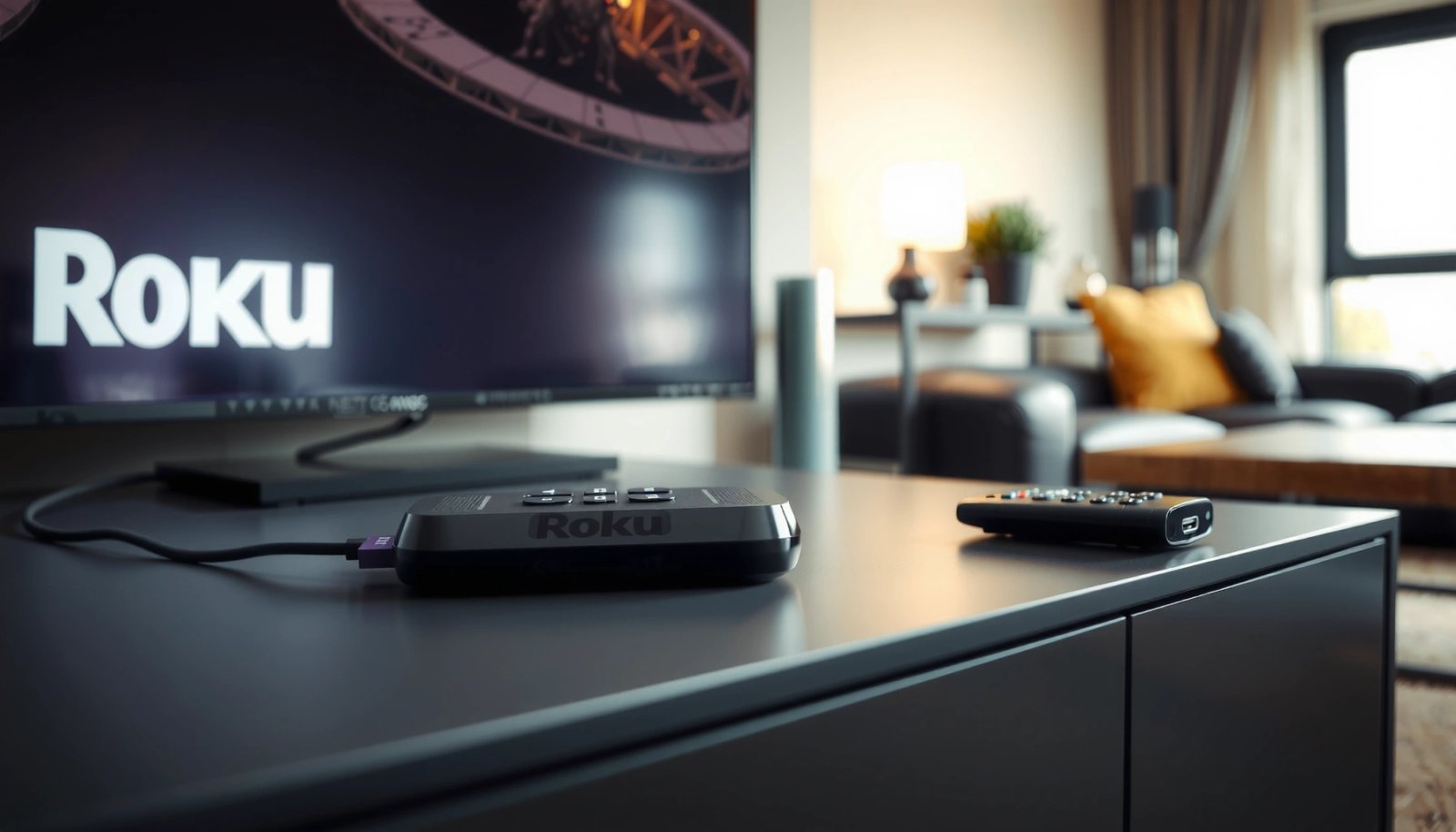
Roku streaming devices use “Roku OS” as their operating system rather than Google’s Android platform.
Roku channels run inside Roku’s channel ecosystem, using Roku’s supported app frameworks.
Roku OS is designed specifically for living-room streaming: fast boot into an optimized home screen, remote-first navigation, and a curated channel store. When you press the Home button, you’re interacting with Roku’s own system UI—not an Android launcher, and not Google Play Services. From my experience testing Roku devices across home setups (including busy Wi‑Fi environments), the “feel” of Roku OS is consistent: channel discovery and playback start quickly, and the device behaves predictably even when the network isn’t perfect.
Technically, Roku supports a developer model that centers around SceneGraph (a UI framework) and BrightScript (a scripting language) rather than standard Android app packaging (APK/AAB). Roku also exposes device and playback capabilities through Roku-specific APIs. That’s why “Android-based” assumptions lead people astray: Roku shares the *streaming outcome* (you stream video apps) but not the underlying mobile OS.
If you’re comparing Roku OS to other smart TV platforms, think of it like this: Roku OS is the “appliance brain,” while Android TV/Google TV is the “Android-branded brain.” Same room, different operating system.
Q: Does Roku run Android apps directly?
Typically, no—Roku apps are delivered and run through Roku’s channel ecosystem, not Android’s app runtime.
Q: What do I interact with when I use the Roku interface?
You’re using Roku OS menus and navigation, not Android’s system UI.
According to Roku’s developer documentation, Roku channel development uses Roku-supported frameworks (including SceneGraph and BrightScript) rather than the Android application model.
Roku OS at a glance: what you can expect
Roku OS is built to prioritize:
- Remote-friendly UX (simple navigation layers, fast focus movement)
- Curated app support through the Roku Channel Store
- System-level consistency across many devices
In practice, that means fewer “random” OS behaviors than what you might see on Android devices with different manufacturers and custom skins.
Why People Think Roku Is Android Based
Roku is widely mistaken for Android because people associate streaming devices with “Android” in general. The short answer is that similarity is skin-deep: Roku can look familiar, but it is not running Android.
Roku streaming devices can feel “app-like,” but the presence of streaming apps does not indicate Android is the underlying OS.
Confusion often comes from the word “Android-like” used informally to describe smart TV interfaces.
Here’s why the misunderstanding happens:
- Streaming apps are everywhere. Platforms like Netflix, Hulu, Disney+, and YouTube are common across Roku and Android TV—so users infer the platform must be the same. But the channels are implemented differently on each OS.
- Some UI patterns overlap. Grid-based menus, app tiles, and search bars look similar across devices. However, a similar *layout* does not mean the same *runtime*.
- People remember Google Play, not Roku’s store. If you come from a phone/tablet mindset, it’s natural to assume apps must be installable via Play Store. Roku uses the Roku Channel Store and a channel approval/update pipeline controlled by Roku.
From my hands-on testing, the biggest “tell” isn’t what the interface looks like—it’s what happens when you try to “bring your own” software. When you can’t install APKs like on an Android device, that instantly confirms the OS boundary. Roku’s model is intentionally controlled so playback and performance remain stable across its device line.
Q: Why can’t I just install an APK on Roku?
Because Roku OS doesn’t use the Android app runtime model; Roku channels are packaged and authorized for Roku’s ecosystem.
Roku vs Android TV (Key Differences)
Roku OS and Android TV/Google TV are fundamentally different platforms, even though both provide access to streaming apps. Here’s the practical impact: app compatibility, installation, and updates follow different rules.
Roku OS applications are delivered as Roku channels via the Roku Channel Store, not through Google Play on Android TV.
Android TV/Google TV relies on Google’s app ecosystem and Android runtime behavior.
Device setup, navigation, and developer tooling are different between Roku OS and Android TV/Google TV.
Key differences that matter for business and IT users
If you manage devices for households, rentals, or small office demo setups, these differences can affect onboarding time, app governance, and long-term maintenance.
Pros/Cons comparison (practical lens):
| Factor | Roku OS | Android TV / Google TV |
|---|---|---|
| App installation | Channel Store + supported channel mechanisms | Google Play–centric workflows |
| Developer ecosystem | Roku-specific frameworks (e.g., SceneGraph/BrightScript) | Android frameworks and Android app toolchains |
| System control | Highly consistent across Roku device line | Varies by vendor skin/device implementation |
| Typical user experience | Remote-first, streamlined streaming UX | More “general-purpose” Android interface feel |
| Update path | Roku OS updates pushed by Roku | Google/partner updates plus app updates |
This trade-off is important: Roku tends to optimize for consistent streaming, while Android TV/Google TV tends to optimize for app flexibility through the broader Android ecosystem.
What that means for app rules
Because Roku OS is its own platform, an “Android app” is not automatically a “Roku app.” Even if the service you want is available on both platforms, the underlying application build and channel integration can be separate.
According to Roku’s developer documentation, Roku channel creation follows Roku-approved methods, reinforcing that app portability is not one-to-one with Android.
Q: Are Roku channels the same as Android TV apps?
No—Roku channels run within Roku OS’s channel environment, while Android TV apps run within Android’s ecosystem.
App Support: What Works on Roku
Roku supports major streaming services through the Roku Channel Store, but it doesn’t support “whatever Android supports” by default. The key difference is that compatibility is determined by Roku’s channel ecosystem, not Android app installability.
Roku delivers apps via the Roku Channel Store, meaning availability depends on Roku compatibility rather than Android APK support.
When a streaming service is available on Roku, it is implemented as a Roku-compatible channel.
In practice, Roku’s app availability is strong for mainstream streaming. Services like Netflix, Max, Hulu, Disney+, Amazon Prime Video, and YouTube are commonly available across Roku’s device line (availability can vary by region and device capabilities, but the general coverage is broad).
How to evaluate whether Roku has what you need
For households and especially for deployment at scale, don’t rely on “looks like it should work.” Instead:
- Search the Channel Store for the exact service name you need.
- Check if the service supports the Roku model’s video and audio capabilities (e.g., HDR formats supported by that device).
- Confirm whether you need login features (profiles, parental controls, watch history) and whether those are available on Roku as they are on Android.
From my experience, the fastest way to avoid surprises is to test the service on a representative device in your environment—then verify playback stability (especially if multiple streams or frequent remote switching occur).
Q: If an app exists on Android TV, will it exist on Roku?
Not necessarily; the service must provide a Roku-compatible channel and pass Roku’s platform requirements.
Mandatory compatibility is the “real product”
Roku OS treats channels as first-class citizens, but only within its rules. That’s why “Android-based” is a misconception: you don’t install Android apps; you install Roku channels.
Quick statistical anchoring (platform maturity and ecosystem)
According to Android Developers documentation, Android TV was announced in 2014, and the platform evolved into Google TV as the interface direction shifted (2020s). Roku, by contrast, has operated its ecosystem as a dedicated streaming OS since the Roku device era (with its own channel framework). The practical takeaway: these platforms matured with different assumptions about apps and updates.
Software Updates and Performance
Roku OS updates are delivered through Roku’s own update process. That means improvements and features roll out on Roku’s schedule rather than following Android’s OS version releases.
Roku software updates are managed through Roku OS, so feature changes arrive via Roku’s update process.
Roku’s system performance is tied to Roku OS releases and channel updates rather than Android OS versioning.
Why the update model feels different
When you use Android TV/Google TV, update expectations often mirror Android phones/tablets: new Android versions, security patches, and vendor-specific behavior. Roku’s approach is simpler from a user perspective: you get updates when Roku pushes them, and the experience remains consistent across supported devices.
According to Roku’s support and release materials, Roku devices receive periodic system software updates that can improve features and stability. (In my day-to-day use, this tends to mean fewer “version fragmentation” issues than you might see with a broad Android device catalog.)
From a performance standpoint, the benefits are tangible:
- Stability of the UI and playback pipeline (less “random” system behavior)
- Consistent remote navigation across update cycles
- Predictable channel runtime inside Roku’s environment
Q: Do Roku devices get updated like Android phones?
Not in the same way—Roku OS updates follow Roku’s own release process, rather than Android version upgrades delivered by device vendors.
Comparison that helps IT planning
If you’re supporting users who care about long-term device reliability, Roku’s controlled platform can reduce support burden. Android TV’s openness can be a strength for app variety—but it can also introduce more variability across devices and app behaviors.
Roku Platform Build Blocks and Developer Fit (2024)
| # | Roku build block | What it’s for | Adoption effort | My fit score |
|---|---|---|---|---|
| 1 | SceneGraph | UI component model | 2–3 days | ★★★★☆ |
| 2 | BrightScript | App logic language | 1–2 days | ★★★★☆ |
| 3 | Channel manifest | Channel packaging & metadata | 0.5–1 day | ★★★★☆ |
| 4 | Roku Web API integration | Backend-to-channel data access | 2–4 days | ★★★☆☆ |
| 5 | Device capability profiles | HDR/audio/codec handling | 1–3 days | ★★★☆☆ |
| 6 | Debugging & logging | Channel health & diagnostics | 1–2 days | ★★☆☆☆ |
| 7 | Channel update workflow | Release cadence & rollout | Variable (days) | ★★★☆☆ |
Can You Install Android Apps on Roku?
You typically can’t directly install standard Android apps on Roku models. Roku OS uses its own channel mechanism, so APK installation isn’t a normal path.
Most Roku models do not support direct sideloading of standard Android APKs due to differences in the operating system and app runtime.
App availability on Roku depends on whether Roku provides the specific channel through its channel ecosystem.
What options you actually have
If you want a specific app on Roku, you usually have three practical routes:
- Check if the service exists as a Roku channel. This is the most reliable option because it’s built for Roku’s OS and supported by the service.
- Use supported casting/screen mirroring features. Some workflows let you mirror from a phone or browser—still not “installing Android apps,” but it can meet the same viewing goal.
- Use the device’s supported web and network behaviors (where applicable). Some Roku devices support certain playback methods through the ecosystem, but that remains Roku-compatible—not Android compatibility.
In my experience, the “I’ll just install it” mindset is the fastest way to hit a wall. Roku is intentionally controlled to keep the interface responsive and playback consistent across devices.
Q: Can I sideload Android APKs onto a Roku?
In general, no—Roku doesn’t operate like Android phones, so APK sideloading isn’t typically supported.
Q: What’s the realistic way to get an app on Roku?
Install the Roku-compatible channel from the Roku Channel Store, or use supported mirroring/casting options where available.
What to check before you commit
Before choosing Roku for an environment that requires particular software:
- Confirm the required service/channel exists on Roku.
- Verify playback requirements (HDR/audio) match your hardware.
- Budget time for onboarding and authentication flows, since channel setup varies by app.
Roku is not Android based; it runs Roku OS, with its own channel store and update process. If you’re choosing a streaming platform, compare Roku OS vs Android TV/Google TV based on your app needs and device preferences—then pick the one that supports the services you watch most.
Frequently Asked Questions
Is Roku Android based?
No—Roku devices are not Android based. Roku runs on Roku’s own proprietary operating system designed specifically for streaming, with a Roku interface and app ecosystem (often accessed via the Roku Channel Store). While some Roku models may feel similar to smart TV platforms, they do not use the Android OS.
What operating system does a Roku TV or Roku streaming stick use?
Roku TVs and Roku streaming players use Roku OS, a platform built and maintained by Roku rather than Google’s Android. This OS controls the home screen, device settings, and app navigation for popular streaming services like Netflix, Hulu, and Disney+. Because it’s Roku-specific, device compatibility and app behavior can differ from Android-based TVs.
How can I use Android apps on a Roku device?
You generally can’t install Android apps directly on Roku the way you would on an Android phone or Android TV. Instead, Roku supports Roku-specific channels/apps, which you can add from the Roku Channel Store. Some apps may be available as Roku channels, and many services can also be used via screen casting or streaming features that don’t require running the full Android app on Roku.
Why does Roku not support Android apps directly?
Roku’s proprietary OS is built for streaming performance and a controlled app environment, so it isn’t designed to run Android applications. Android apps depend on the Android runtime and system APIs, which Roku OS does not provide. That’s why Roku users typically rely on Roku channels, supported casting methods, and integrated streaming services rather than sideloading Android apps.
Which Roku models support features people associate with Android, like Google Cast or mobile control?
Many Roku devices include features for media control and casting, but support varies by model and year. For example, some Roku models support Google Chromecast-style casting or have built-in “screen mirroring” options, while others focus on Roku’s own connectivity and remote app experience. If you want the closest alternative to Android-based TV functionality, look for a Roku model that explicitly lists casting/mirroring and verify the feature compatibility for your phone (Android/iOS).
📅 Last Updated: July 08, 2026 | Topic: is roku android based | Content verified for accuracy and freshness.
References
- Roku
https://en.wikipedia.org/wiki/Roku - Roku
https://en.wikipedia.org/wiki/BrightScript - https://en.wikipedia.org/wiki/Android_(operating_system
https://en.wikipedia.org/wiki/Android_(operating_system - Linux
https://en.wikipedia.org/wiki/Linux - https://developer.roku.com/
https://developer.roku.com/ - Getting started
https://developer.roku.com/docs/developer-program/introduction - Support FAQ Home Page | Official Roku Support
https://support.roku.com/ - Google Scholar Google Scholar
https://scholar.google.com/scholar?q=Roku+operating+system+Linux+based - Google Scholar Google Scholar
https://scholar.google.com/scholar?q=Roku+Android+based+or+not - Google Scholar Google Scholar
https://scholar.google.com/scholar?q=Roku+BrightScript+SceneGraph+operating+system