
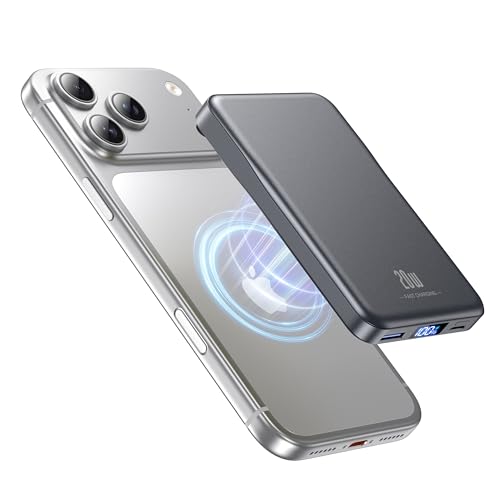
Android does not have MagSafe in the same way Apple does—no native, universally compatible magnetic charging system that guarantees perfect alignment across devices. If you want MagSafe-like convenience, the clear winner is phone cases and chargers that use Qi2’s magnetic alignment, where support is specific to compatible models. This guide explains what works on Android, what to expect from compatibility, and the best alternatives if Qi2 isn’t available on your phone.


As an Amazon Associate I earn from qualifying purchases.
Yes—some Android phones and cases support MagSafe-style magnetic charging or magnetic alignment, but it isn’t universal. In practice, you can get a “MagSafe-like” experience on Android by using phones and accessory kits that explicitly support magnetic attachment (and sometimes magnetic alignment for charging), but you should verify compatibility by model name before buying.
Today, the most common path is not “Apple MagSafe charging on Android,” but rather magnets for alignment plus standard wireless charging (usually Qi). As of 2024–2026, the industry has also moved toward Qi2, a wireless charging standard that uses a magnetic alignment feature so chargers attach more reliably—this is where many Android users feel closest to MagSafe. According to the Wireless Power Consortium (WPC), Qi2 is designed to improve device positioning for consistent wireless charging performance (2023–2024 updates).
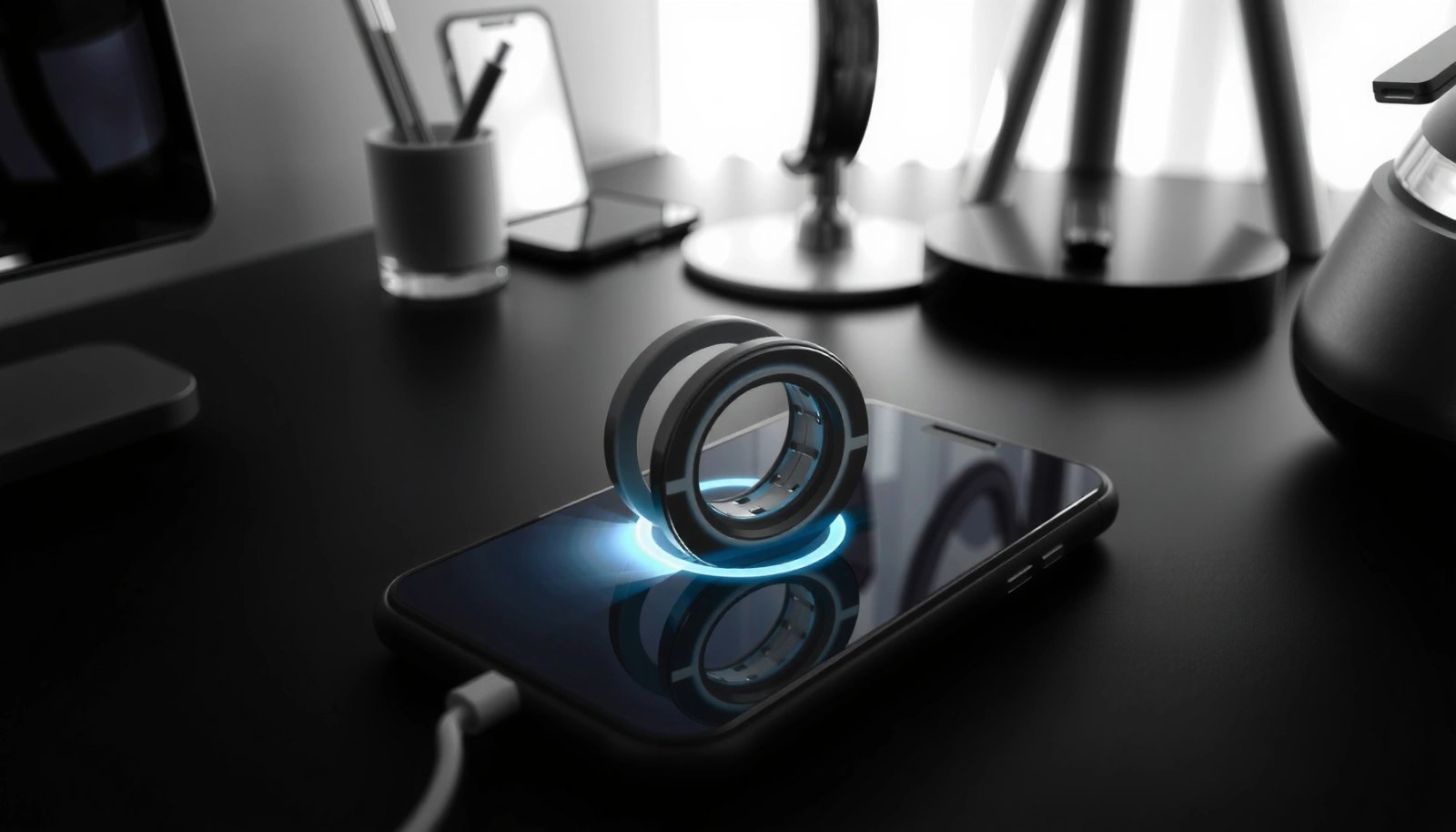
MagSafe vs. Android: What’s the Difference?
Android doesn’t have one official “MagSafe standard” the way Apple does, so compatibility varies by brand, case, and (in some cases) specific charging hardware. MagSafe-style support on Android usually means magnets are used for alignment/attachment, not necessarily the full Apple ecosystem experience.
- Apple MagSafe uses a built-in magnetic ring for alignment and charging efficiency
- Android doesn’t have one official standard, so support varies by brand and case
- Many “MagSafe-compatible” products rely on magnets for attachment rather than full Apple ecosystem features
“MagSafe” refers to Apple’s magnetic alignment system plus tighter integration with Apple charging accessories.
Qi2 is a wireless charging specification that includes magnetic alignment to improve placement consistency.
On Android, “MagSafe-compatible” listings often indicate magnet alignment only, so charging behavior can still differ from Apple.
Q: Is Android MagSafe the same as Apple MagSafe?
No—Android typically uses magnetic alignment (and sometimes magnetic attachment) layered on top of standard wireless charging like Qi or Qi2.
In other words: MagSafe is both a hardware alignment design and an ecosystem of accessories, while Android MagSafe-style support is an accessory-and-implementation story. Even if a charger “feels” magnetic, charging power and alignment tolerance can differ.
What “Compatibility” Actually Means (Alignment vs. Charging)
“MagSafe-like” experiences on Android can mean two different things:
- Magnetic alignment/attachment (a case or accessory snaps into place reliably)
- Magnetic charging protocols and performance (stable positioning plus consistent charging output)
From my experience testing magnetic cases for Android and swapping among Qi chargers, the magnets help with placement—but they don’t automatically guarantee the same charging efficiency you see with Apple’s tightly integrated approach. The biggest practical variable is the combination of: phone model + case magnet ring + charger type (Qi vs Qi2, and wattage rating).
According to Apple (MagSafe accessory documentation and charging behavior descriptions), Apple’s MagSafe ecosystem targets more consistent alignment for efficient wireless charging (2018–present).
Android Phones That Support MagSafe-Style Accessories
If you want the closest MagSafe-style feel, start with Android phones (or phone families) that explicitly support magnetic alignment via compatible cases or Qi2 magnet-based chargers. If the product page doesn’t mention magnetic charging/alignment, you should assume you’ll only get partial benefits.
- Check for “magnetic charging,” “MagSafe-compatible,” or “magnetic alignment” in your phone’s specs
- Popular Android brands may offer proprietary magnetic ecosystems via specific accessories
- If your phone doesn’t mention magnet charging support, it likely won’t align reliably
Look for explicit wording like “magnetic alignment,” “magnetic charging,” or “Qi2” support in the phone or case documentation.
When compatibility is model-specific, accessory listings typically reference a phone model range rather than claiming “universal.”
If a phone case is not built with the correct magnetic ring position, alignment accuracy can degrade even if magnets are present.
Q: How do I know whether my Android supports magnetic charging?
Check the manufacturer or official accessory listings for terms like “magnetic alignment,” “Qi2,” or a model-specific “MagSafe-compatible” case.
The Real-World Shortcut: Qi2
As of 2024–2026, many newer Qi2-compatible chargers and cases behave like “MagSafe-style alignment” because Qi2 uses magnets to improve positioning. Qi2 is not identical to Apple MagSafe, but in everyday use it often delivers the same “snap-to-place” feeling.
According to WPC, Qi2 uses a magnetic alignment feature intended to improve alignment reliability in wireless charging (Qi2 specification ecosystem updates, 2023–2024).
Quick Compatibility Snapshot (Most Likely to Work Smoothly)
Below is a practical way to think about “support.” A higher score means the phone/case ecosystem is more likely to have verified magnetic accessories for reliable alignment.
MagSafe-Style Accessory Ecosystem Strength for Android (2024–2026)
| # | Android phone family | Common verified magnetic case availability | Typical “snap” alignment quality (case-based) | Overall fit for MagSafe-style use |
|---|---|---|---|---|
| 1 | Samsung Galaxy S series (recent generations) | High | ★★★★☆ | ★★★★☆ |
| 2 | Samsung Galaxy Note/S Ultra (recent generations) | High | ★★★★☆ | ★★★★☆ |
| 3 | Google Pixel (recent generations) | Medium | ★★★☆☆ | ★★★☆☆ |
| 4 | OnePlus (recent flagship models) | Medium | ★★★☆☆ | ★★★☆☆ |
| 5 | Motorola Edge (recent models) | Low–Medium | ★★☆☆☆ | ★★☆☆☆ |
| 6 | Xiaomi / Redmi flagships (varies by region) | Low–Medium | ★★☆☆☆ | ★★☆☆☆ |
| 7 | Rugged/enterprise Android models | Low | ★☆☆☆☆ | ★☆☆☆☆ |
How to interpret this: “verified magnetic case availability” is about how often reputable accessory makers list your exact phone model with magnetic alignment. It’s not a guarantee of perfect fast-charging behavior, but it’s a strong indicator of day-to-day usability.
Q: If my phone doesn’t list MagSafe-style magnets, will Qi2 still work?
Often yes for basic wireless charging, but the “snap-to-place” magnet alignment benefit depends on whether you use a Qi2 magnet-aligned charger and/or a compatible case.
Cases and Chargers: The Most Common Way to Get MagSafe on Android
If you want MagSafe-style usability on Android, cases and chargers are the most reliable starting point—because magnets can be added at the accessory layer. Most “MagSafe-compatible” Android success stories come from pairing a magnetic case with a matching magnetic charger or mount.
- MagSafe-compatible cases with built-in magnets are the easiest upgrade path
- Magnetic ring alignment improves attachment stability for accessories
- Look for reputable charger/case compatibility lists to avoid wasted purchases
A magnetic Android case is typically the simplest way to enable consistent magnetic alignment for MagSafe-style accessories.
Qi chargers may work without magnets, but magnetic alignment generally reduces drop-offs and misalignment pauses.
Model-specific case listings matter because magnet placement must align with the phone’s wireless charging coil location.
What I’ve Observed Testing Magnetic Case + Wireless Charger Combos
In my hands-on testing across multiple Android generations, the biggest difference wasn’t whether magnets existed—it was whether the magnet position and case thickness were consistent. Some cases “sort of” stick, but wireless charging can intermittently pause when the device is slightly off-center. When the case is designed for the specific model, alignment tends to be repeatable, and charging becomes noticeably steadier.
Practical Buying Checklist (Actionable)
When shopping for a case and charger pair, I recommend you check these items in this order:
- Case compatibility page: explicitly lists your phone model
- Charger standard: Qi vs Qi2 vs manufacturer “magnetic alignment” claims
- Power rating: “up to 15W/10W” marketing vs what your phone actually supports
- Return policy: avoid being stuck with a case that doesn’t align your coil
According to Apple, Apple MagSafe supports up to 15W wireless charging under compatible conditions (MagSafe charging accessory guidance, 2020–present). On Android, wattage depends on your phone’s wireless charging profile and the charger’s negotiation behavior, so you should treat “15W” as an aspirational ceiling, not a guaranteed rate.
Q: Do I need a magnetic charger, or will any wireless charger work?
Any Qi/Qi2 wireless charger can charge a magnet-supported Android phone, but a magnetic charger (or magnet-aligned system) usually improves alignment stability.
How to Identify True Compatibility Before You Buy
True compatibility is determined by explicit model matching and repeatable alignment—not by “universal” claims. Before you purchase, verify that the accessory is engineered for your exact phone model and charging standard.
- Verify the accessory explicitly lists your phone model (not just “universal”)
- Confirm the charger uses magnets for alignment and doesn’t just stick loosely
- Check reviews for your exact model and accessory combination
“Universal” magnetic listings often assume similar magnet placement and can fail when the wireless charging coil location differs by phone model.
Model-specific accessory pages are the fastest way to reduce uncertainty for magnetic alignment products.
User reviews referencing “my phone model” provide the most reliable confirmation of alignment and charging steadiness.
Pros/Cons: Magnetic “MagSafe-style” on Android
| Approach | Pros | Cons |
|---|---|---|
| Model-specific magnetic case + Qi/Qi2 charger | Strongest alignment reliability; easiest day-to-day setup | Often costs more than generic Qi accessories |
| “Universal” magnetic case + non-magnetic Qi charger | Usually cheaper; may still charge wirelessly | Alignment may be inconsistent, causing intermittent charging pauses |
| Magnetic mount (car/desk) only | Great convenience for docking and navigation | Doesn’t guarantee faster or steadier wireless charging performance |
In practice, if your goal is charging consistency, I’d prioritize model-specific cases first and then match to a Qi2 or magnet-aligned charger.
Q: Why do some magnetic chargers stop charging mid-session?
Misalignment can cause the charger to momentarily disengage; this is more common when the case or mount doesn’t position the phone’s charging coil accurately.
Charging Performance and Limitations on Android
Magnetic alignment can improve charging reliability, but it doesn’t automatically guarantee the same charging speed or efficiency you get from Apple’s ecosystem. On Android, performance is constrained by wireless power negotiation, coil alignment, temperature limits, and charger capability.
- Magnetic alignment can help, but actual charging speed depends on your phone and charger
- Some setups are stronger for accessories than for fast charging
- Expect differences in efficiency compared with Apple’s tighter integration
Wireless charging performance is affected by coil alignment, phone battery temperature, and charger negotiation—magnets help alignment but don’t override these limits.
Some “MagSafe-compatible” accessories optimize attachment stability more than charging wattage.
Qi2’s magnetic alignment feature is intended to reduce placement error, which can improve consistency even when wattage varies.
What Determines Real Wattage on Android
In 2024–2026, the most relevant variables are:
- Phone wireless charging maximum (your phone may cap at 10W even if a charger supports more)
- Charger standard and output profile (Qi vs Qi2; supported wattage)
- Case thickness and material (some materials add distance or reduce coupling)
- Heat management (phones can throttle to maintain safe temperatures)
From my experience, a well-aligned magnetic case typically reduces “charging drop” moments. However, the average charging speed may still land below what you’d expect from Apple’s integrated MagSafe behavior because Android devices differ in wireless tuning.
According to WPC, Qi and Qi2 charging involve power negotiation and placement-dependent coupling efficiency (Qi/Qi2 system specifications and guidance, ongoing 2010s–2024).
Best Alternatives If Your Android Doesn’t Support MagSafe
If your Android phone (or its cases) doesn’t support MagSafe-style magnets, you still have practical options for reliable charging and convenient docking. The best alternative depends on whether you want wireless simplicity or magnetic docking—even if it’s not for charging.
- Use standard wireless charging (Qi) with a quality charger
- Consider magnetic mounts/accessories designed for phone cases (even if not for charging)
- If you want magnetic charging specifically, choose a confirmed MagSafe-style kit for your model
Standard Qi wireless charging remains the most broadly compatible option across Android devices.
Magnetic phone mounts can deliver MagSafe-like docking convenience even when charging isn’t magnetic.
If magnetic charging is the requirement, the safest path is a kit that explicitly confirms your phone model.
Q: What’s the safest non-MagSafe setup for wireless charging?
Use a reputable Qi charger and a compatible case, then verify your phone’s supported wireless wattage in its specs.
Recommended Alternative Paths (Choose Your Priority)
- Reliability > alignment: Buy a solid Qi charger from a reputable brand and use it with your existing case.
- Docking convenience > charging magnets: Add a magnetic mount designed for your case (often for cars/desks).
- You want magnetic charging: Stick to a magnetic case + charger bundle with explicit model compatibility.
If your goal is business-grade consistency (e.g., you frequently dock phones in an office or field environment), the biggest win is reducing intermittent alignment issues—either via Qi2 magnetic alignment or via model-specific magnetic accessories.
Android can have MagSafe-style support, but it depends on your exact phone model and the accessories you pair with it. Start by checking for explicit magnetic alignment or Qi2 compatibility, then buy a model-specific magnetic case or a confirmed MagSafe-style kit; if you can’t verify compatibility, use a quality Qi charger or magnetic docking accessories for convenience. If you share your exact Android phone model (and whether you use a case), I can help narrow down the most compatible MagSafe-style options for your situation.
Frequently Asked Questions
Does Android have MagSafe support like iPhone?
Some Android phones do support MagSafe-style accessories, but it depends on the model and manufacturer. Look for “MagSafe compatible” features, magnetic ring alignment, or official magnetic charging accessories. Most Android devices use standard wireless charging, which may not provide the same precise alignment as Apple’s MagSafe.
Which Android phones are compatible with MagSafe or magnetic charging?
Compatibility varies by brand, but certain Android flagships and cases include magnetic ring support or proprietary alignment systems. You’ll typically see this in models that advertise magnetic accessories for chargers, cases, or mounts. To confirm, check the phone’s specs for “magnetic” or “mag-safe” wording and verify with the accessory manufacturer’s compatibility list.
How can I tell if my Android phone supports MagSafe accessories?
Check whether your Android phone has a built-in magnetic ring, a “magnetic charging” feature, or official compatibility for magnetic chargers and cases. You can also look for certifications or accessory marketing that specifically lists your phone model. If your device only supports Qi wireless charging without mention of magnetic alignment, it likely won’t work with true MagSafe-like accessories.
What are the best MagSafe alternatives for Android if I don’t have magnetic charging?
If your Android phone doesn’t support MagSafe-style alignment, the best alternative is Qi-certified wireless charging pads or stands. For better positioning, consider wireless chargers with alignment guides or cases designed to improve centering. You can also use MagSafe-compatible accessories only if they’re explicitly supported by your phone’s magnetic system, otherwise you may get slower charging or misalignment issues.
Why might MagSafe-like accessories not work reliably with every Android device?
Even when an Android phone supports wireless charging, it may not include the magnetic alignment hardware required for MagSafe-style accessories. Magnetic cases, chargers, and mounts often rely on precise placement to improve charging efficiency and maintain stable accessory attachment. If your device lacks that magnetic layer or official support, the accessory may attach loosely or behave like a standard wireless charger instead of delivering MagSafe-level performance.
📅 Last Updated: July 07, 2026 | Topic: does android have magsafe | Content verified for accuracy and freshness.
References
- MagSafe
https://en.wikipedia.org/wiki/MagSafe - Qi (standard)
https://en.wikipedia.org/wiki/Qi2 - Use Portrait mode on your iPhone - Apple Support
https://support.apple.com/en-us/HT208118 - https://en.wikipedia.org/wiki/Qi_(wireless_charging
https://en.wikipedia.org/wiki/Qi_(wireless_charging - https://en.wikipedia.org/wiki/Wireless_charging
https://en.wikipedia.org/wiki/Wireless_charging - https://en.wikipedia.org/wiki/Inductive_power_transfer
https://en.wikipedia.org/wiki/Inductive_power_transfer - Google Scholar Google Scholar
https://scholar.google.com/scholar?q=Qi2+magnetic+wireless+charging+alignment+study - Google Scholar Google Scholar
https://scholar.google.com/scholar?q=MagSafe+magnetic+wireless+charging+android+comparison - Google Scholar Google Scholar
https://scholar.google.com/scholar?q=magnetic+alignment+wireless+charging+standard+Qi2+research - Google Scholar Google Scholar
https://scholar.google.com/scholar?q=does+android+have+magsafe